
Backslash Symbol (\): How to Type, Copy, and Use It
The backslash, \, is the stroke that leans back, from the top-left down to the bottom-right. It’s one of the few characters invented purely for computing, it separates folders in Windows file paths, and it’s the escape character that makes code work. It’s also endlessly confused with the forward slash.
If you just need the symbol, copy \ from the grid below, along with its HTML entity or URL code.
Below you’ll find how to type \ on every device, how to tell it apart from the forward slash, where it came from, why it turns up in code and Windows paths, and why it sometimes shows as a yen sign.
In a hurry?
- Copy it: click \ in the grid below.
- On a US keyboard: press the \ key, usually just above Enter.
- On a UK keyboard: it’s the key next to the left Shift.
- On Windows anywhere: hold Alt and type 92 on the numeric keypad.
- In HTML the backslash is \ or \; in a URL it’s %5C.
Click to copy: the backslash
Grab \, its HTML entity, the numeric code, or the URL code
Table of Contents
Copy and paste the backslash
The backslash with every code you’re likely to need in one row. Use the grid above to copy with a click; this table is the reference.
| Symbol | Name | Unicode | Windows | Mac | HTML |
|---|---|---|---|---|---|
| \ | backslash | U+005C | Alt + 92 | the \ key | \ |
The backslash is standard ASCII, so it’s on every keyboard, but its position moves between layouts, and it never breaks across encodings. The sections below cover each device.
How to type the backslash on any device
The backslash is easy to reach; the only trick is where it sits on your keyboard. Here’s the quickest route on each system.
Type the backslash on Windows
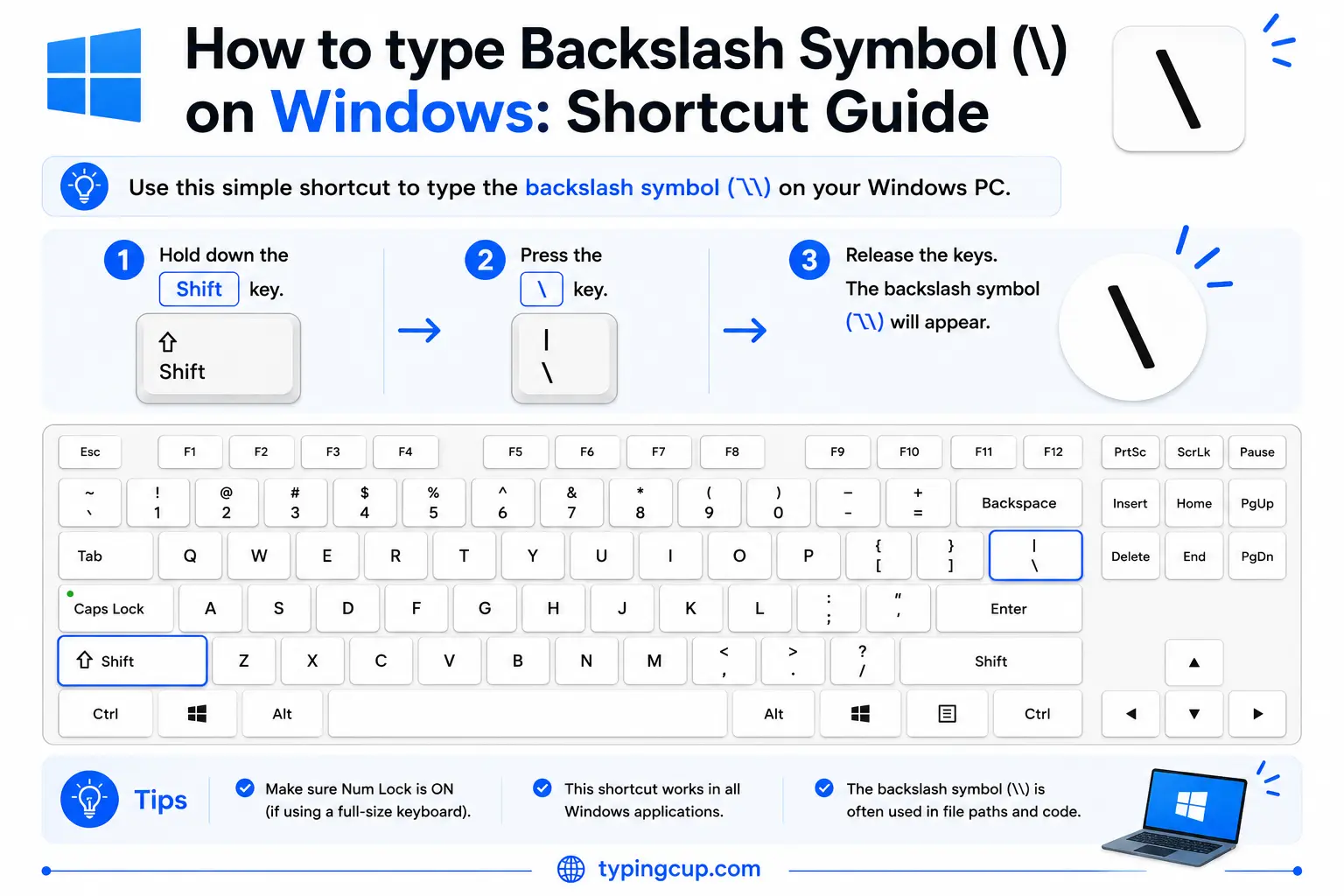
On a US keyboard, the \ key is usually just above the Enter key, sharing with the vertical bar (|). On a UK keyboard, it moves to the key beside the left Shift. Wherever it is, you can also hold Alt and type 92 on the numeric keypad, or press Windows + . for the symbol panel.
Type the backslash on Mac
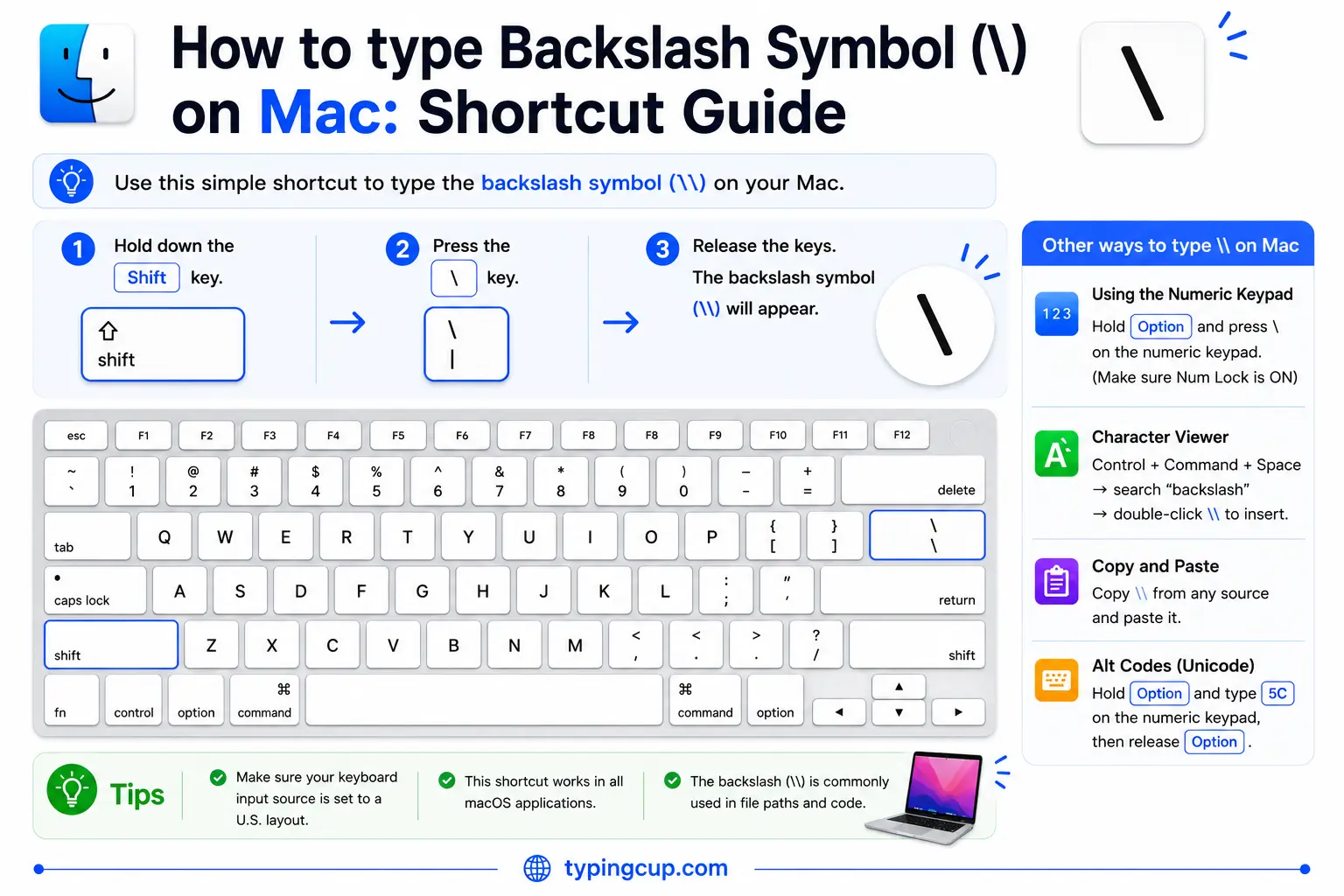
On a US Mac, the \ key is above Return, with the vertical bar on Shift. On UK and some European Mac layouts it sits near the left Shift instead. If it’s not where you expect, open the keyboard viewer under System Settings, then Keyboard.
Type the backslash on iPhone and Android
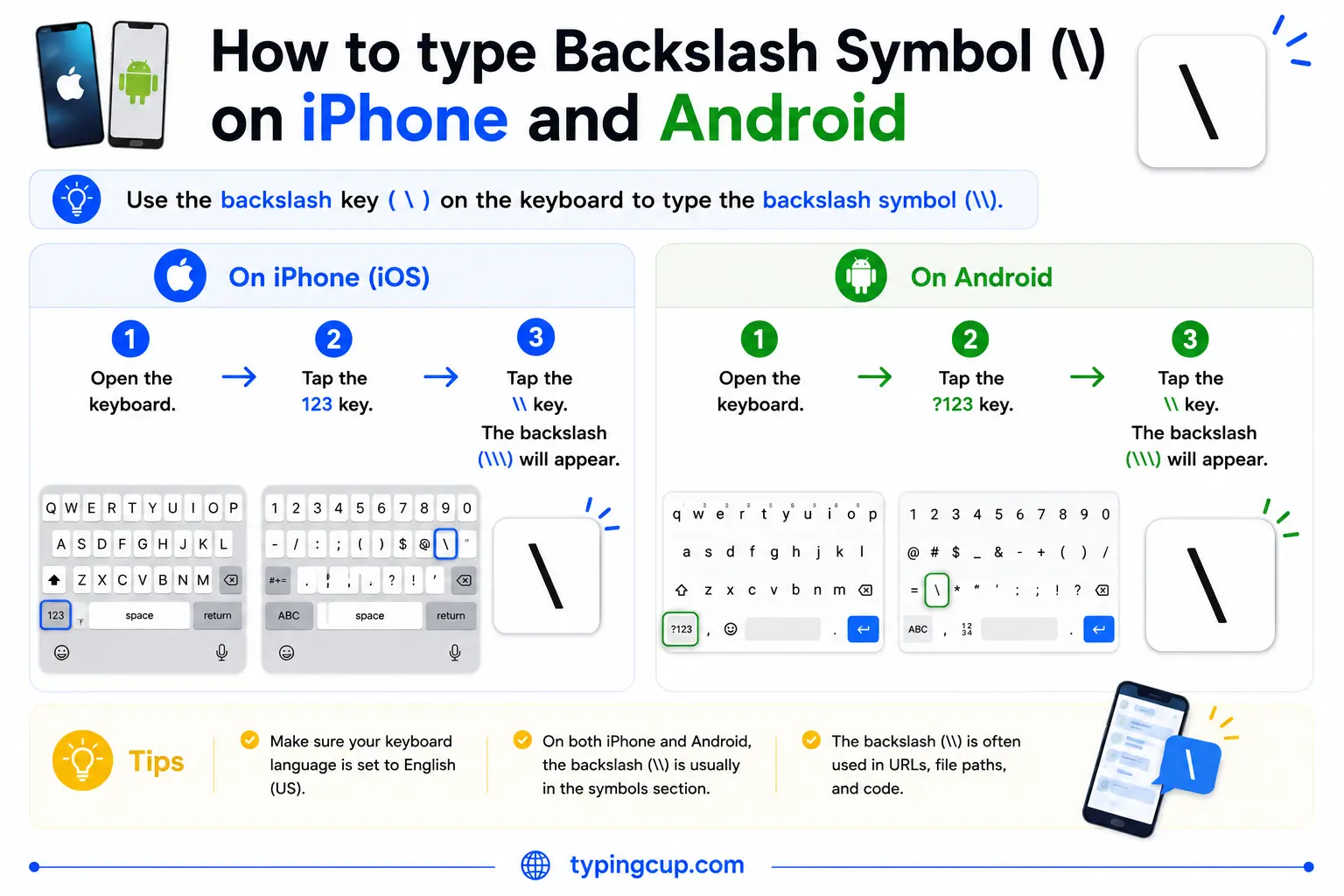
Open the symbols keyboard (the 123 key), then the second symbols page (#+= on iPhone). The backslash is there alongside the other brackets and slashes. On some keyboards you can press and hold the forward slash to reach it.
Type the backslash on Linux
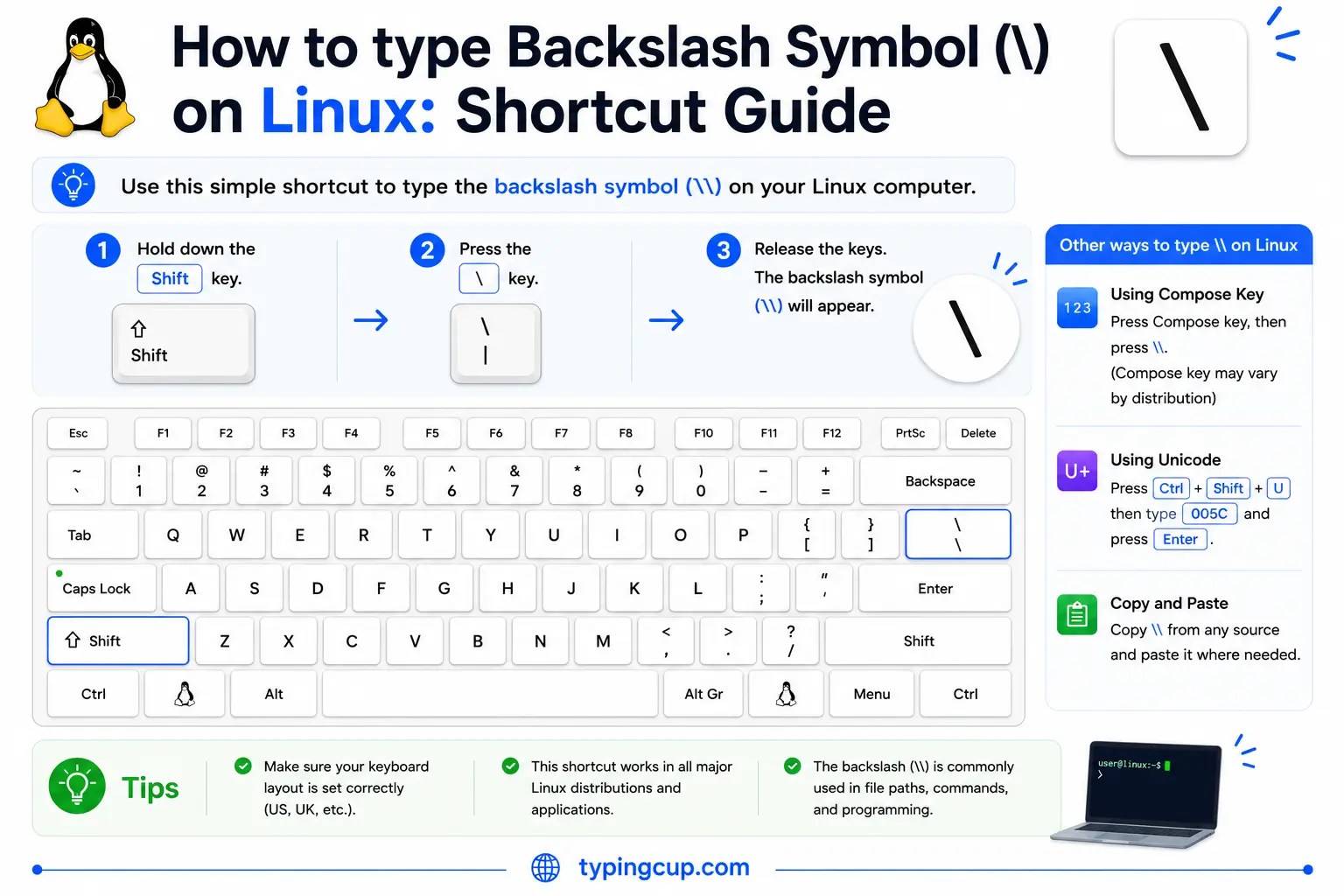
On a US layout it’s the \ key above Enter. On other layouts it may move or sit behind the right Alt (AltGr). You can also press Ctrl + Shift + U, type 005c, and press Enter.
Type the backslash in HTML and CSS
In HTML, the backslash is \ or the numeric \, though the plain character works in text. In CSS the backslash is itself the escape character, so to put a literal one in a content value you write the escaped code point, \005C.
Backslash vs forward slash: which is which
The single most common mix-up is between the backslash (\) and the forward slash (/). They lean in opposite directions: the forward slash rises from the bottom-left to the top-right, while the backslash falls from the top-left to the bottom-right, leaning back, which is where its name comes from.
A simple rule sorts them out. The forward slash / is the everyday one, from fractions, dates, and web addresses. The backslash \ is the rarer one, used mainly in Windows file paths and in code. If you’re typing a website or a Unix path, it’s always the forward slash: https:// and /home/user never use a backslash.
The backslash was invented for computers
The backslash is one of the few characters created specifically for computing. It was proposed in 1960 by Bob Bemer, a computing pioneer sometimes called a father of ASCII, so that programmers writing in the ALGOL language could build its logic operators by combining slashes: /\ for “and” and \/ for “or.”
Before that, the character simply didn’t exist in the world of typewriters and print. Unlike the ampersand or the at sign, it has no history in handwriting; it was designed for code, and it has stayed there ever since.
The backslash as an escape character
In code, the backslash is the escape character, the way you flag that the next character is special. In a text string, \n means a new line and \t means a tab, while \" lets you put a quote inside a quoted string without ending it.
Because it has this special job, writing a literal backslash usually means typing two: \\ produces a single backslash in most languages and in regular expressions. That’s also why Windows paths look doubled in code, where C:\Users is often written C:\\Users so the backslashes survive. In regular expressions the backslash builds the shorthand classes, so \d matches a digit and \w matches a word character.
Backslash in Windows file paths (and why the web uses /)
Windows is where most people meet the backslash, because it separates folders in a file path: C:\Users\Anna\Documents. This goes back to DOS, where the forward slash was already used for command options, so the backslash was pressed into service as the path separator.
Almost everything else uses the forward slash. Web addresses, Unix and macOS paths, and most programming conventions separate with /, as in /home/anna/documents. Windows now accepts forward slashes in many places too, but the classic backslash path is still what File Explorer shows. Network locations start with two, as in \\server\share.
Why the backslash turns into a yen or won sign
On some Japanese and Korean computers, the backslash shows up as a currency symbol instead. Press the backslash key on a Japanese system and you may see ¥, the yen sign; on a Korean one, ₩, the won.
It’s the same character underneath. In the old Japanese and Korean encodings, the byte for the backslash was drawn as the local currency symbol, and fonts and keyboards inherited the swap. So a file path can read C:¥Users on a Japanese machine and behave exactly like C:\Users. There’s more on this in the yen sign guide.
The backslash in URLs and code
In web addresses the backslash is an outsider. The URL standard doesn’t use it as a separator, and browsers usually convert a backslash typed into a URL into a forward slash automatically.
If you do need a literal backslash in a path or query, it’s percent-encoded as %5C. In HTML it’s \ or \, and in code you’ll almost always write it doubled, \\, to get a single one. Because it’s plain ASCII, the backslash itself never garbles across encodings, even if a font chooses to draw it as ¥.
Copy-paste HTML codes
Every code for the backslash in one place. Click a cell and copy.
| Symbol | Named entity | Numeric entity | URL (percent) code |
|---|---|---|---|
| \ | \ | \ | %5C |
In a CSS content value, use \005C. For other symbols, the arrow symbols guide has the same copy-and-code treatment, and for accented letters see the full letters-with-accents list.
Troubleshooting
“I keep typing / when I mean the backslash.”
They’re different keys. The forward slash / is near the right Shift; the backslash \ is usually above Enter on a US keyboard, or beside the left Shift on a UK one. Remember: web and Unix use /, Windows paths and code use \.
“My backslash shows up as ¥ or ₩.”
You’re on a Japanese or Korean font or layout, where the backslash byte is drawn as the local currency sign. It’s the same character and still works as a backslash in paths and code.
“My Windows path breaks in code.”
Single backslashes in a string get read as escape characters. Double them (C:\\Users), or switch to forward slashes, which most languages and Windows itself accept.
“I can’t find the backslash key.”
On US keyboards it’s above Enter; on UK keyboards it’s next to the left Shift. If it’s missing, hold Alt and type 92 on the numeric keypad, or copy it from the grid above.
FAQ
How do I type a backslash?
Press the \ key, above Enter on a US keyboard or beside the left Shift on a UK one. On Windows you can also hold Alt and type 92 on the numeric keypad. Or click \ in the grid above.
What’s the difference between \ and /?
Direction and use. The backslash \ leans back and is used in Windows file paths and code; the forward slash / leans forward and is used in web addresses, dates, and Unix paths.
Why is the backslash used to escape characters?
It was designed for that kind of job. In code it signals that the next character is special, so \n is a newline and \\ is a literal backslash. It’s a convention that dates back to early programming languages.
Why does my backslash look like a yen sign?
On Japanese systems, the backslash byte is displayed as ¥ (and as ₩ on Korean ones), a leftover from older encodings. It’s the same character underneath and still works as a backslash.
How do I write a backslash in HTML or a URL?
In HTML, use \ or \. In a URL, a literal backslash is %5C. In most code, write it doubled, \\, to produce a single one.
