
Pound Symbol (£): How to Type, Copy, and Use the Pound Sign
The pound sign, £, is the symbol for the British pound sterling, and for several other currencies called the pound. It’s a stylised letter L, it always goes before the amount, and, confusingly, it isn’t the only thing called a “pound sign.” This page sorts all of that out.
If you just need the symbol, copy £ from the grid below, along with its HTML entity, its URL code, or the three-letter currency code GBP.
Below you’ll find how to type £ on every device and keyboard, why Americans call a different character the “pound sign,” where the symbol comes from, why it sometimes shows up as £, and a quick reference to the other currency symbols.
In a hurry?
- Copy it: click £ in the grid below.
- On Windows: hold Alt and type 0163 on the numeric keypad.
- On a Mac: press Option + 3 (US layout); on a UK keyboard, just Shift + 3.
- On a phone: on the numbers-and-symbols keyboard, long-press the currency or $ key and pick £.
- In HTML the pound sign is £; in a URL it’s %C2%A3.
Click to copy: the pound sign
Grab £, its HTML entity, its URL code, or the GBP currency code
Table of Contents
Copy and paste the pound sign
The pound sign with every code you’re likely to need in one row. Use the grid above to copy with a click; this table is the reference for typing or coding it yourself.
| Symbol | Name | Unicode | Windows | Mac | HTML |
|---|---|---|---|---|---|
| £ | pound sign | U+00A3 | Alt + 0163 | Option + 3 | £ |
On a UK keyboard the £ has its own home on the number 3 key; on a US keyboard it doesn’t, which is why the shortcut changes from one device to the next. The sections below cover each.
How to type the pound sign on any device
Where you find £ depends heavily on your keyboard layout, so here’s the quickest route on each system.
Type the pound sign on Windows
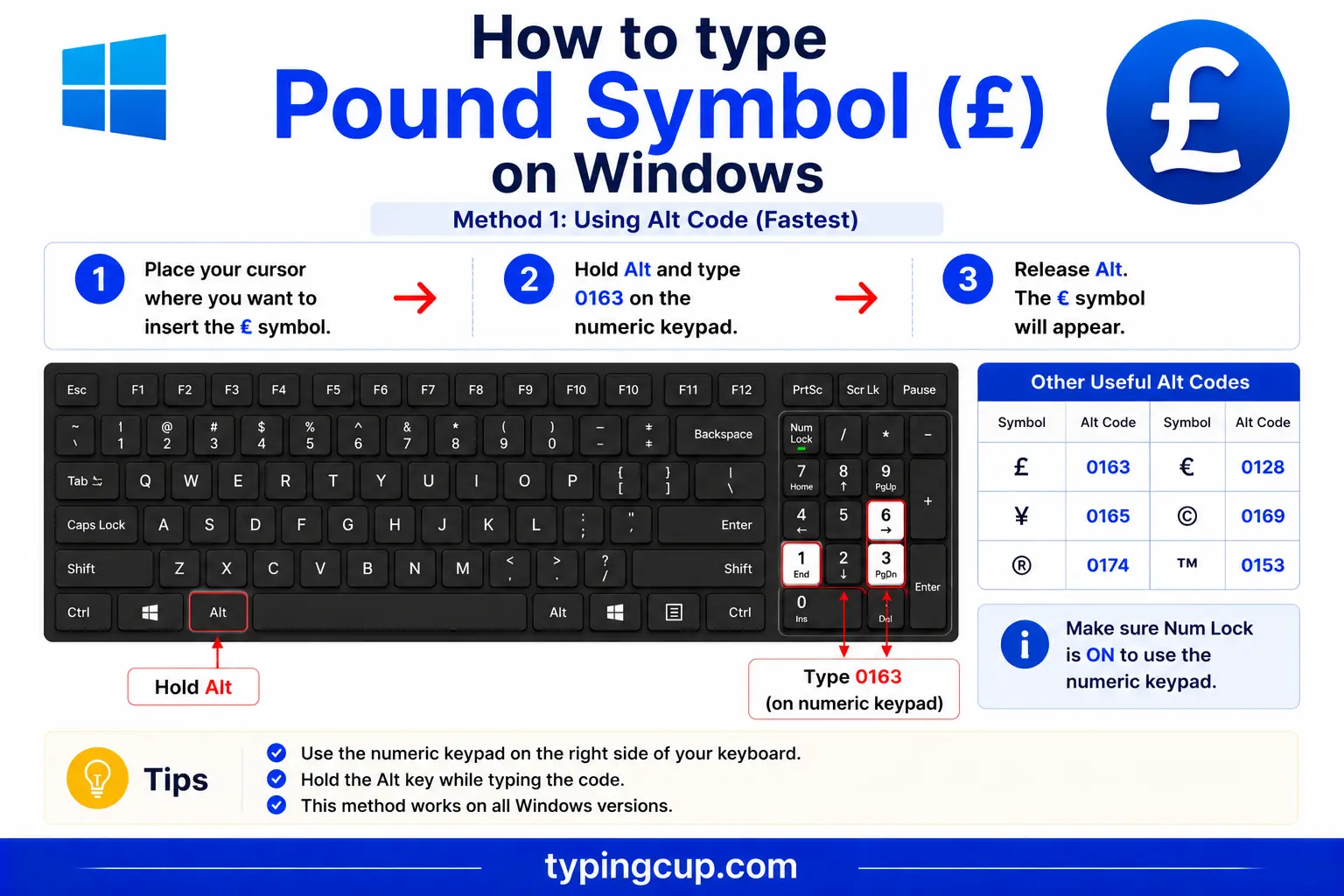
The reliable method everywhere is the Alt code: turn on Num Lock, hold Alt, and type 0163 on the numeric keypad. On a UK keyboard you can simply press Shift + 3, since the £ lives on the 3 key. If neither works, press Windows + . for the symbol panel, or open Character Map.
Type the pound sign on Mac
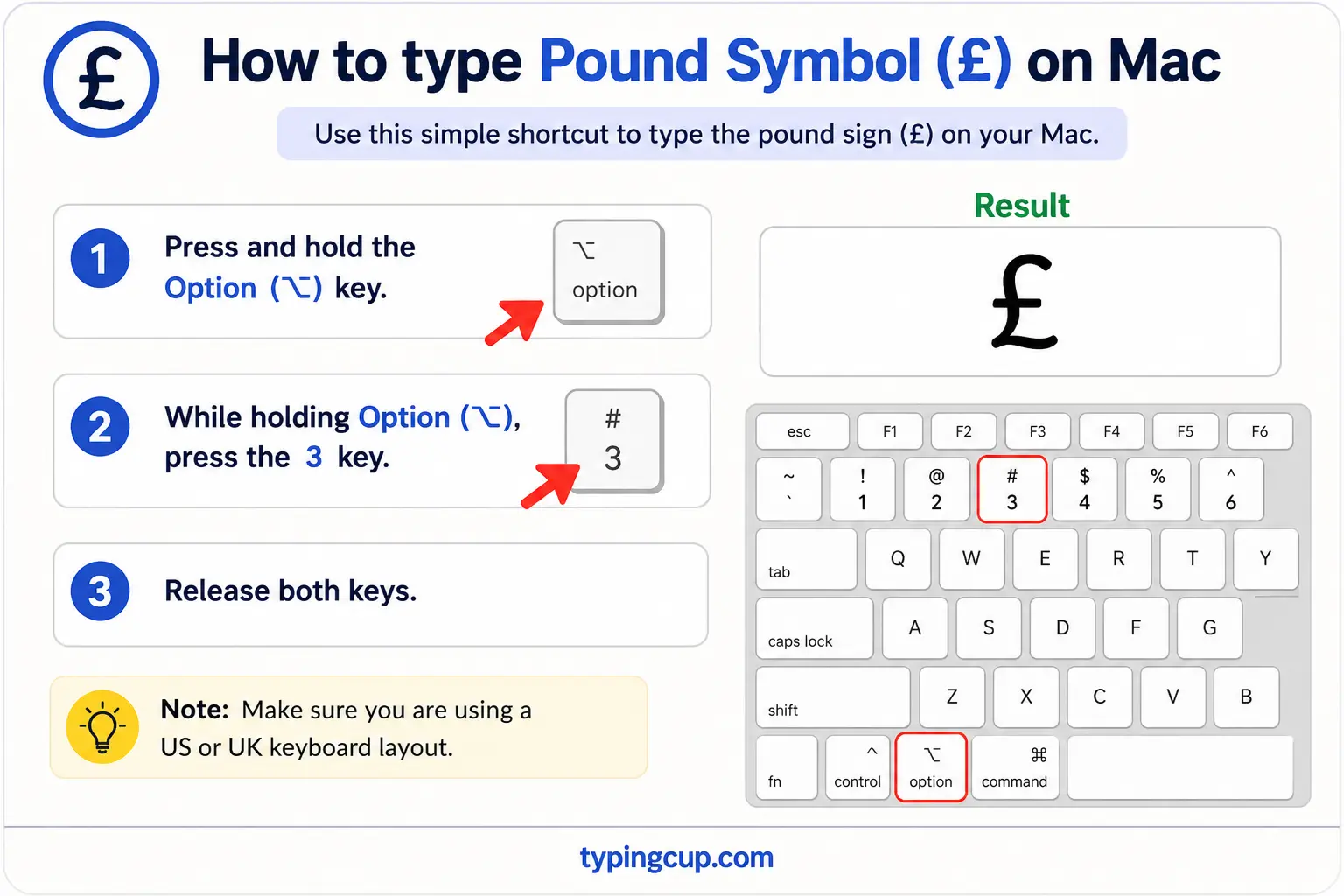
On the US Mac layout, press Option + 3. On a UK Mac keyboard, the £ is the shifted 3, so Shift + 3 gives it to you directly. If a shortcut produces # or another symbol, you’re on the other layout, so try the alternative or open the Character Viewer and search “pound.”
Type the pound sign on iPhone and Android
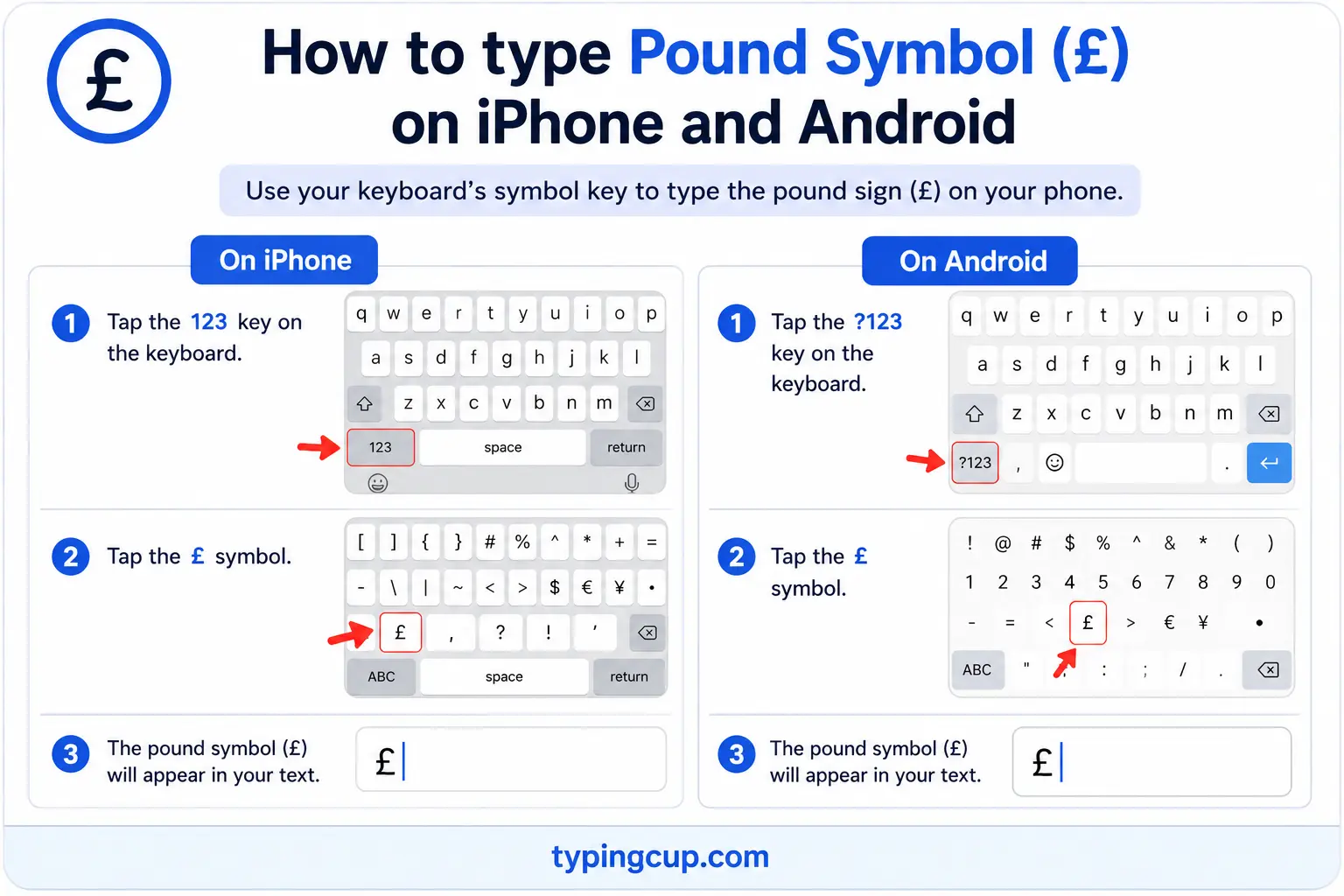
Open the numbers-and-symbols keyboard (the 123 key), then press and hold the $ or currency key. A small menu of currency symbols appears with £ among them; slide onto it and lift your finger. A UK keyboard layout shows £ more directly.
Type the pound sign in Microsoft Word
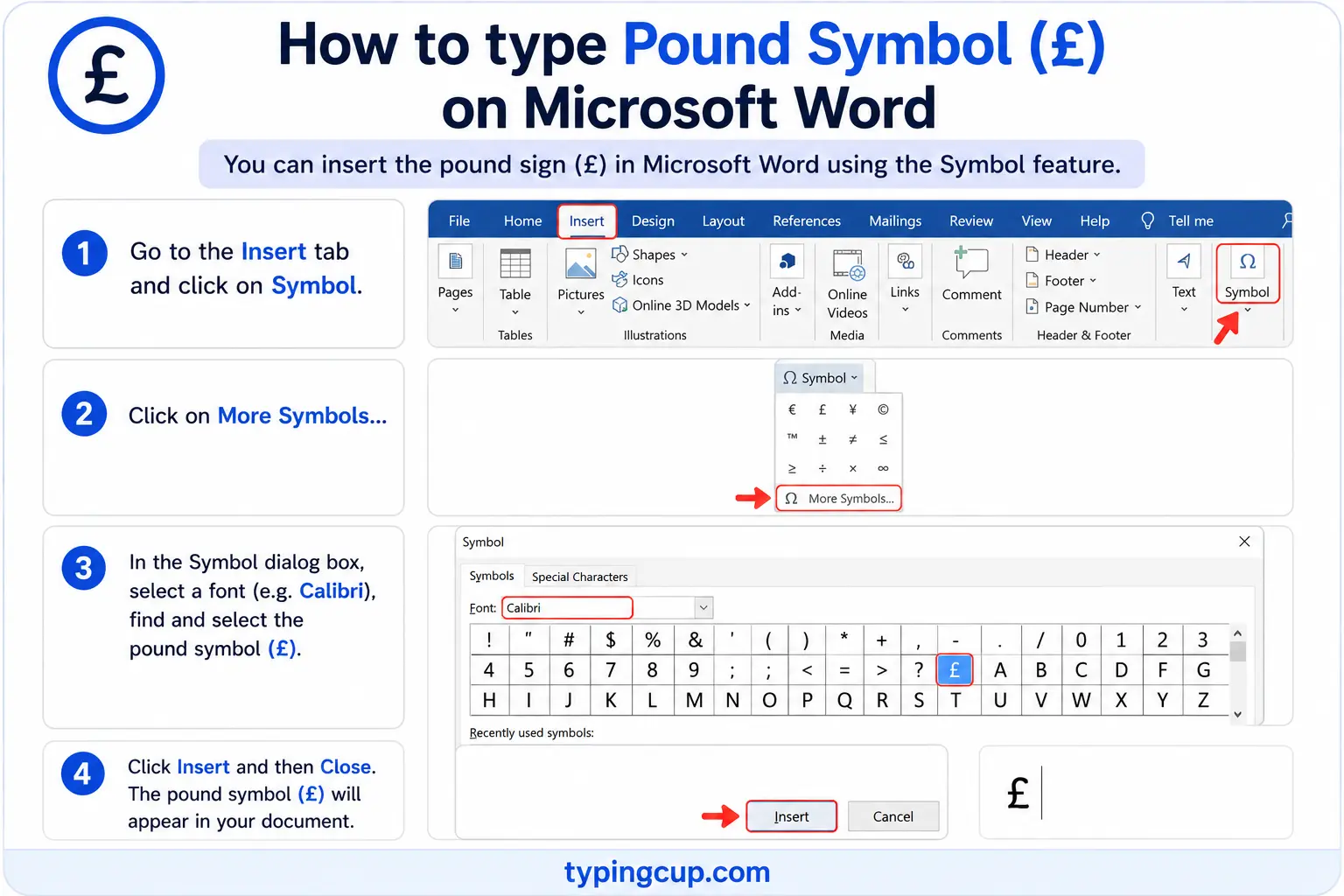
Use the Windows Alt code (0163), or the hex method: type 00A3 and press Alt + X. On a UK keyboard, Shift + 3 works inside Word too, and on a Mac, Option + 3 works directly.
Type the pound sign on Linux
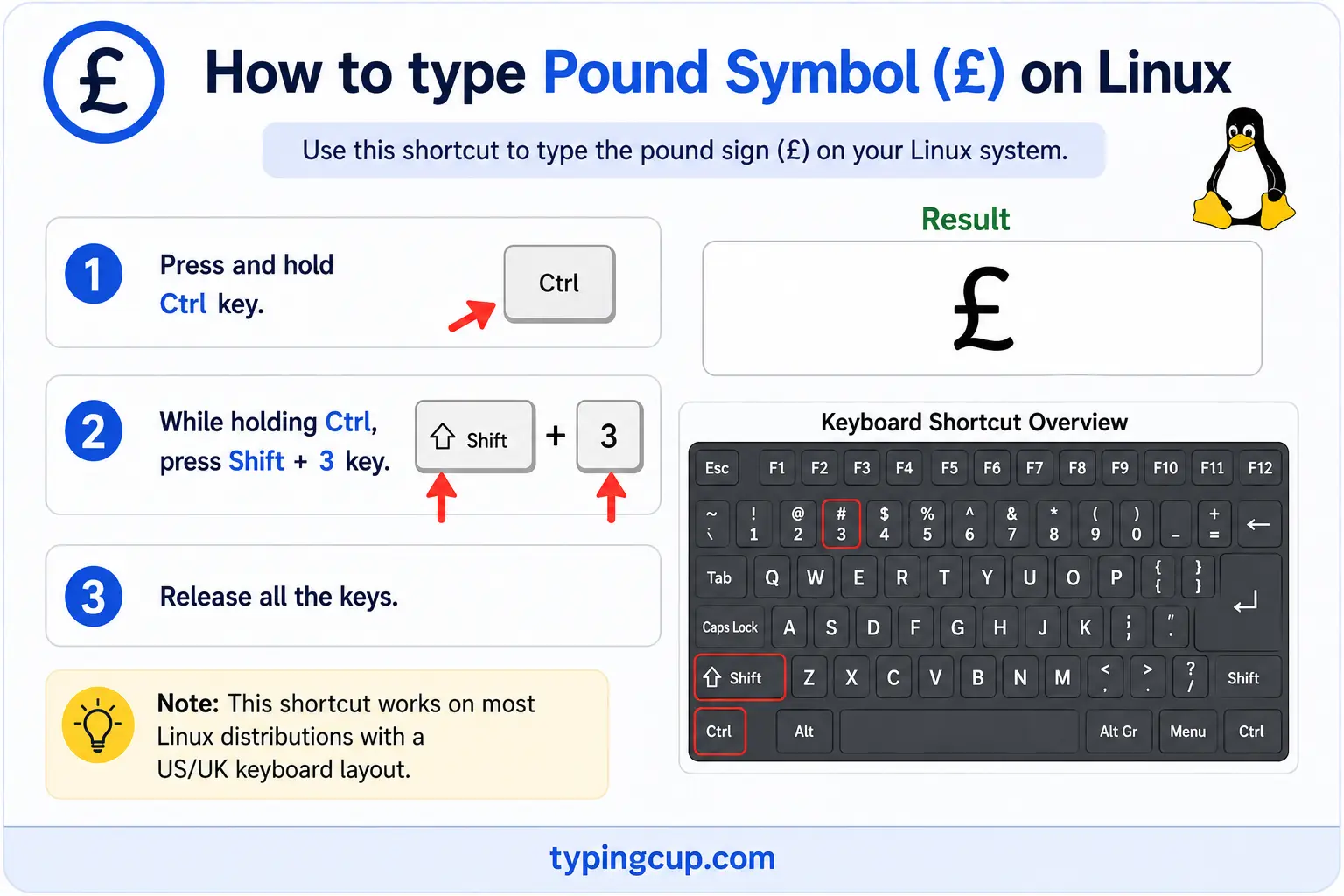
Press Ctrl + Shift + U, type 00a3, then press Enter. With a Compose key, the sequence is Compose, then L, then – (a hyphen), which draws the L with its crossbar.
Type the pound sign in Excel and Google Sheets
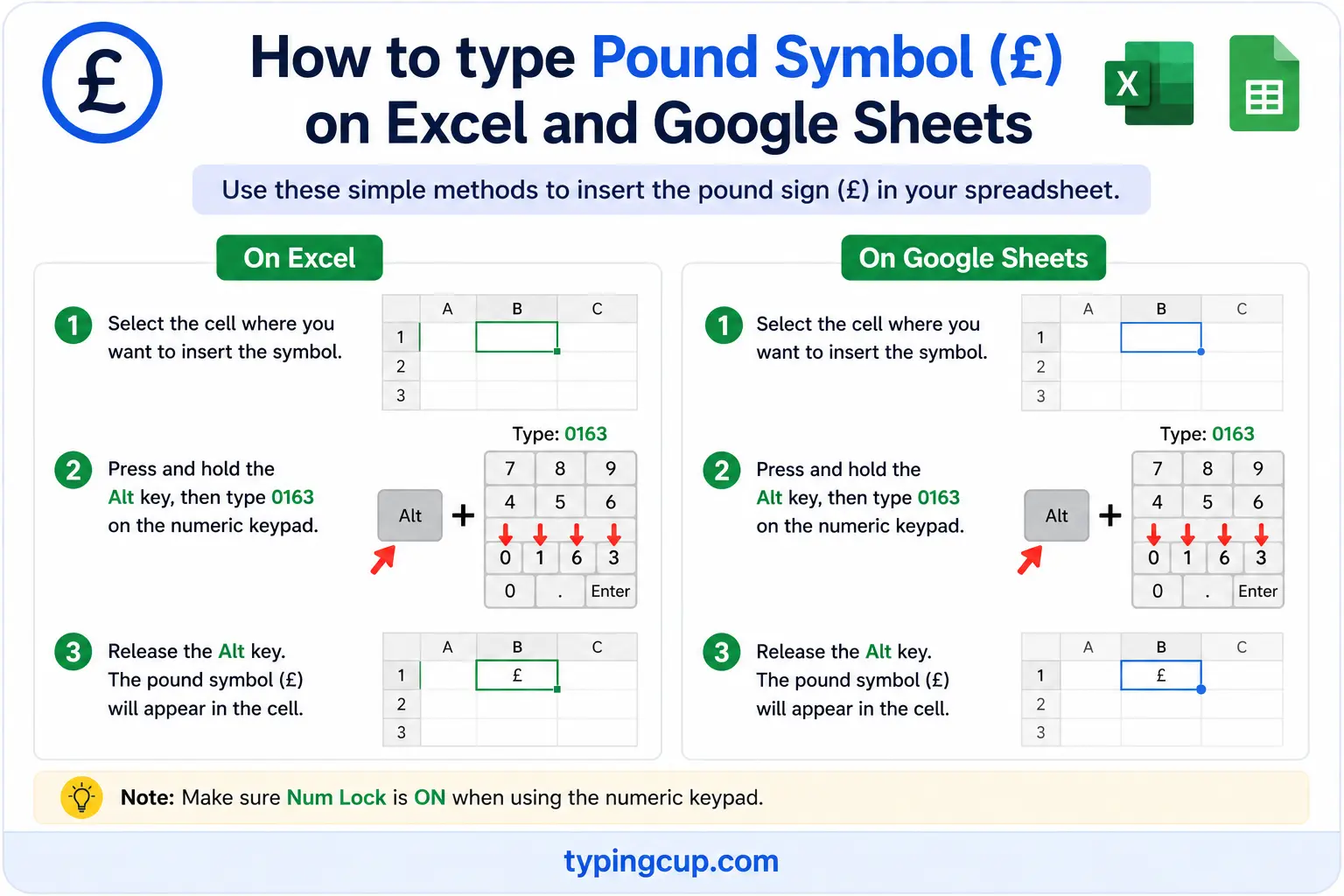
You can type £ with the Alt code, but for figures it’s cleaner to format the cells as Currency or Accounting with the pound selected. The =UNICHAR(163) formula also returns £ inside a text string, and it works the same in Google Sheets.
Type the pound sign in HTML and CSS
In HTML, the pound sign has a short named entity, £, plus the numeric £ and £. In CSS, use \00A3 in a content value, and serve the page as UTF-8 so it renders everywhere.
The two “pound signs”: £ vs #
Ask for a “pound sign” and you might get two completely different characters, depending on where you are. In Britain and Ireland, the pound sign is £, the currency symbol. In the United States, the “pound sign” is usually #, the key on a phone keypad, also called the number sign, hash, or octothorpe.
This causes real confusion. A British caller told by an American phone system to “enter your code and press pound” is being asked to press #, not to type a currency symbol. And a hashtag, like #coffee, is built on the American pound sign, not the British one.
So whenever a page, a phone menu, or a person mentions the “pound sign,” it’s worth checking which they mean: the money symbol £ or the number symbol #. This page is about the currency £; the # is a separate character (U+0023) with its own keys and codes.
Where the £ comes from: L for “libra”
The £ is really an ornate letter L. It comes from libra, the Latin word for a pound weight, in the phrase libra pondo, “a pound by weight,” which is also where English gets the word “pound.” Writers drew the L with one or two crossbars to mark it as a symbol rather than a plain letter, and that stylised L became £.
The same Latin root branches out in surprising ways. The abbreviation lb for pounds of weight is libra too, and even the American pound sign, #, is thought to have grown out of ℔, an lb ligature with a line through it. So the British money symbol, the weight abbreviation, and the American number sign all trace back to the same Roman word.
£ on a US keyboard vs a UK keyboard
Where you find £ on a physical keyboard depends on the layout, and it’s a common source of frustration. On a UK keyboard, it’s the shifted 3: press Shift + 3 and you get £, while the number sign lives elsewhere. On a US keyboard, Shift + 3 gives you # instead, and there’s no dedicated £ key at all.
On a US Windows machine, the way in is the Alt code, Alt + 0163. On a US Mac, it’s Option + 3. This layout difference is exactly why a British writer on an American laptop, or the reverse, suddenly can’t find a symbol they use every day, and why the copy grid at the top is such a quick fix.
Other currencies that use the pound sign
The £ isn’t only British. Several currencies are called the pound and share the symbol, including the Egyptian pound, the Lebanese pound, and the Syrian and Sudanese pounds, along with the pounds of British territories like Gibraltar, the Falklands, and Saint Helena.
Because the symbol is shared, formal and financial writing leans on the ISO code instead: GBP for the British pound, EGP for the Egyptian pound, and so on. When it’s clear from context that you mean sterling, £ is fine; when it isn’t, the three-letter code removes the doubt.
Why the pound sign breaks: the “£” encoding trap
Like other non-ASCII symbols, £ can garble when the encoding is wrong, and it has a signature failure: it turns into £, with a stray  in front of the pound sign.
The reason is in the bytes. In UTF-8, £ is stored as two bytes, 0xC2 and 0xA3. Read those with an older encoding like Latin-1, and 0xC2 becomes  while 0xA3 stays £, so £10 shows up as £10. If you spot that  creeping in before prices, the file and the page disagree about the encoding.
The fix is to set everything, file, database, and page charset, to UTF-8. Then the stray  disappears and the £ stands on its own.
The pound sign in web addresses, URLs, and code
You’ll rarely put a £ in a domain name, but it appears in URL paths and constantly in code.
In a URL, £ is percent-encoded as %C2%A3, its two UTF-8 bytes written out. In code, the escapes are \u00a3 in JavaScript, Java, JSON, and Python, and £ or £ in HTML. As with the euro, it’s a symbol to keep out of passwords and identifiers, since it breaks so readily across encodings.
The pound sign vs other currency symbols
If you work across currencies, here are the common symbols alongside the pound, with their Unicode points.
| Symbol | Currency | Unicode | HTML |
|---|---|---|---|
| £ | Pound sterling | U+00A3 | £ |
| € | Euro | U+20AC | € |
| $ | Dollar | U+0024 | $ |
| ¥ | Yen / Yuan | U+00A5 | ¥ |
| ₹ | Indian rupee | U+20B9 | ₹ |
| ₩ | Korean won | U+20A9 | ₩ |
| ¢ | Cent | U+00A2 | ¢ |
The pound, euro, yen, and cent all have short named HTML entities; the newer symbols, like the rupee and won, use the numeric form. The euro sign guide covers € in the same detail.
Copy-paste HTML codes
Every code for the pound sign in one place. Click a cell and copy.
| Symbol | Named entity | Numeric entity | URL (percent) code |
|---|---|---|---|
| £ | £ | £ | %C2%A3 |
In a CSS content value, use \00A3. For other symbols, the arrow symbols guide has the same copy-and-code treatment, and for accented letters see the full letters-with-accents list.
Troubleshooting
“My pound sign shows up as £ or a box.”
That’s an encoding mismatch: the UTF-8 bytes for £ are being read as an older encoding, which adds a stray Â. Set the file, database, and page charset to UTF-8 and the £ returns clean.
“Alt + 0163 just beeps or types nothing.”
Num Lock is off, you’re using the top-row numbers, or the laptop has no keypad. Turn Num Lock on and use the keypad. No keypad? Use the copy grid above, or Windows + .
“I pressed Shift + 3 and got # instead of £.”
You’re on a US keyboard layout, where Shift + 3 is the number sign. Use Alt + 0163 on Windows or Option + 3 on a Mac, or copy £ from the grid above.
“Someone told me to press the pound key.”
On a US phone system, the “pound key” is #, not the currency symbol. Press the # key on the keypad. The British £ and the American # are different characters that unluckily share a name.
FAQ
How do I type the pound sign?
On Windows, Alt + 0163 (or Shift + 3 on a UK keyboard). On a Mac, Option + 3 (or Shift + 3 on a UK layout). On a phone, long-press the currency key. Or click £ in the grid above.
Is the pound sign £ the same as #?
No. In the UK, the “pound sign” is £, the currency symbol (U+00A3). In the US, the “pound sign” usually means #, the number or hash key (U+0023). They’re different characters that share a name.
Where does the £ symbol come from?
From the letter L, for the Latin libra, meaning a pound in weight. The L was written with a crossbar to mark it as a symbol, giving £. The same root gives us lb for weight.
Why does my pound sign show up as £?
It’s an encoding mismatch. The UTF-8 bytes for £ are being read as Latin-1, which puts a stray  before it. Set everything to UTF-8 and the £ displays correctly.
How do I write the pound sign in HTML?
Use the named entity £, or the numeric £ or £. In a URL it’s %C2%A3, and in CSS content it’s \00A3.
Does the £ go before or after the number?
Before, with no space: £10, £49.99. Unlike the euro, the pound sign is placed in front of the amount in both British and international usage.
