
Em Dash Symbol (—): How to Type, Copy, and Use It
The em dash, —, is the long punctuation dash, as wide as a capital M. It’s the most versatile mark in writing—it can stand in for commas, parentheses, or a colon—and it’s not on any keyboard, so most people copy it or use a shortcut. This page covers all of it.
If you just need the symbol, copy — from the grid below, along with the shorter en dash –, its HTML entity, or its URL code.
Below you’ll find how to type — on every device, how to tell it apart from the hyphen and the en dash, why it has become a sign of AI writing, how to use it well, and how it behaves in code.
In a hurry?
- Copy it: click — in the grid below.
- On Windows: hold Alt and type 0151 on the numeric keypad.
- On a Mac: press Shift + Option + – (the hyphen key).
- On a phone: press and hold the – on the symbols keyboard and pick the long dash.
- In Word: type a word, two hyphens, and another word, and — becomes —.
Click to copy: the em dash
Grab the em dash —, the en dash –, the HTML entity, or the URL code
Table of Contents
Copy and paste the em dash
The em dash with every code you’re likely to need in one row, plus the en dash for good measure. Use the grid above to copy with a click; this table is the reference.
| Symbol | Name | Unicode | Windows | Mac | HTML |
|---|---|---|---|---|---|
| — | em dash | U+2014 | Alt + 0151 | Shift + Option + – | — |
| – | en dash | U+2013 | Alt + 0150 | Option + – | – |
Neither dash is printed on a keyboard, so they take a code, a shortcut, or a copy. The sections below cover each device, and then the part that actually trips people up: which dash to use.
How to type the em dash on any device
The em dash isn’t on the keys, so here’s the quickest way to produce one on each system.
Type the em dash on Windows
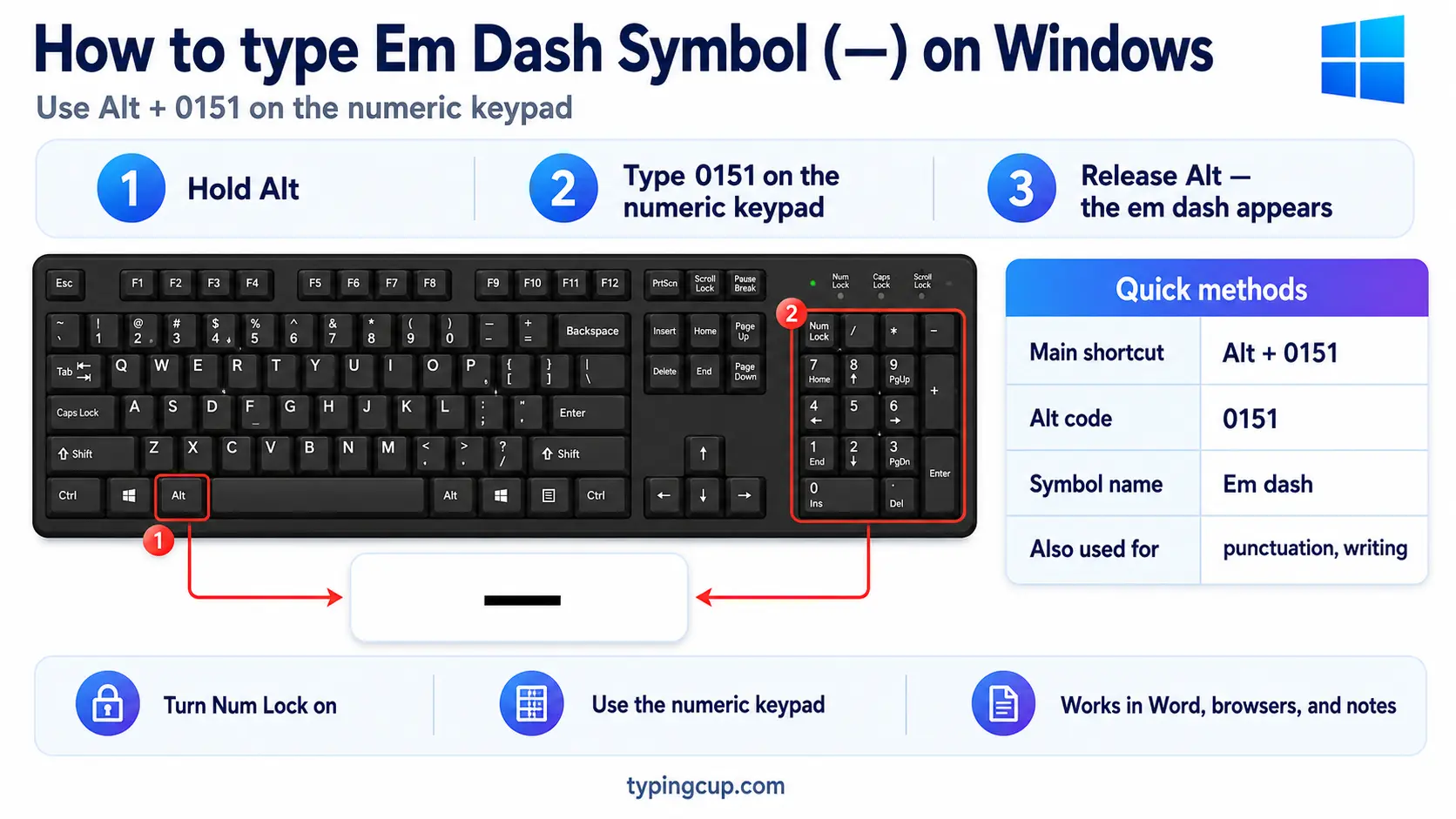
The reliable method is the Alt code: turn on Num Lock, hold Alt, and type 0151 on the numeric keypad for —. For the shorter en dash, it’s Alt + 0150. If you’d rather not remember codes, press Windows + . for the symbol panel, or lean on the two-hyphen autocorrect described below.
Type the em dash on Mac
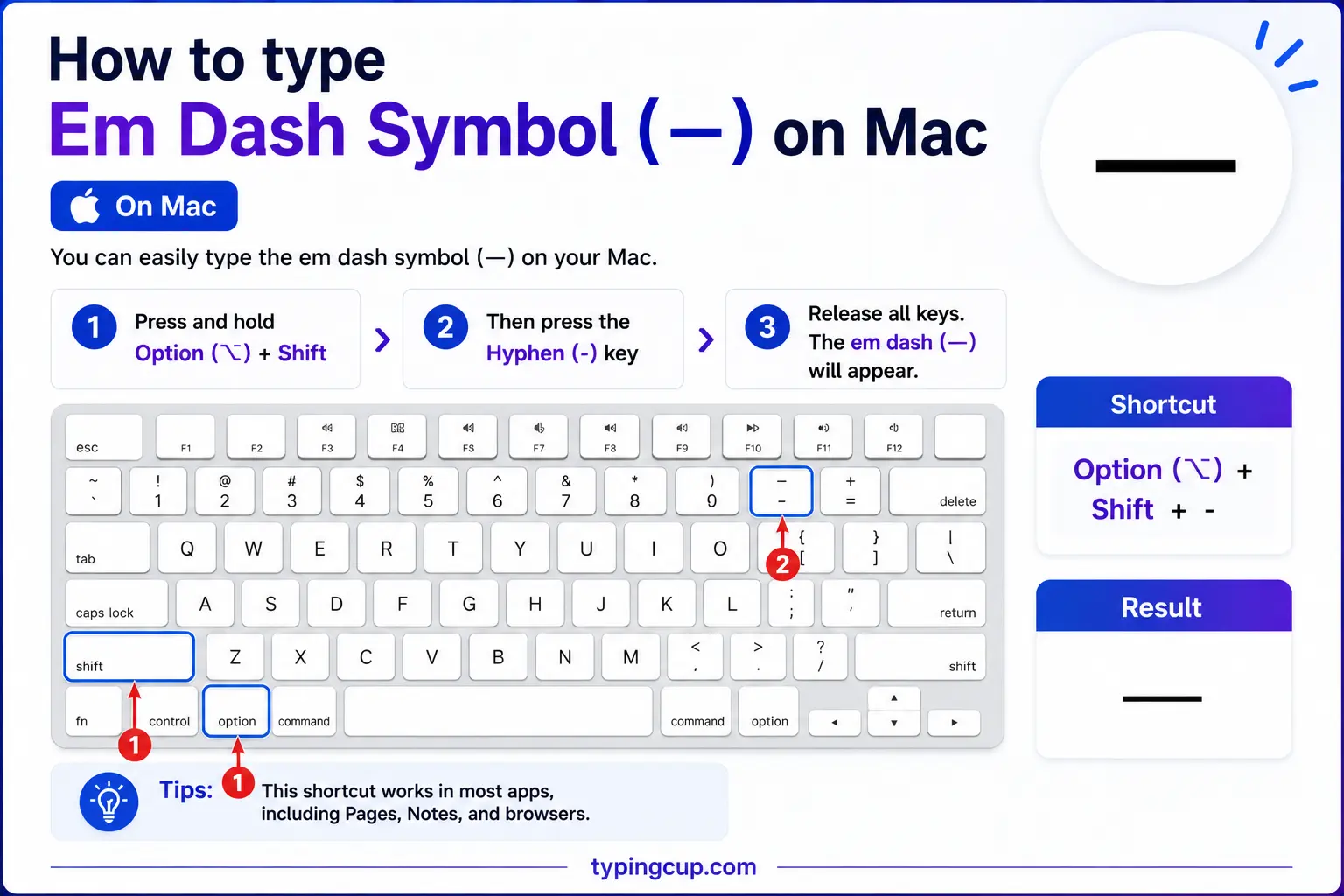
On a Mac, press Shift + Option + – (the hyphen key) for the em dash —. Dropping the Shift, Option + –, gives the shorter en dash –. Both are single shortcuts with no dead-key step.
Type the em dash on iPhone and Android
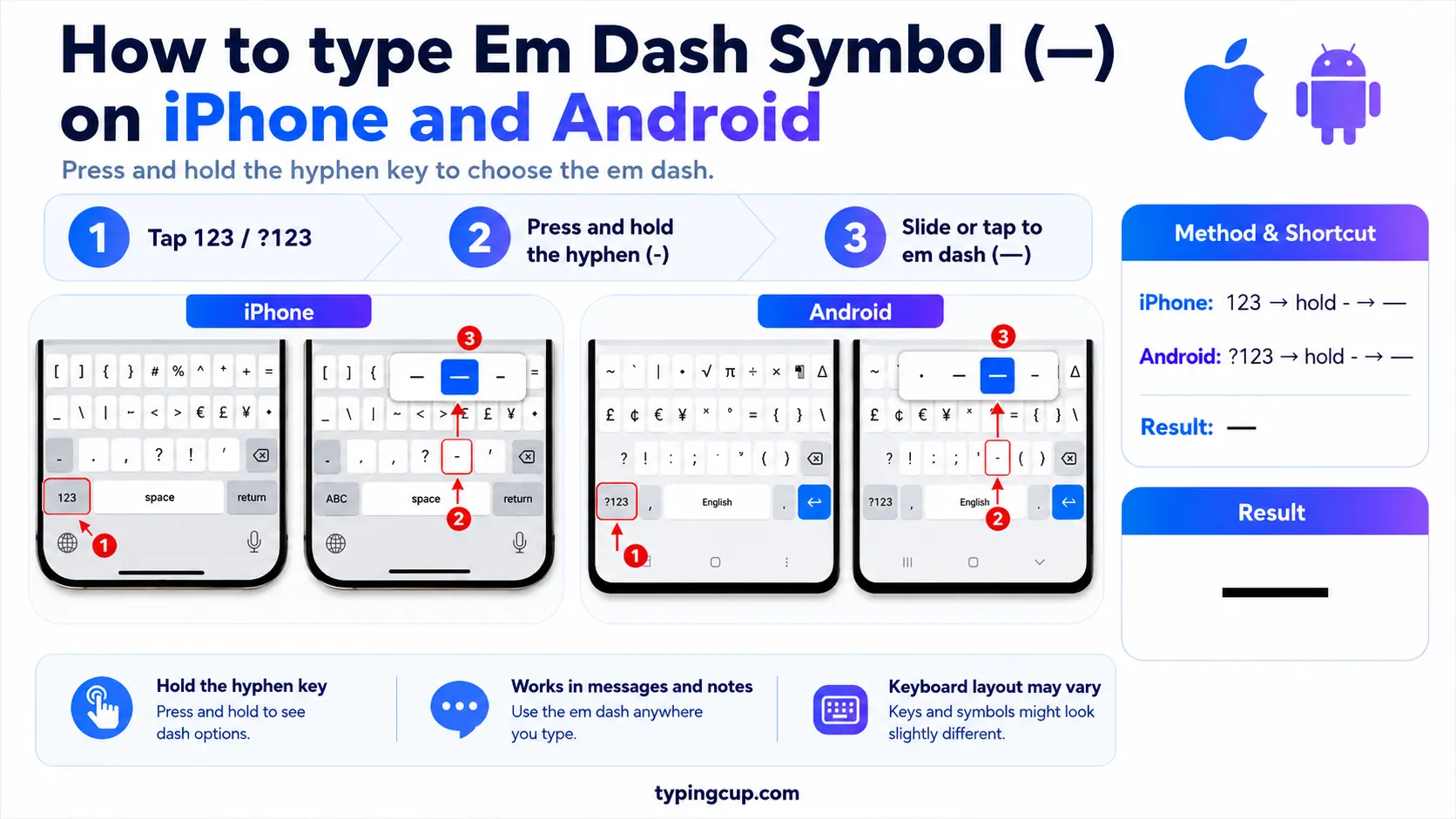
Open the symbols keyboard (the 123 key), then press and hold the hyphen (-). A little menu of dashes pops up with the en dash – and the em dash —; slide onto the long one and lift your finger.
Type the em dash in Microsoft Word
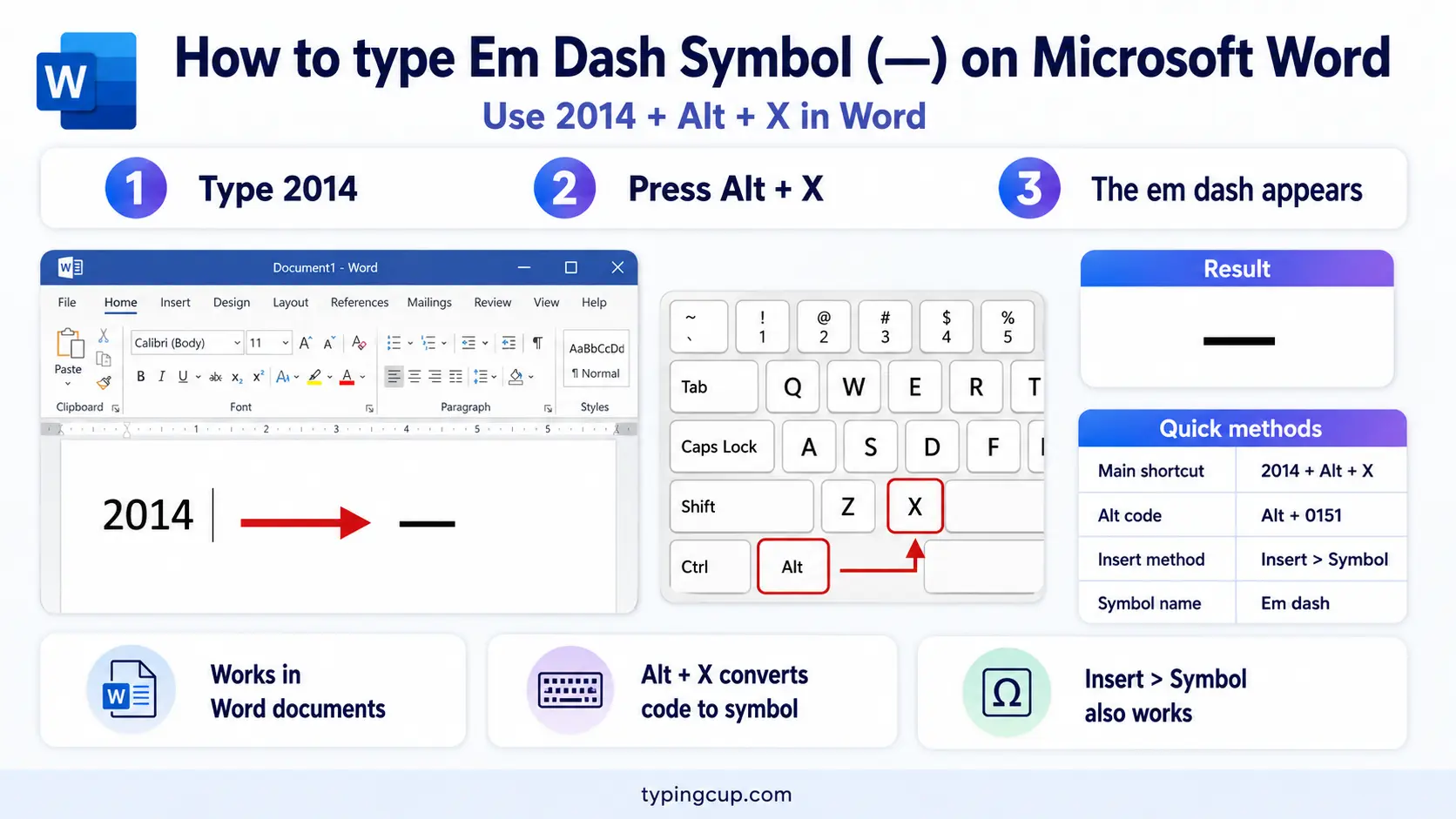
Word has two easy routes. Type a word, two hyphens, and another word (word--word) and AutoCorrect turns the -- into an em dash. Or use the shortcut Ctrl + Alt + Minus on the numeric keypad. The Windows Alt code (0151) works too.
Type the em dash on Linux
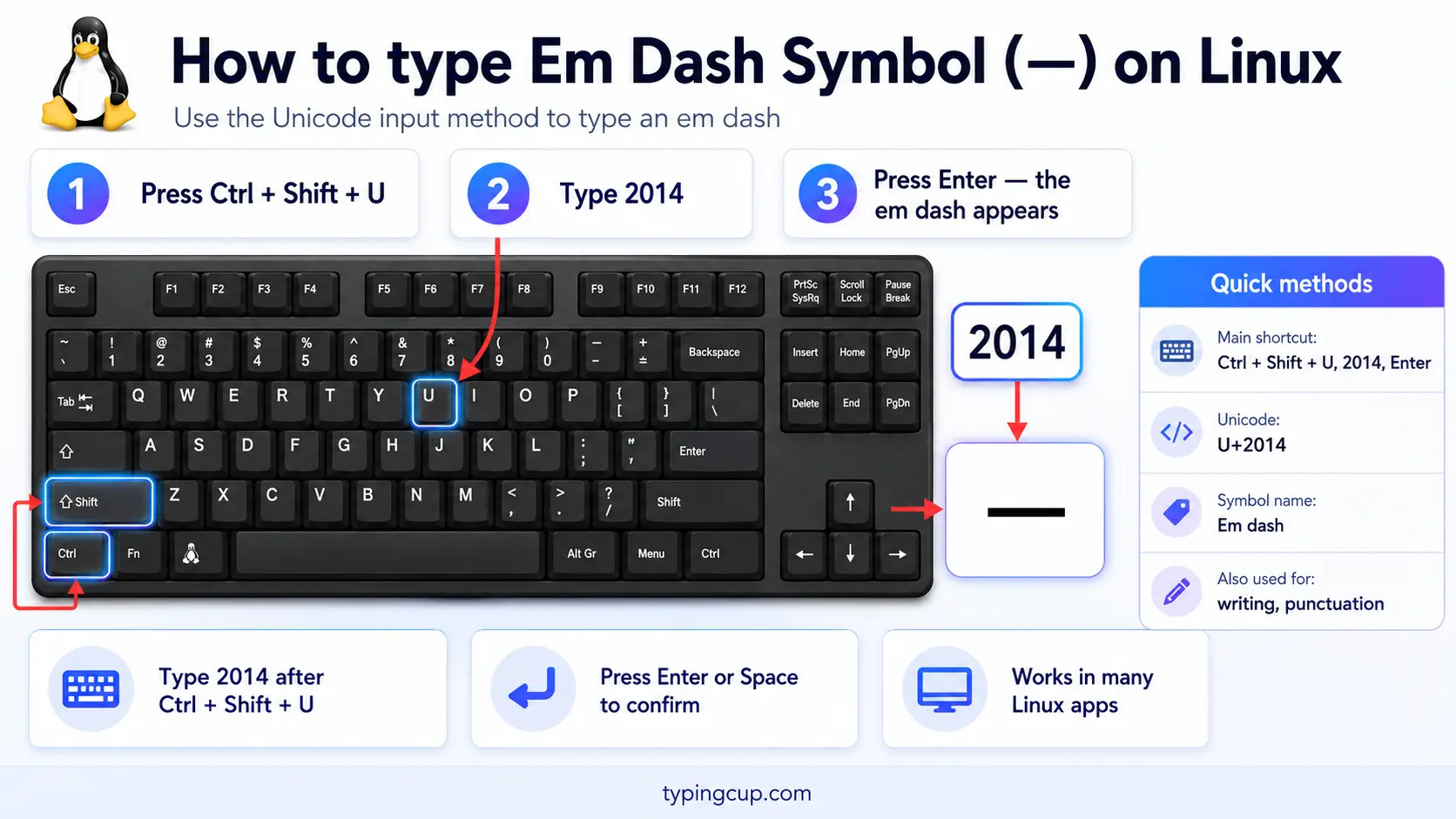
Press Ctrl + Shift + U, type 2014, then press Enter. With a Compose key, three hyphens in a row (Compose, then -, -, -) also make an em dash.
Type the em dash in HTML and CSS
In HTML, the em dash is — or the numeric —, and the en dash is – or –. In CSS, a literal em dash in a content value is the escaped code point \2014.
Hyphen, en dash, and em dash: telling them apart
Three horizontal lines get mixed up constantly, and they’re not interchangeable. From shortest to longest, they’re the hyphen (-), the en dash (–), and the em dash (—), and each has its own job.
The hyphen is the little one on your keyboard. It joins words into compounds (well-known, twenty-one) and splits words at the end of a line. The en dash, about the width of a letter n, marks ranges and connections: pages 10–20, Monday–Friday, the Boston–New York train. The em dash, as wide as an m, is a punctuation mark that breaks a sentence for an aside or emphasis—like this.
| Mark | Name | Used for | Example |
|---|---|---|---|
| – | Hyphen | joining words | well-known |
| – | En dash | ranges and links | pages 10–20 |
| — | Em dash | sentence breaks | wait—stop |
| − | Minus sign | maths | 5 − 2 |
There’s even a fourth line, the minus sign (−, U+2212), a separate character for maths that isn’t the same as a hyphen, though people usually type a hyphen for subtraction anyway.
Why the em dash became an AI tell
The em dash has had a strange few years. It’s a beautiful, flexible mark, loved by writers from Emily Dickinson onward, but it has quietly become one of the signs that a piece of text was written by AI.
The reason is frequency, not the mark itself. Tools like ChatGPT reach for the em dash constantly, often several times a paragraph, in a way most human writers don’t. So a page peppered with em dashes in every other sentence can start to read as machine-made, even when each individual dash is used correctly.
The fix isn’t to ban the em dash; it’s to use it the way people naturally do, which is sparingly. One well-placed em dash lands; five in a paragraph start to feel like a tic. If your writing keeps getting flagged as AI, thinning out the em dashes, and varying your punctuation with commas, colons, and full stops, is one of the fastest ways to sound human again.
How to use the em dash in a sentence
The em dash is the most versatile punctuation mark there is, which is both its charm and the reason it gets overused. It can do the work of commas, parentheses, or a colon, usually with a little more punch.
Use a pair to set off an aside more strongly than commas would: The plan—if you can call it that—fell apart. Use a single one to introduce a sudden turn or a summary: She opened the door—and froze. It can also mark an interruption in dialogue, or stand in for a colon before a list or an explanation.
One thing to settle is spacing. American style usually closes the em dash up against the words, with no spaces (word—word), while British and many newspaper styles put a space on each side, or use a spaced en dash instead. Either is fine; the only rule that really matters is to pick one and stay consistent.
The two-hyphen shortcut, and where it came from
Long before the em dash had a shortcut, typists made one with two hyphens. Typewriters had no dash key, so -- stood in for it, and the habit stuck. Modern software still honours it: in Word and Google Docs, typing a word, two hyphens, and another word turns the -- into a real em dash as you keep typing.
That’s often the easiest way to get one without a code. A single spaced hyphen between words (word - word) usually becomes an en dash instead, while two hyphens (word--word) become the longer em dash. If you’d rather not rely on autocorrect, paste the character from the grid above.
The em dash in code, URLs, and encoding
The em dash rarely appears in a domain name, but it turns up in content and, occasionally, in URLs and code.
In a URL, — is percent-encoded as %E2%80%94 (the en dash is %E2%80%93), its three UTF-8 bytes written out. In code, the escape is \u2014 in JavaScript, Java, JSON, and Python. Like other non-ASCII characters, it can garble in the wrong encoding, showing as mojibake, which is fixed by serving everything as UTF-8.
Copy-paste HTML codes
Every code for the em dash and en dash in one place. Click a cell and copy.
| Symbol | Named entity | Numeric entity | URL (percent) code |
|---|---|---|---|
| — | — | — | %E2%80%94 |
| – | – | – | %E2%80%93 |
In a CSS content value, use \2014 for the em dash. For other symbols, the arrow symbols guide has the same copy-and-code treatment, and the bullet point guide covers another everyday typographic mark.
Troubleshooting
My em dash shows up as a box or garbled letters
That’s an encoding mismatch: the UTF-8 bytes for — are being read as an older encoding. Set the file, database, and page charset to UTF-8 and the em dash comes back clean.
My dash is too short
You’ve probably got a hyphen (-) or an en dash (–) instead of the em dash (—). For the long one, use Alt + 0151 on Windows or Shift + Option + – on a Mac, or copy it from the grid above.
My two hyphens did not turn into an em dash
AutoCorrect is either off or not supported in that app. Turn it on in Word or Docs, or just use Alt + 0151, the Mac shortcut, or the copy grid instead.
I cannot find an em dash key
There isn’t one; no keyboard has a dedicated dash. Use Alt + 0151 on Windows, Shift + Option + – on a Mac, a long-press on the hyphen on a phone, or copy it from the grid above.
FAQ
How do I type an em dash?
On Windows, Alt + 0151. On a Mac, Shift + Option + -. On a phone, long-press the hyphen. In Word, type two hyphens between words. Or click — in the grid above.
What’s the difference between the hyphen, en dash, and em dash?
Length and job. The hyphen (-) joins words, the en dash (–) marks ranges like 10–20, and the em dash (—) is a punctuation break within a sentence. They get longer in that order.
Why does AI use so many em dashes?
Language models like ChatGPT overuse the em dash, often several times a paragraph, so a flood of them can make text read as AI-written. The mark is fine; it’s the frequency that stands out. Use it sparingly to sound human.
Should there be spaces around an em dash?
American style usually uses no spaces (word—word); British and many newspaper styles add a space on each side, or use a spaced en dash. Both are acceptable, so just be consistent.
How do I write an em dash in HTML?
Use — or — (and – for the en dash). In a URL, the em dash is %E2%80%94.
