
Underscore Symbol (_): How to Type, Copy, and Use It
The underscore, _, is the low line that sits on the baseline, tucked under the letters. It began as the typewriter’s underline key, and today it holds words together in code, replaces spaces in file names, and hides a genuinely important rule for anyone building web addresses. This page covers all of it.
If you just need the symbol, copy _ from the grid below, along with its HTML entity or URL code.
Below you’ll find how to type _ on every device, why it matters whether a URL uses underscores or hyphens, what snake_case is, where the underscore came from, and how Python squeezes four different meanings out of it.
In a hurry?
- Copy it: click _ in the grid below.
- On Windows: press Shift + – (the hyphen key, right of 0), or Alt + 95 on the keypad.
- On a Mac: press Shift + – (the hyphen key).
- On a phone: it’s on the first symbols page, or press and hold the hyphen.
- In HTML the underscore is _ or _; in a URL it’s %5F.
Click to copy: the underscore
Grab _, its HTML entity, the numeric code, or the URL code
Table of Contents
Copy and paste the underscore
The underscore with every code you’re likely to need in one row. Use the grid above to copy with a click; this table is the reference.
| Symbol | Name | Unicode | Windows | Mac | HTML |
|---|---|---|---|---|---|
| _ | underscore (low line) | U+005F | Shift + – | Shift + – | _ |
The underscore is standard ASCII, on every keyboard in the same place, and it never garbles across encodings. The sections below cover each device and, more usefully, when you should and shouldn’t use it.
How to type the underscore on any device
The underscore lives on the hyphen key on every layout, reached with Shift. Here’s the quickest route on each system.
Type the underscore on Windows
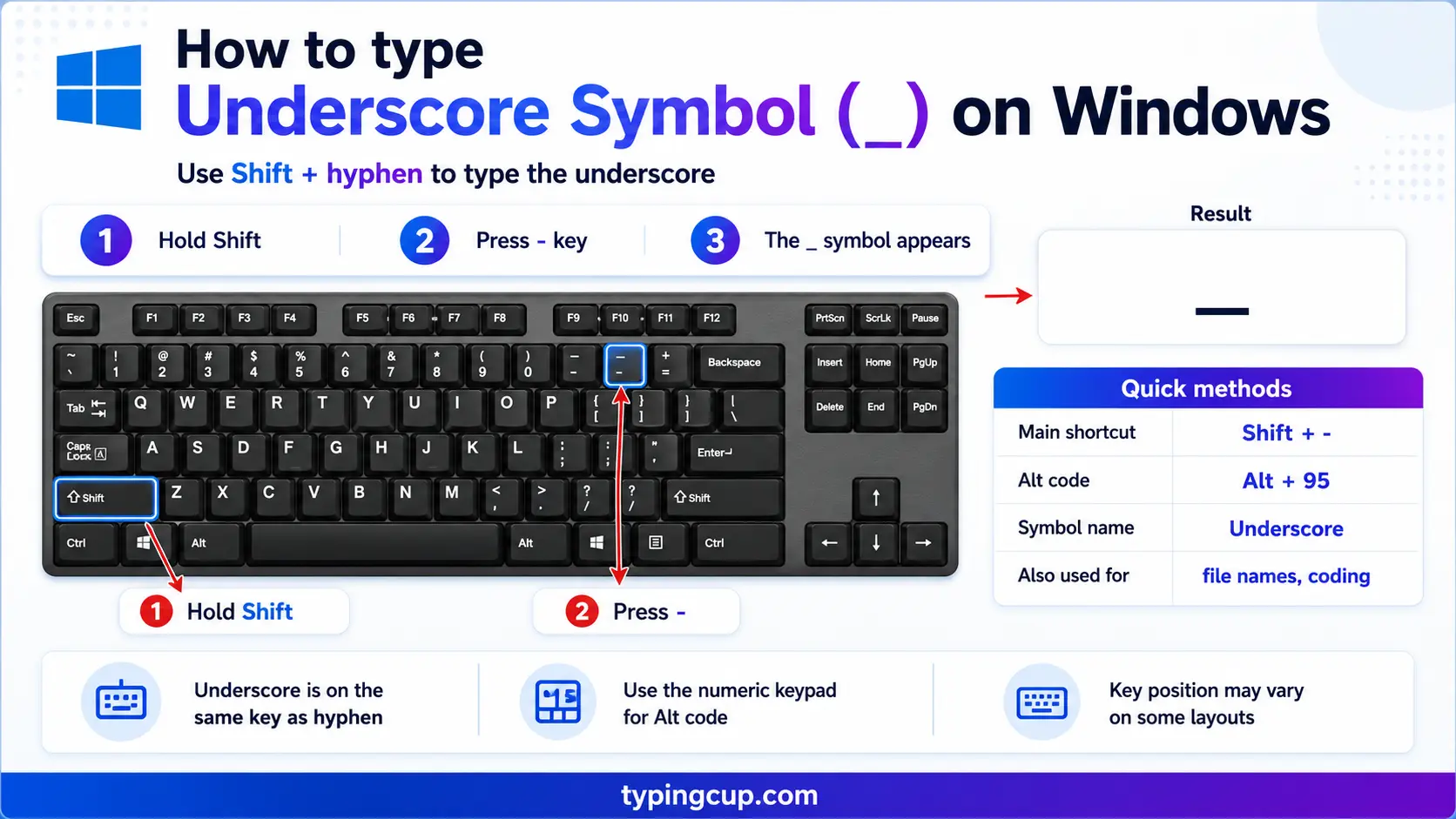
Press Shift + –, the hyphen key just to the right of the 0. It’s the same on US and UK keyboards. You can also hold Alt and type 95 on the numeric keypad, or press Windows + . for the symbol panel, though the Shift shortcut is almost always quickest.
Type the underscore on Mac
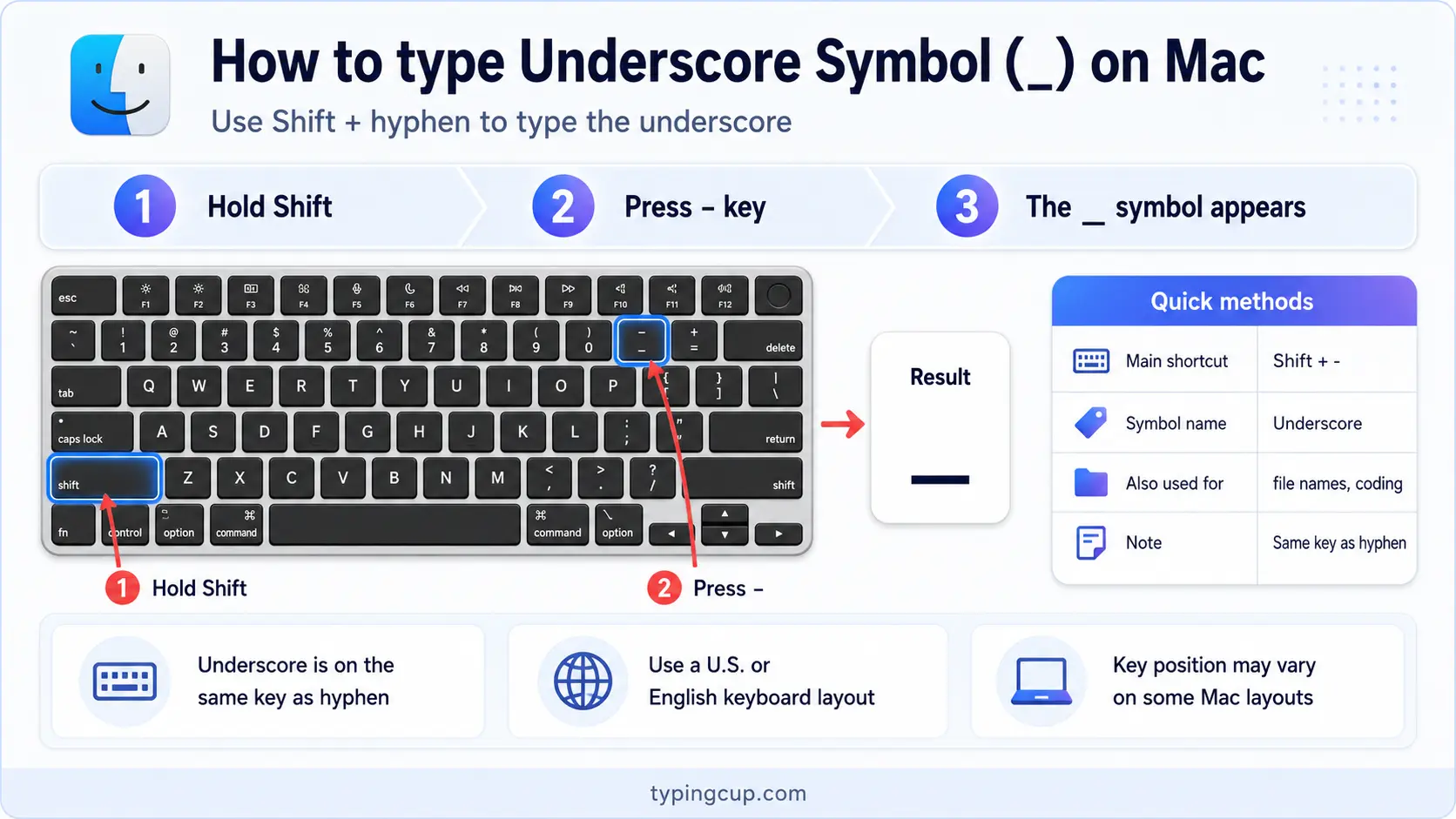
On a Mac, press Shift + –, the hyphen key near the top-right of the letters. There’s no dead-key step and no layout surprise; it’s the shifted hyphen everywhere.
Type the underscore on iPhone and Android
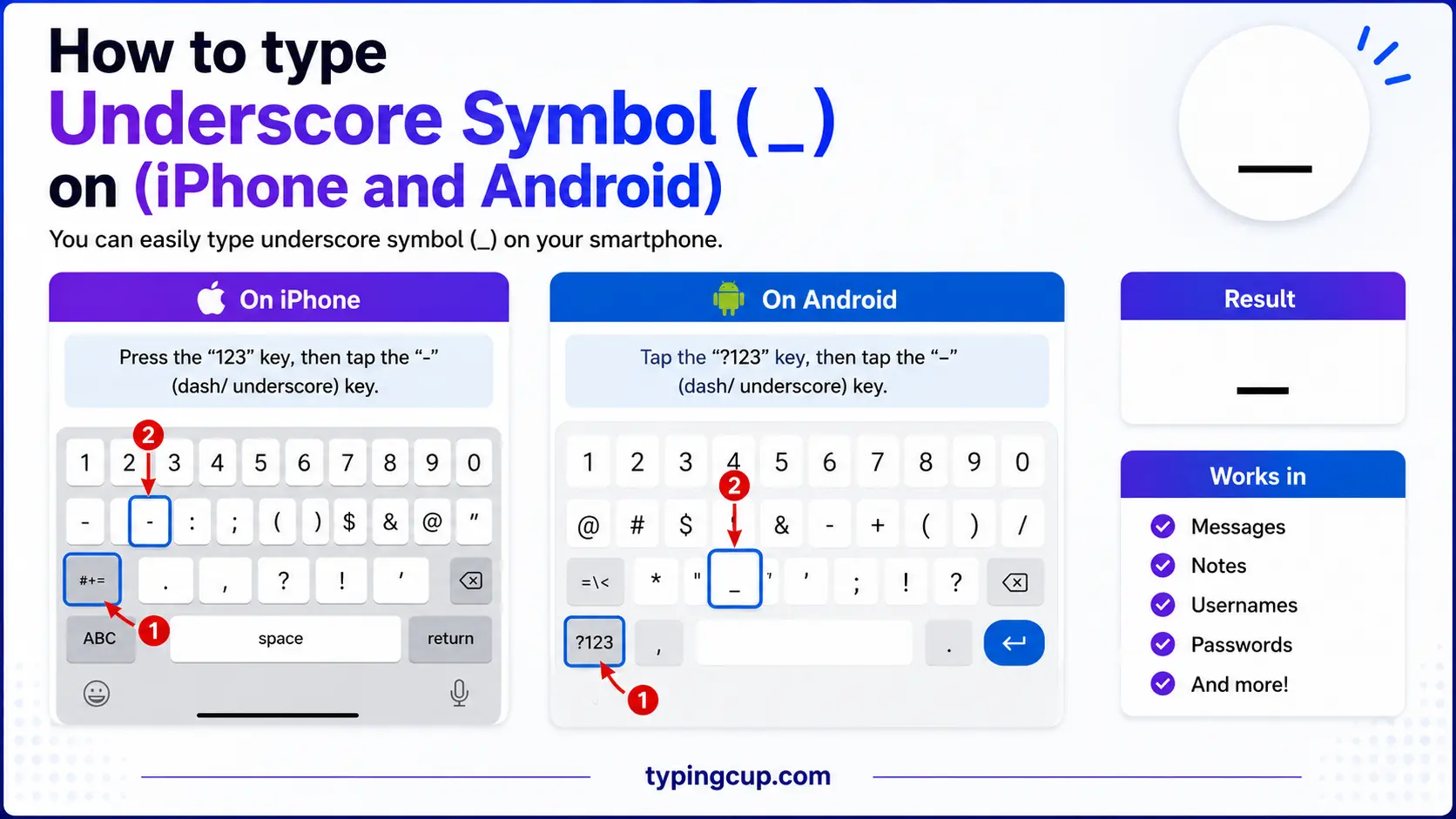
Open the symbols keyboard (the 123 key), and the underscore is usually right there on the first page, near the hyphen. On some keyboards you can press and hold the hyphen to reach it.
Type the underscore on Linux
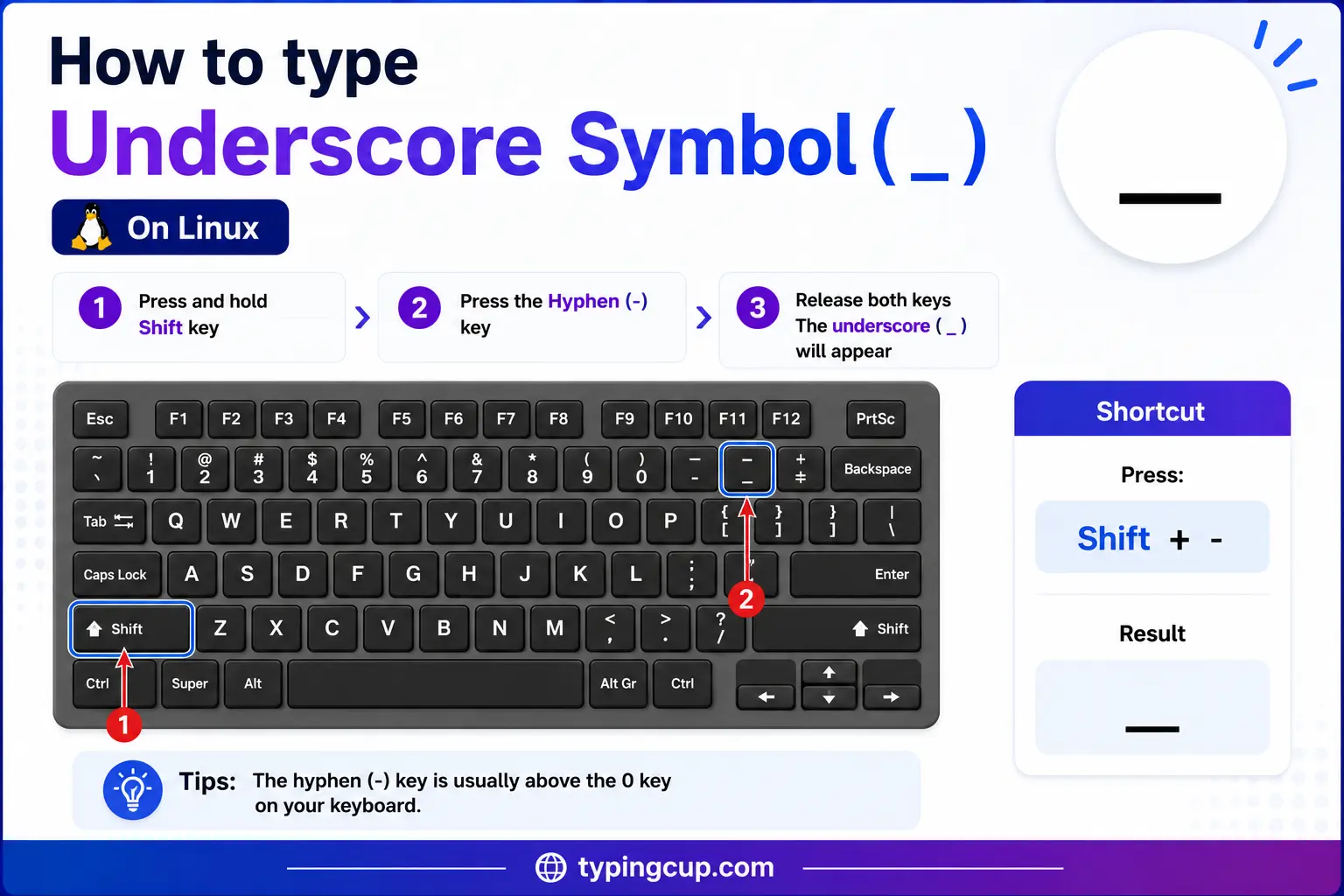
Press Shift + – on any standard layout. If you need it by code point, press Ctrl + Shift + U, type 005f, and press Enter.
Type the underscore in HTML and CSS
In HTML, the underscore is _ or the numeric _, though the plain _ works in text. In CSS the underscore is a valid character in class names and IDs, and a literal one in a content value can be written \005F.
Underscores vs hyphens in URLs: the SEO rule
Here’s a detail that matters more than it looks, especially if you care about search: in a web address, hyphens and underscores are not treated the same. Search engines read a hyphen as a space, so chocolate-cake is seen as two words, “chocolate” and “cake.” They read an underscore as a joiner, so chocolate_cake is seen as one word, “chocolate_cake.”
That difference has a clear consequence. If you want a page to rank for the separate words in its address, use hyphens, not underscores. Google has said as much for years: hyphens separate, underscores connect. So example.com/best-running-shoes is better for search than example.com/best_running_shoes, which reads as one long token.
Underscores still have their place in file names, code, and anywhere the parts genuinely belong together as a single identifier. But for the visible words in a URL, the humble hyphen wins.
snake_case: the underscore in code
In programming, the underscore’s biggest job is holding words together in names. snake_case writes a multi-word identifier in lowercase with underscores between the words, like user_name or calculate_total, and it’s the house style of languages like Python and Ruby.
It sits alongside a few rival styles. camelCase (userName) is the norm in JavaScript and Java, PascalCase (UserName) usually names classes, and kebab-case (user-name, with hyphens) is common in CSS and URLs. For constants, many languages shout in SCREAMING_SNAKE_CASE, like MAX_SIZE. The underscore is the glue in two of these, and matching the style a codebase already uses keeps your names tidy.
The underscore came from the typewriter
The underscore has one of the least glamorous origins of any key: it was the underline. On a typewriter you couldn’t make text bold or italic, so to underline a word you typed it, wound the carriage back, and overtyped with underscores, laying a line beneath the letters.
That’s why the character sits so low, right on the baseline, and why it’s formally named the “low line.” When computers arrived, the key came along, and the underscore found new work joining words and naming files, but its shape still remembers the days when it was the only way to underline.
The underscore in Python: _, __, and dunder
Python leans on the underscore more than most languages, and each pattern means something specific. A single leading underscore, _name, marks a name as internal by convention, a gentle “please don’t rely on this.” A double leading underscore, __name, triggers name mangling to avoid clashes in subclasses.
Then there are dunders, short for double underscore: names wrapped in two underscores on each side, like __init__ and __str__, which hook into Python’s built-in behaviour. And a lone underscore, _, is the standard “I don’t need this value” throwaway, and in the interactive interpreter it holds the result of the last expression. Four different jobs, one small character.
Underscores instead of spaces (files, usernames, numbers)
Wherever a space isn’t allowed, the underscore usually stands in for it. File names dodge spaces with underscores, as in holiday_photos_2024.zip; usernames and handles do the same, like @anna_smith; and hashtags join words with them when running the words together would be hard to read.
Code even uses it to make big numbers legible. Many languages let you write 1_000_000 instead of 1000000, with the underscores acting as thousands separators that the computer simply ignores. It’s a small readability trick that the underscore is perfectly shaped for.
The underscore in code and encoding
The underscore is one of the safest characters in computing. It’s a valid part of identifiers in almost every programming language, it’s allowed unencoded in URLs, and being plain ASCII, it never turns into gibberish in the wrong encoding.
If a system does encode it, the form is %5F, and in HTML it’s _ or _. That reliability is part of why it became the go-to stand-in for spaces: it survives file systems, databases, and URLs without any fuss.
Copy-paste HTML codes
Every code for the underscore in one place. Click a cell and copy.
| Symbol | Named entity | Numeric entity | URL (percent) code |
|---|---|---|---|
| _ | _ | _ | %5F |
In a CSS content value, use \005F. For other symbols, the arrow symbols guide has the same copy-and-code treatment, and the backslash guide covers another code character in the same detail.
Troubleshooting
“My underscore disappears under a link.”
Underlined link text can hide a trailing underscore, since both sit on the baseline. Select the text or turn off the underline to check whether the character is really there.
“I can’t find the underscore key.”
It’s the shifted hyphen: Shift + –, the key just right of the 0. If that’s not working, hold Alt and type 95 on the numeric keypad, or copy it from the grid above.
“Should I use _ or – in my URL?”
Use a hyphen. Search engines read a hyphen as a space between words but an underscore as a joiner, so best-running-shoes is read as three words while best_running_shoes is read as one. Hyphens are better for the visible part of a URL.
“My snake_case and camelCase are mixed up.”
Pick the convention your language or codebase uses and stick to it: snake_case with underscores in Python and Ruby, camelCase in JavaScript and Java. Consistency matters more than the choice itself.
FAQ
How do I type an underscore?
Press Shift + – (the hyphen key, right of 0). On Windows you can also hold Alt and type 95. Or click _ in the grid above. It’s the same shortcut on Windows and Mac.
Should I use underscores or hyphens in a URL?
Hyphens. Search engines treat a hyphen as a space between words and an underscore as a word-joiner, so hyphens help a page rank for its separate words. Save underscores for file names and code.
What is snake_case?
A naming style that writes words in lowercase joined by underscores, like user_name. It’s standard in Python and Ruby, and its all-caps cousin, SCREAMING_SNAKE_CASE, is used for constants.
Why is it called the underscore?
Because it began as the typewriter’s underline: you underlined text by overtyping it with this low line. It’s formally called the “low line,” which is exactly where it sits.
How do I write an underscore in HTML?
Use _ or _, or just type _. In a URL it’s allowed as a plain _, or encoded as %5F.
