
At Symbol (@): How to Type, Copy, and Use the At Sign
The at sign, @, is one of the most-typed characters in the world, thanks to email and social media, yet hardly anyone knows its odd history or what it’s called in other languages. It reads as “at,” it lives on every keyboard (though not always in the same place), and it has a surprising pile of nicknames.
If you just need the symbol, copy @ from the grid below, along with its HTML entity or URL code.
Below you’ll find how to type @ on every device, why it hides in different spots on US and UK keyboards, what people around the world call it, where it came from, and how it works in handles, code, and links.
In a hurry?
- Copy it: click @ in the grid below.
- On a US keyboard: press Shift + 2.
- On a UK keyboard: press Shift + ‘ (the apostrophe key).
- On a phone: it’s on the symbols keyboard, and email or username fields often surface it directly.
- In HTML the at sign is @ or @; in a URL it’s %40.
Click to copy: the at sign
Grab @, its HTML entity, the numeric code, or the URL code
Table of Contents
Copy and paste the at sign
The at sign with every code you’re likely to need in one row. Use the grid above to copy with a click; this table is the reference.
| Symbol | Name | Unicode | Windows | Mac | HTML |
|---|---|---|---|---|---|
| @ | at sign | U+0040 | Shift + 2 | Shift + 2 | @ |
Because @ is standard ASCII, it’s on every keyboard and almost never breaks in code or links. The catch is only where it sits, which changes by layout.
How to type the @ sign on any device
The @ sign is easy everywhere; the only trick is its position on non-US keyboards. Here’s the quickest route on each system.
Type the @ sign on Windows
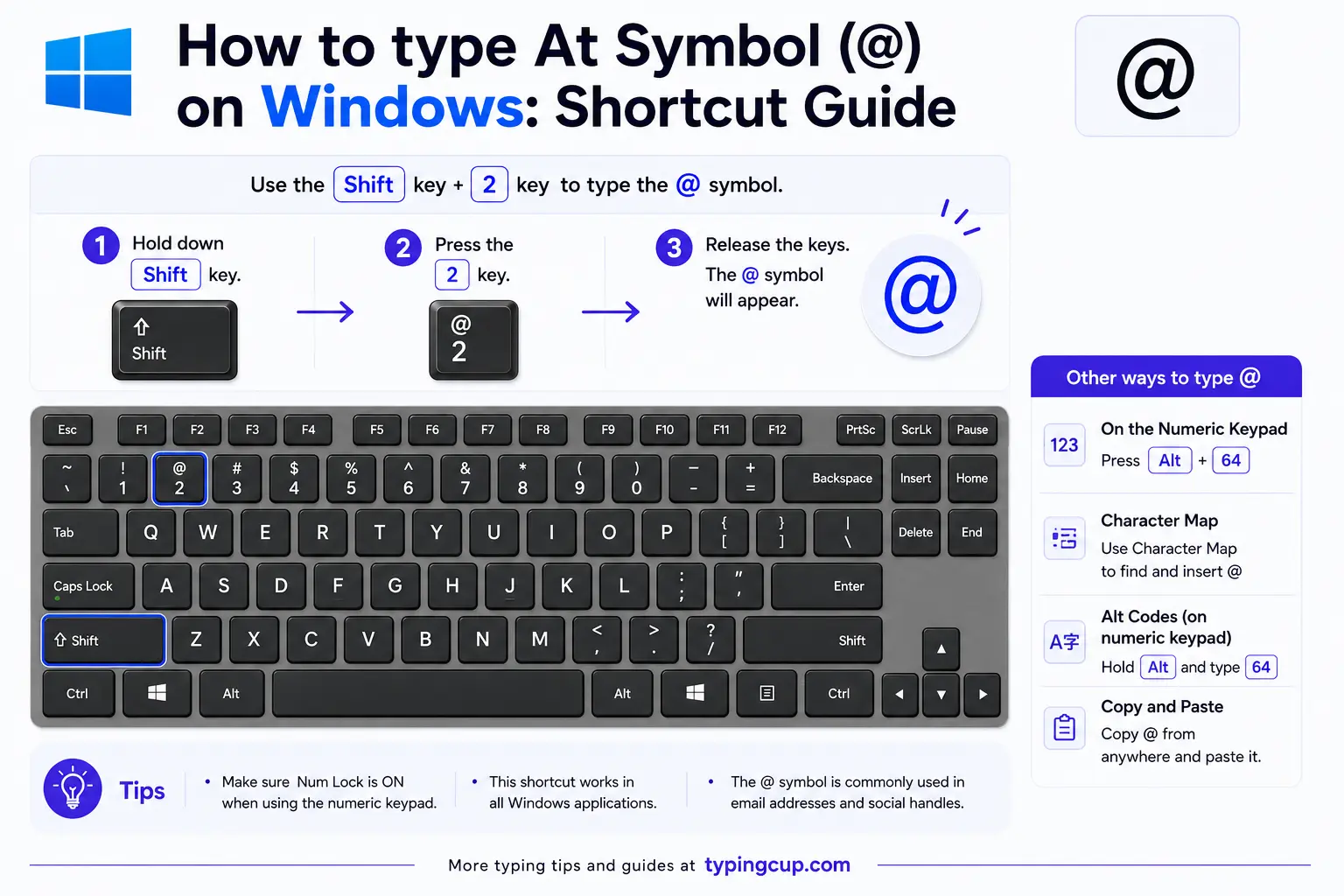
On a US layout, press Shift + 2. On a UK layout, Shift + 2 gives a quotation mark, and @ is on Shift + ‘ (the apostrophe key beside Enter). You can also hold Alt and type 064 on the numeric keypad, or press Windows + . for the symbol panel.
Type the @ sign on Mac
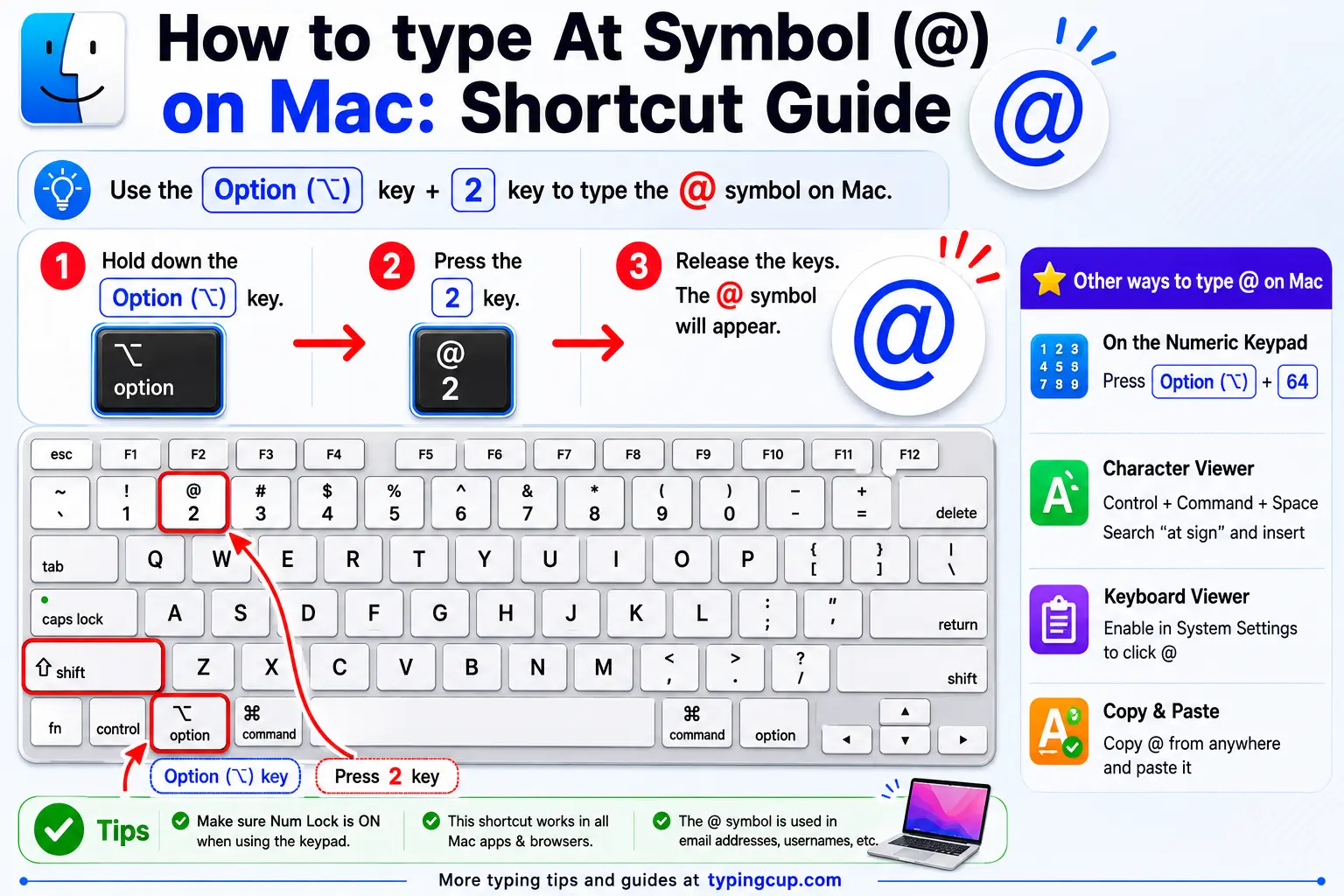
On US and most Mac layouts, press Shift + 2. A few European Mac layouts move it behind the Option key, so if Shift + 2 gives something else, check the keyboard viewer under System Settings.
Type the @ sign on iPhone and Android
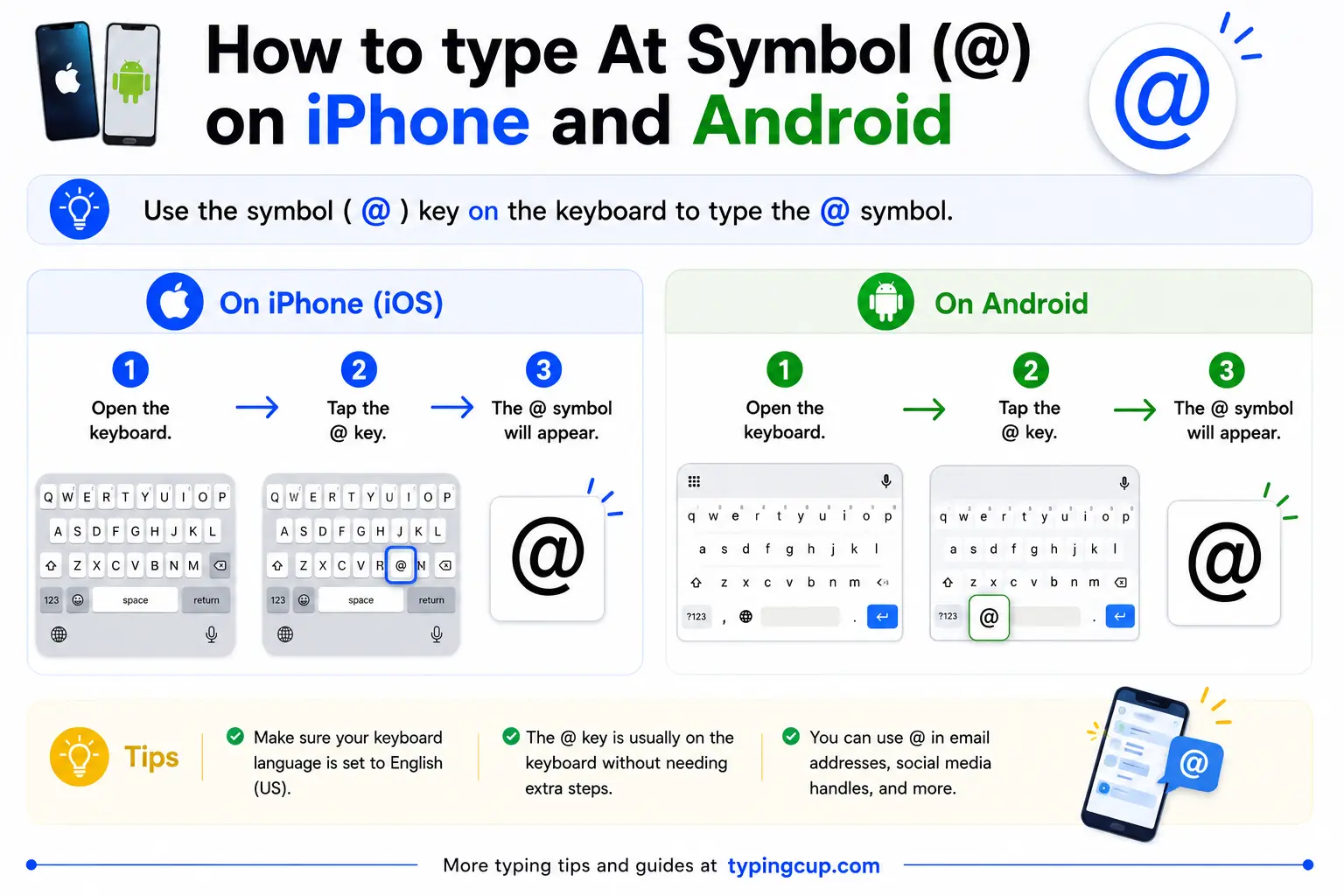
Open the symbols keyboard (the 123 key) and @ has its own key. In email and username fields, phones often show @ right on the main keyboard, because it’s expected there.
Type the @ sign on Linux
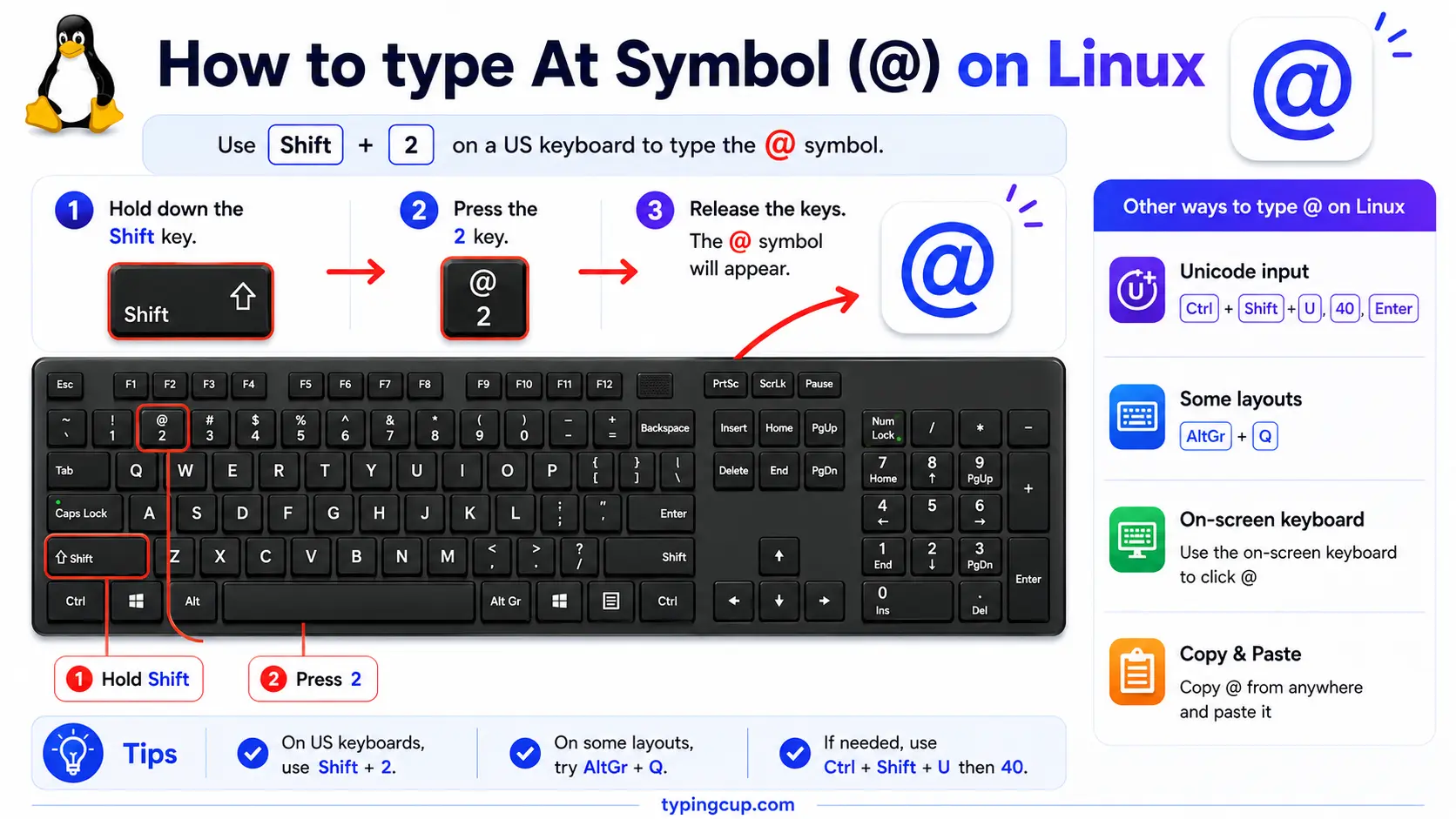
On a US layout it’s Shift + 2; other layouts place it behind the right Alt (AltGr). You can also press Ctrl + Shift + U, type 0040, and press Enter.
Type the @ sign in HTML and CSS
In HTML, the at sign is @ or the numeric @; most of the time you can just type the plain @. In CSS, it introduces at-rules like @media, so a literal @ in a content value is written \0040.
Why you can’t find @ on some keyboards
The @ sign is on every keyboard, but not in the same place, which is why people moving between countries suddenly can’t find it. On a US keyboard, @ is Shift + 2. On a UK keyboard, Shift + 2 gives a quotation mark instead, and @ moves to Shift + ‘, the apostrophe key next to Enter.
European layouts often tuck it behind the right Alt (AltGr): on a German keyboard @ is AltGr + Q, and on several others it’s AltGr + 2. So if @ isn’t where you expect, you’re almost certainly on a different layout. When in doubt, copy it from the grid above, or switch your keyboard layout in the system settings.
What @ is called around the world
English calls it plainly “at,” but many languages named it after what it looks like, and the results are wonderful. To much of the world, @ is an animal.
| Language | Name for @ | Literally |
|---|---|---|
| Italian | chiocciola | snail |
| German | Klammeraffe | spider monkey |
| Dutch | apenstaartje | little monkey tail |
| Danish | snabel-a | elephant-trunk a |
| Polish | małpa | monkey |
| Russian | sobaka | dog |
| Greek | papaki | duckling |
| Hungarian | kukac | worm |
| Hebrew | shtrudel | strudel pastry |
| Taiwanese Mandarin | xiǎo lǎoshǔ | little mouse |
In Spanish and Portuguese it keeps an older name, arroba, after a unit of weight the symbol once stood for. So depending on where you are, the same little swirl is a snail, a monkey, a duckling, or a piece of strudel.
The story of @: from “at the rate” to email
Long before email, @ was accounting shorthand meaning “at the rate of.” A merchant writing 12 apples @ $1 meant twelve apples at a dollar each, and the symbol lived quietly on invoices and adding machines for centuries. Its deeper roots may reach back to medieval scribes or to the arroba, a Spanish and Portuguese unit of weight.
Its big break came in 1971, when a computer engineer named Ray Tomlinson was building the first network email and needed a character to separate the user’s name from the machine’s name. He picked @ because it was on the keyboard, wasn’t used in names, and already meant “at,” as in a person at a host. That single choice turned an obscure symbol into one of the most-typed characters on Earth.
New York’s Museum of Modern Art thought enough of it to add the @ sign to its collection in 2010, celebrating it as a piece of elegant, universal design.
@ in handles, email, and code
Beyond email, @ became the marker of identity online. A handle like @username on social media uses it to tag or mention a person, and typing @ in a post usually pops up a list of accounts to mention.
It’s busy in code, too. In Python, @ marks a decorator that wraps a function, and it doubles as the matrix-multiplication operator. In Java it introduces annotations like @Override, in CSS it begins at-rules like @media and @import, and in Ruby it marks instance variables. The same key does very different jobs depending on the language.
The @ sign in URLs and encoding
@ has a formal role in web addresses. The part before an @ in a URL is the userinfo, so https://user:pass@example.com means “sign in as this user at that host.” Because of that special meaning, an @ that’s meant literally in a path or query gets percent-encoded.
In a URL, a literal @ is written as %40. In HTML it’s @ or @, and in code it’s usually just the plain character, since @ is standard ASCII. It almost never garbles across encodings, which makes it one of the safest symbols to use anywhere.
Copy-paste HTML codes
Every code for the at sign in one place. Click a cell and copy.
| Symbol | Named entity | Numeric entity | URL (percent) code |
|---|---|---|---|
| @ | @ | @ | %40 |
In a CSS content value, use \0040. For other symbols, the arrow symbols guide has the same copy-and-code treatment, and for accented letters see the full letters-with-accents list.
Troubleshooting
“I can’t find the @ key.”
It’s on your keyboard, just in a layout-dependent spot: Shift + 2 on US keyboards, Shift + ‘ on UK keyboards, and behind AltGr on many European ones. If in doubt, copy it from the grid above or switch your keyboard layout.
“Shift + 2 gives me a quotation mark.”
You’re on a UK keyboard layout, where @ and the double quote are swapped compared with the US. The @ is on Shift + ‘, the apostrophe key next to Enter.
“My email address won’t send.”
Check the @ itself: an address needs exactly one @, with no spaces around it and nothing missing on either side. A stray space or a missing @ is the usual cause.
FAQ
How do I type the @ sign?
On a US keyboard, Shift + 2. On a UK keyboard, Shift + ‘ (the apostrophe key). On a phone, it’s on the symbols keyboard. Or click @ in the grid above.
Why is @ in a different place on UK keyboards?
UK and US layouts swap the @ and the double quote. On a US keyboard @ is Shift + 2; on a UK keyboard that combination types a quotation mark, and @ moves to Shift + ‘.
What is the @ sign called?
In English it’s just “at.” Elsewhere it’s often named for its shape: a snail in Italian, a monkey in Polish, a duckling in Greek, an elephant’s trunk in Danish, and a strudel in Hebrew.
Who started using @ in email addresses?
Ray Tomlinson, in 1971. He chose @ to separate the user name from the host name in the first network email, because it was on the keyboard and already meant “at.”
How do I write the @ sign in HTML or a URL?
In HTML, use @ or @, though the plain @ works too. In a URL, a literal @ is written %40.
