
S With an Accent: How to Type ś, š, ş, ŝ on Any Device
The accented forms of s nearly all point to one sound: some flavour of “sh.” This page has the set: ś (acute), š (caron), ş (cedilla), and ŝ (circumflex), in lowercase and capitals.
Unlike the accented vowels, none of these has a Windows Alt code, and none has a named HTML entity. They all sit above the old Latin range. So the click-to-copy grid below is usually the fastest way in, with a language keyboard the best fix if you type them daily.
Below you’ll find a one-click copy grid, a full code table, the numeric HTML codes, and a plain note on what each mark does.
Table of Contents
In a hurry?
- Copy it: click any letter in the grid below.
- In Word: type the hex code then Alt + X, like 0161 then Alt + X for š.
- On Linux: press Ctrl + Shift + U, type 0161, then Enter for š.
- Typing a lot of them: add a Polish, Czech, or Turkish keyboard.
- Not sure which mark? A small v is the caron (š); a tail underneath is the cedilla (ş).
Click to copy: s with an accent
Tap any letter and it is copied to your clipboard
Copy and paste s with an accent
Every accented s, lowercase and capital, with the codes to type each one. Use the grid above for one-click copying; this table is the reference for typing them yourself.
| Character | Name | Unicode | Windows | Mac |
|---|---|---|---|---|
| ś | s with acute | U+015B | Word 015B + Alt + X | Character Viewer |
| š | s with caron | U+0161 | Word 0161 + Alt + X | Character Viewer |
| ş | s with cedilla | U+015F | Word 015F + Alt + X | Character Viewer |
| ŝ | s with circumflex | U+015D | Word 015D + Alt + X | Character Viewer |
| Ś | S with acute | U+015A | Word 015A + Alt + X | Character Viewer |
| Š | S with caron | U+0160 | Word 0160 + Alt + X | Character Viewer |
| Ş | S with cedilla | U+015E | Word 015E + Alt + X | Character Viewer |
| Ŝ | S with circumflex | U+015C | Word 015C + Alt + X | Character Viewer |
One letter to watch: Romanian’s s is properly ș with a comma below (U+0219), not the cedilla ş (U+015F). They look almost the same and are often swapped by mistake because of old encodings, but they’re different characters. If you’re writing Romanian, reach for the comma version.
What the marks on s mean
The theme here is “sh.” The caron š is the best known: it’s the standard “sh” in Czech, Slovak, Slovenian, and the Baltic languages, and it’s the mark linguists reach for when romanising other scripts, so Russian ш becomes š. You’ve seen it on the carmaker Škoda. It’s the same caron that sits on ǎ.
The acute ś is Polish, a softer, more palatal “sh” than š, as in środa (“Wednesday”). The cedilla ş is the Turkish “sh” in şeker (“sugar”), and the circumflex ŝ is how Esperanto spells “sh,” as in ŝi (“she”).
So most of them do the same job in different traditions. What changes is the language and the exact shade of the sound, not the basic idea.
| Letter | Language | What it does | Example |
|---|---|---|---|
| ś | Polish | a soft “sh” | środa (“Wednesday”) |
| š | Czech, Slovak, Baltic | the “sh” sound | Škoda |
| ş | Turkish | the “sh” sound | şeker (“sugar”) |
| ș | Romanian | the “sh” sound (comma below) | și (“and”) |
| ŝ | Esperanto | the “sh” sound | ŝi (“she”) |
How to type š on any device
There are no Alt codes for any of these, so the methods are a little different from the accented vowels. Copy-paste, Word’s Alt + X, and language keyboards do most of the work.
Windows
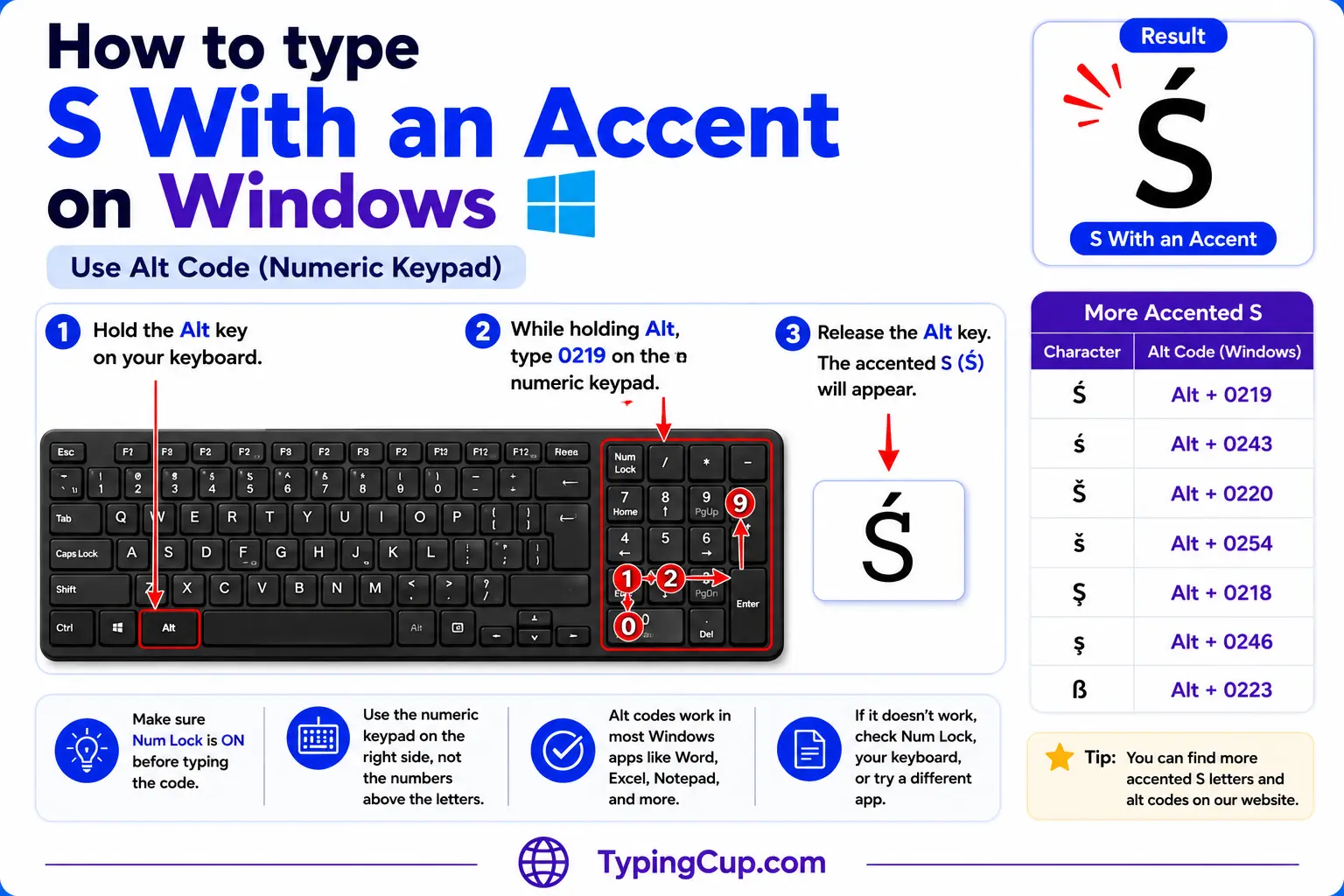
There’s no Alt + 0xxx code for š or its cousins; they all sit past the 255 limit. In Word, type the hex code and press Alt + X: 0161 then Alt + X for š, 015B for ś, 015F for ş, 015D for ŝ.
Outside Word, press Windows + . to open the symbol panel and find the letter under the Ω Latin set, or open Character Map and copy it from there.
If you write Polish, Czech, Slovak, or Turkish regularly, add that keyboard under Settings, then Time & Language. On its native layout the letter gets its own key.
Mac
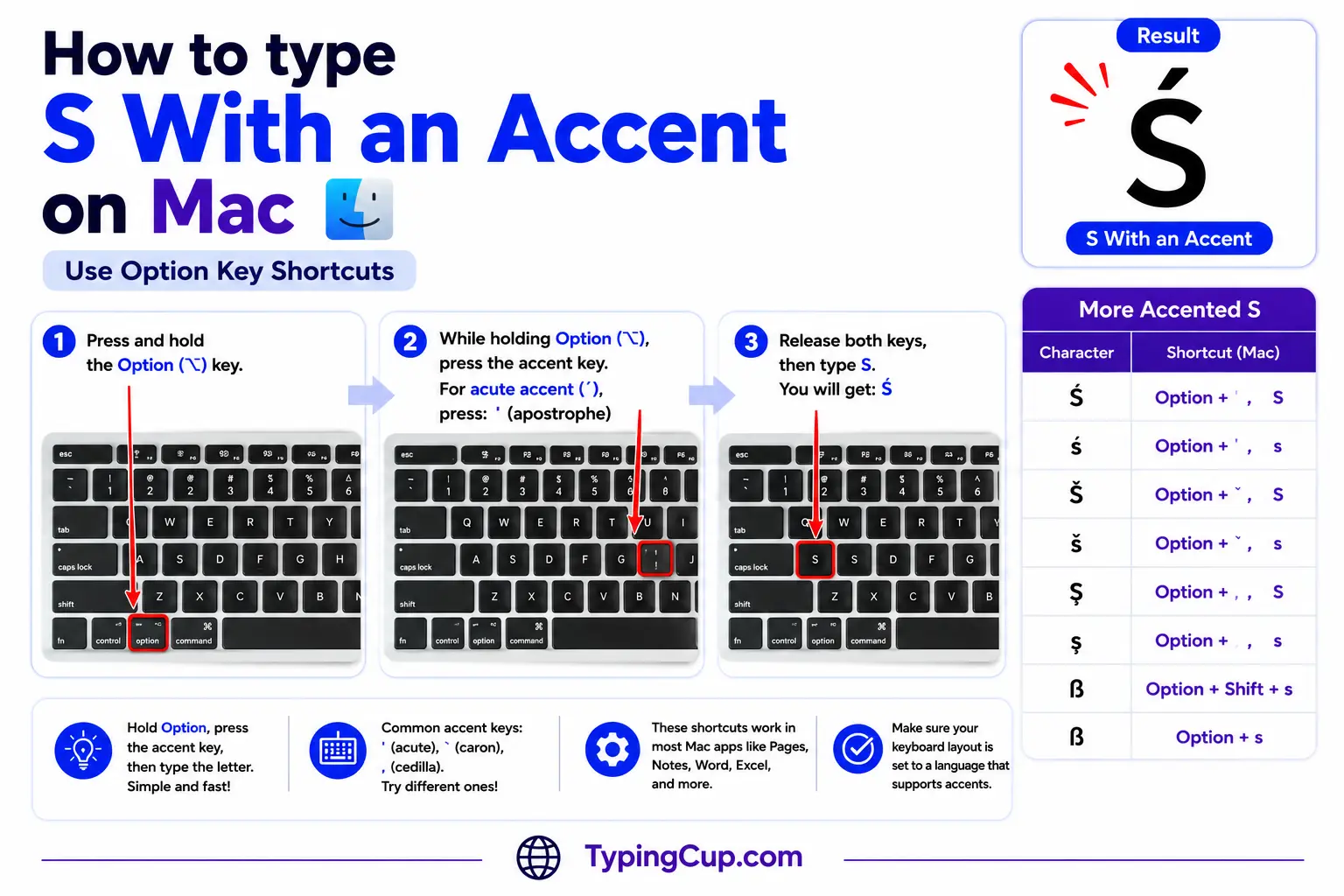
The Option-key accents don’t cover the caron, cedilla, or acute-on-s, so there’s no quick two-key shortcut here. Open the Character Viewer with Control + Command + Space, search for the mark (“caron,” “cedilla”), and double-click the letter.
For regular use, add the matching input source under System Settings, then Keyboard, and type the letter directly.
iPhone and Android
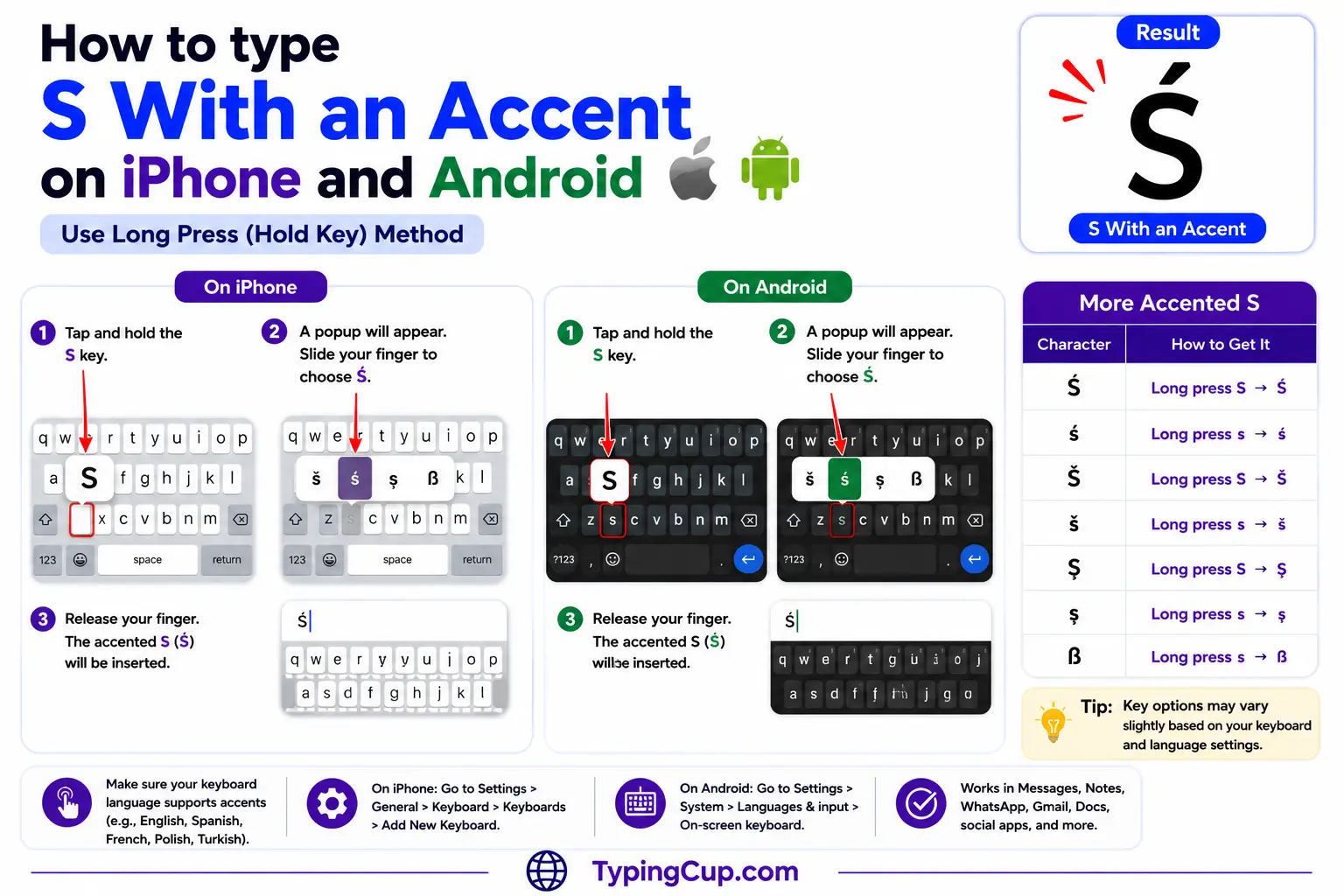
Press and hold the s key on the on-screen keyboard. Some keyboards offer ś, š, and ş in the pop-up row; many don’t.
If yours doesn’t, copy the letter from the grid above, or add a Polish, Czech, or Turkish keyboard in your settings and switch to it when you need the letter.
Microsoft Word
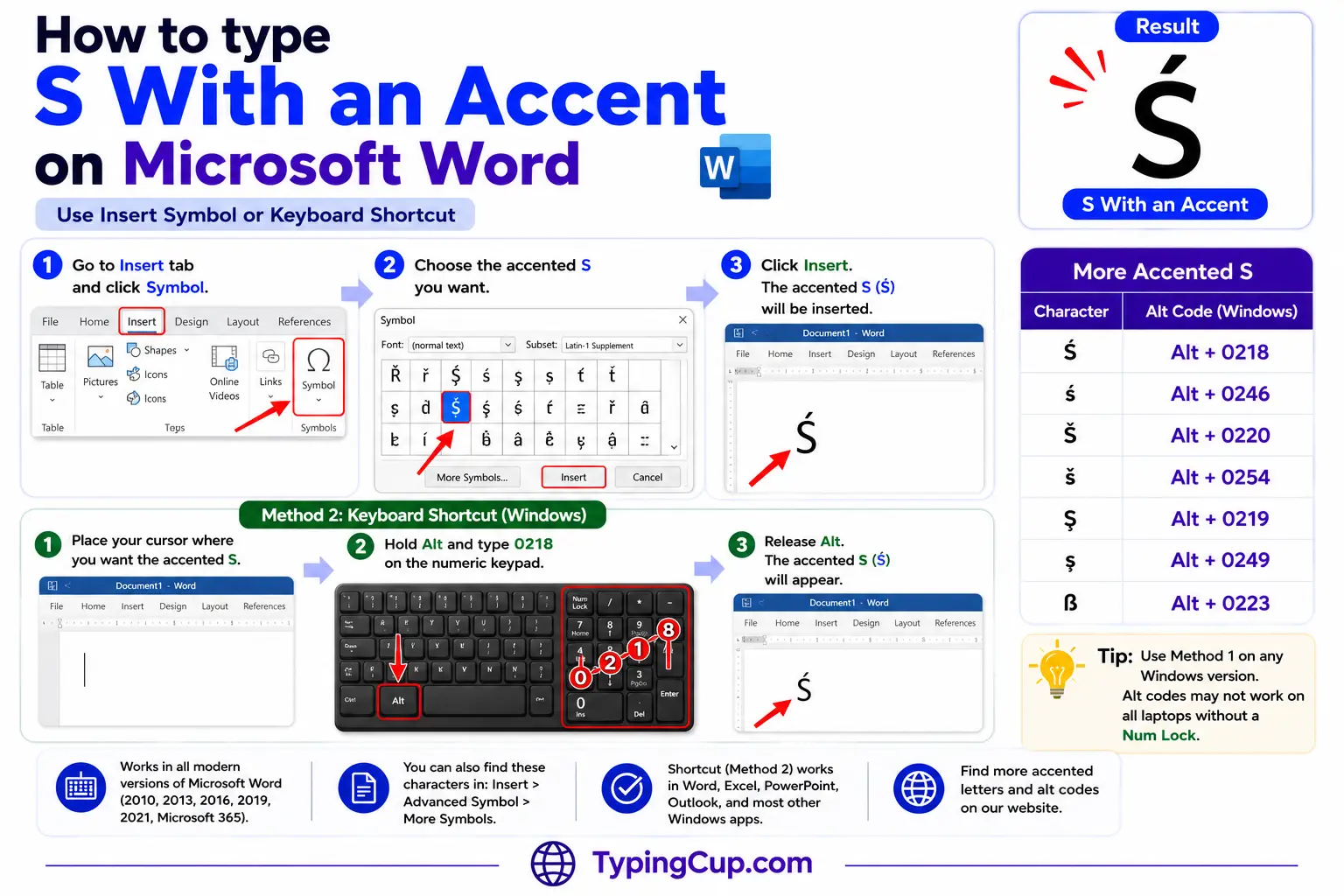
Word is the easiest place to type these on Windows. Type the hex code and press Alt + X, and the digits turn into the letter: 0161 then Alt + X gives š, 015B gives ś.
If one comes up constantly, save it as an AutoCorrect entry under File, then Options, then Proofing, mapping a trigger you’d never type by accident.
Linux
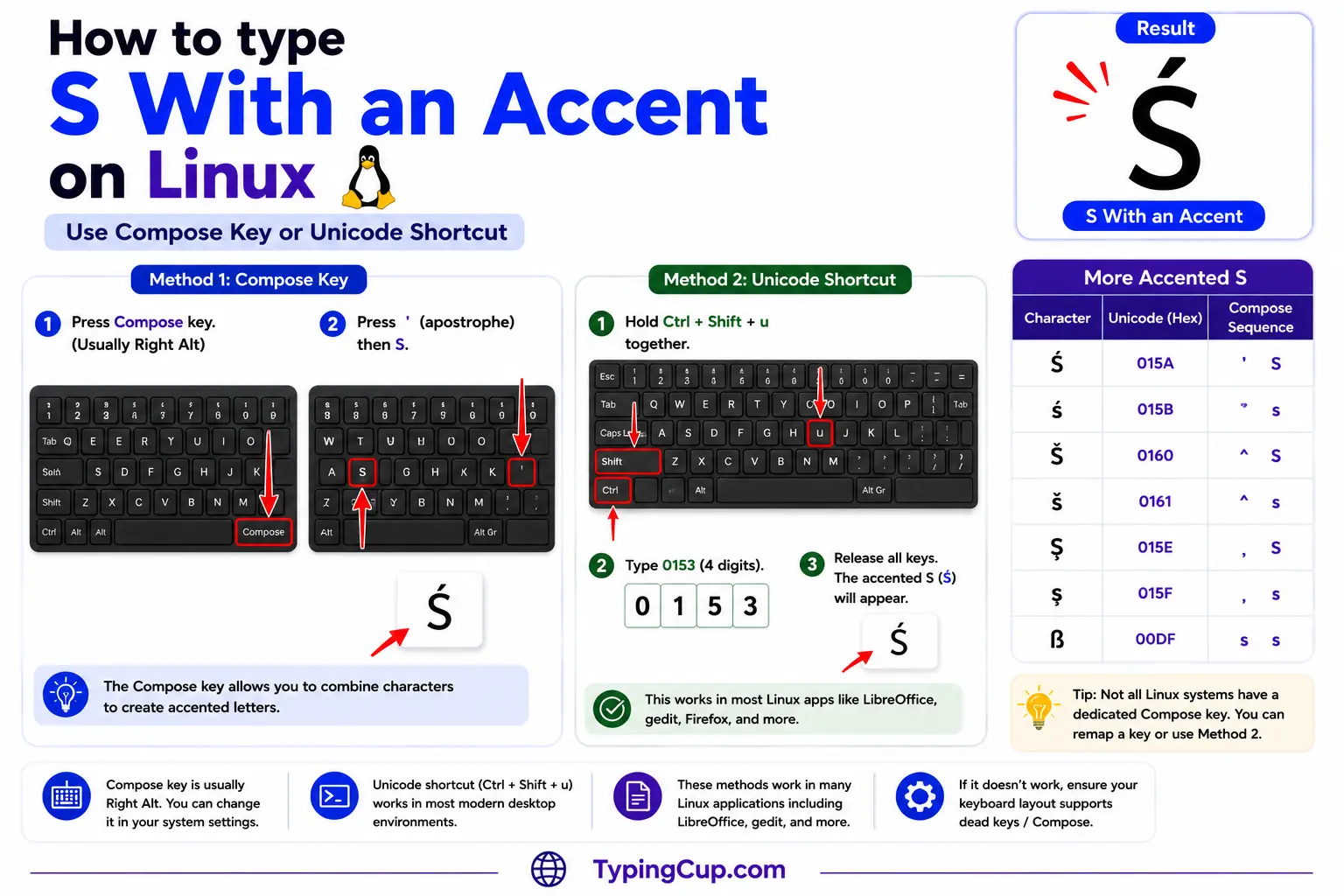
Press Ctrl + Shift + U, type the hex code, then press Enter: 0161 for š, 015b for ś. With a Compose key, the caron is Compose, then the < key, then s; the acute is Compose, then ‘, then s.
Excel and Google Sheets
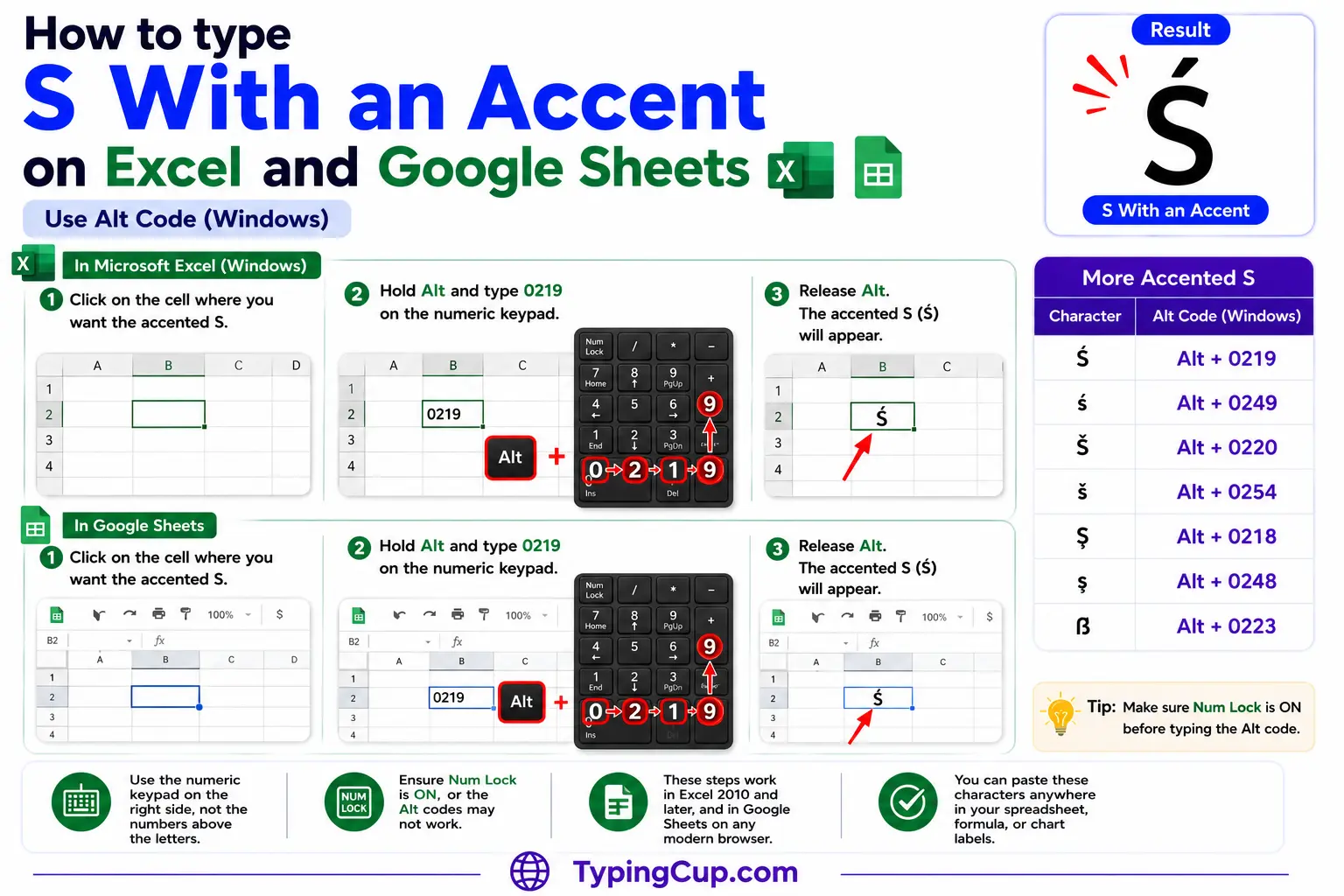
Alt codes won’t help here, so use the UNICHAR formula: =UNICHAR(353) returns š, =UNICHAR(347) returns ś, =UNICHAR(351) returns ş, and =UNICHAR(349) returns ŝ. The same works in Google Sheets.
Google Docs
Open Insert, then Special characters, and type “s with caron” (or the mark you need) in the search box, or draw the shape and pick the letter from the matches.
Copy-paste HTML codes
None of the accented s letters has a named HTML entity, so they’re all numeric. Click a cell and copy.
| Character | Named entity | Numeric entity |
|---|---|---|
| ś | — (none) | ś |
| š | — (none) | š |
| ş | — (none) | ş |
| ŝ | — (none) | ŝ |
| Ś | — (none) | Ś |
| Š | — (none) | Š |
| Ş | — (none) | Ş |
| Ŝ | — (none) | Ŝ |
In a CSS content value, use the escaped code point, like \0161 for š. Serve the page as UTF-8 so the characters hold wherever they land.
For every other accented letter, the full letters-with-accents list has the copy boxes and codes. The soft consonants in Polish and Czech that pair with these, like ń and ň, are covered in the n with accent guide.
Troubleshooting
“There’s no Alt code that gives me š.”
Correct, there isn’t. Every accented s sits above the Alt-code limit of 255. Use the click-to-copy grid above, Word’s hex then Alt + X, Character Map, or a language keyboard.
“Is this ş (cedilla) or ș (comma)?”
Look underneath. A little hook joined to the letter is the cedilla (ş); a separate comma is the Romanian letter (ș). They’re different characters, U+015F and U+0219, and Romanian uses the comma one.
“Is this š or something else?”
A small v on top is the caron (š). A tail underneath is the cedilla (ş). A single stroke leaning right above is the acute (ś). Three different letters.
“It pastes as a box or a question mark.”
The other program is using a non-Unicode encoding that doesn’t include the letter. Save or paste as UTF-8 and it will hold.
FAQ
What’s the difference between š and ś?
The mark and the sound. š has a caron (a small v) and is the standard “sh” of Czech and many transliterations. ś has an acute and is Polish, a softer, more palatal “sh.” They’re separate letters.
Does š have a Windows Alt code?
No. It’s code point 353, well past the Alt-code limit of 255. Use the copy grid, Word’s 0161 then Alt + X, Character Map, or a Czech keyboard.
How do I type š in Word?
Type 0161 and press Alt + X, and the digits turn into š. The same trick works for the others: 015B for ś, 015F for ş, 015D for ŝ.
Is ş the same as ș?
No. ş has a cedilla (a hook) and is used for Turkish; ș has a comma below and is the correct Romanian letter. They look similar but they’re different code points.
What’s the fastest way to type an accented s?
Click it in the grid above for a one-off. For regular use, add the matching language keyboard, or set up a Word Alt + X or AutoCorrect shortcut.
