
Æ / æ (AE Ligature): How to Type, Copy, and Use It
æ is the ae ligature, the letters a and e fused into one. Its capital is Æ. In Danish, Norwegian, and Icelandic it’s a full letter of the alphabet; in Latin and older English it was a single character in words like encyclopædia; and in the phonetic alphabet it stands for the vowel in “cat.”
If you just need the character, copy æ or Æ from the grid below, along with its HTML entity or URL code.
Below you’ll find how to type æ on every device, what it actually is, the English words that quietly dropped it, and how it behaves in links and code.
In a hurry?
- Copy it: click æ or Æ in the grid below.
- On Windows: hold Alt and type 0230 for æ (0198 for Æ).
- On a Mac: press Option + ‘ (apostrophe) for æ (Option + Shift + ‘ for Æ).
- On a phone: press and hold the a key, then slide to æ.
- In a URL æ is written %C3%A6; in HTML it’s æ.
Click to copy: æ, and its codes
Grab the letter, the HTML entity, or the URL code
Table of Contents
Copy and paste æ
The two characters, with every code you’re likely to need in one row. Use the grid above to copy with a click; this table is the reference.
| Character | Name | Unicode | Windows | Mac | HTML |
|---|---|---|---|---|---|
| æ | ae ligature | U+00E6 | Alt + 0230 | Option + ‘ | æ |
| Æ | AE ligature | U+00C6 | Alt + 0198 | Option + Shift + ‘ | Æ |
How to type æ on any device
æ sits in the old Latin range, so it’s easy to reach almost everywhere, and on a Mac it has a shortcut of its own.
Type æ on Window
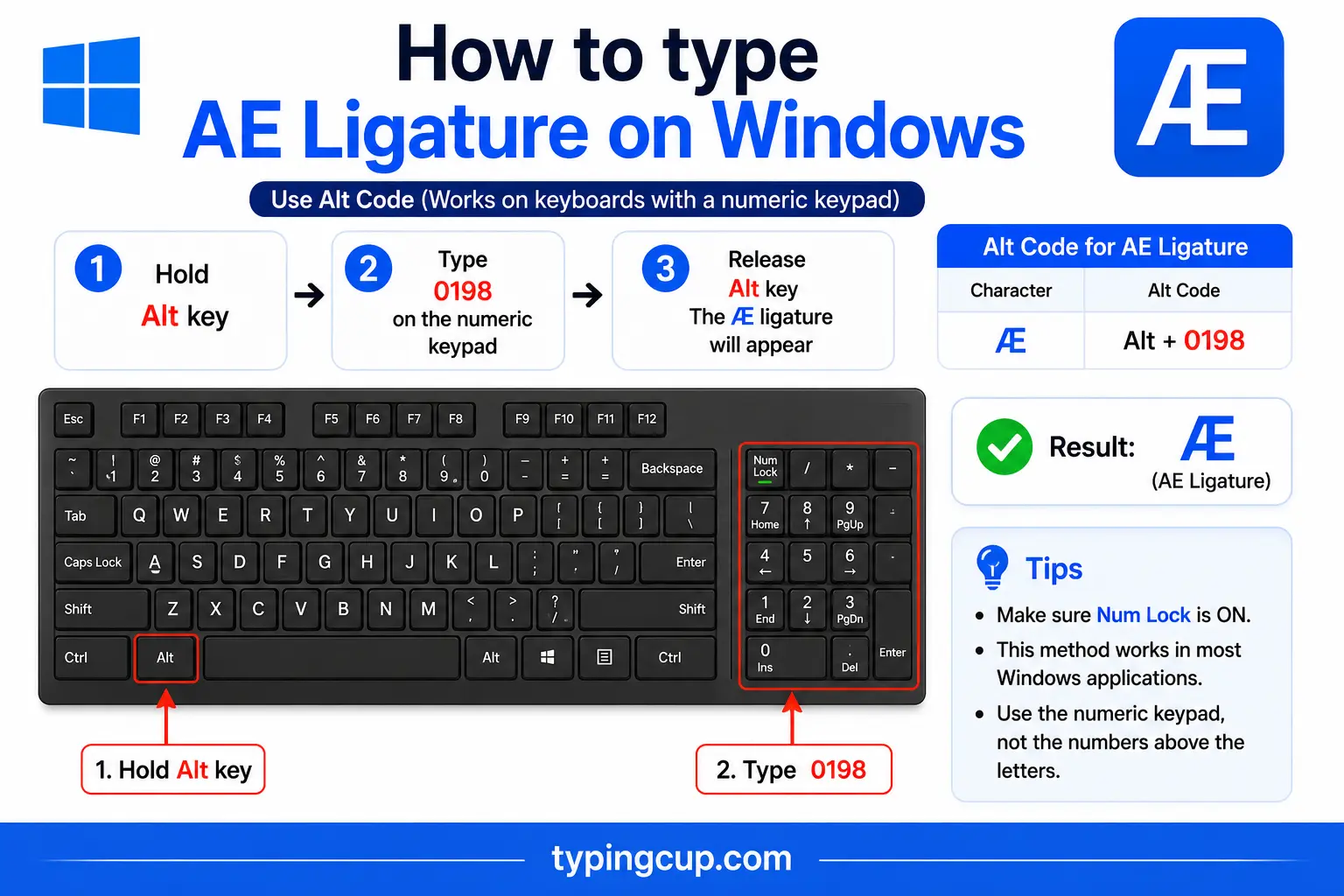
Turn on Num Lock, hold Alt, and type 0230 on the numeric keypad for æ, or 0198 for Æ. The top-row numbers won’t work; it has to be the keypad. You can also press Windows + . and pick æ from the symbol panel, or add a Danish or Norwegian keyboard where it has its own key.
Type æ on Mac
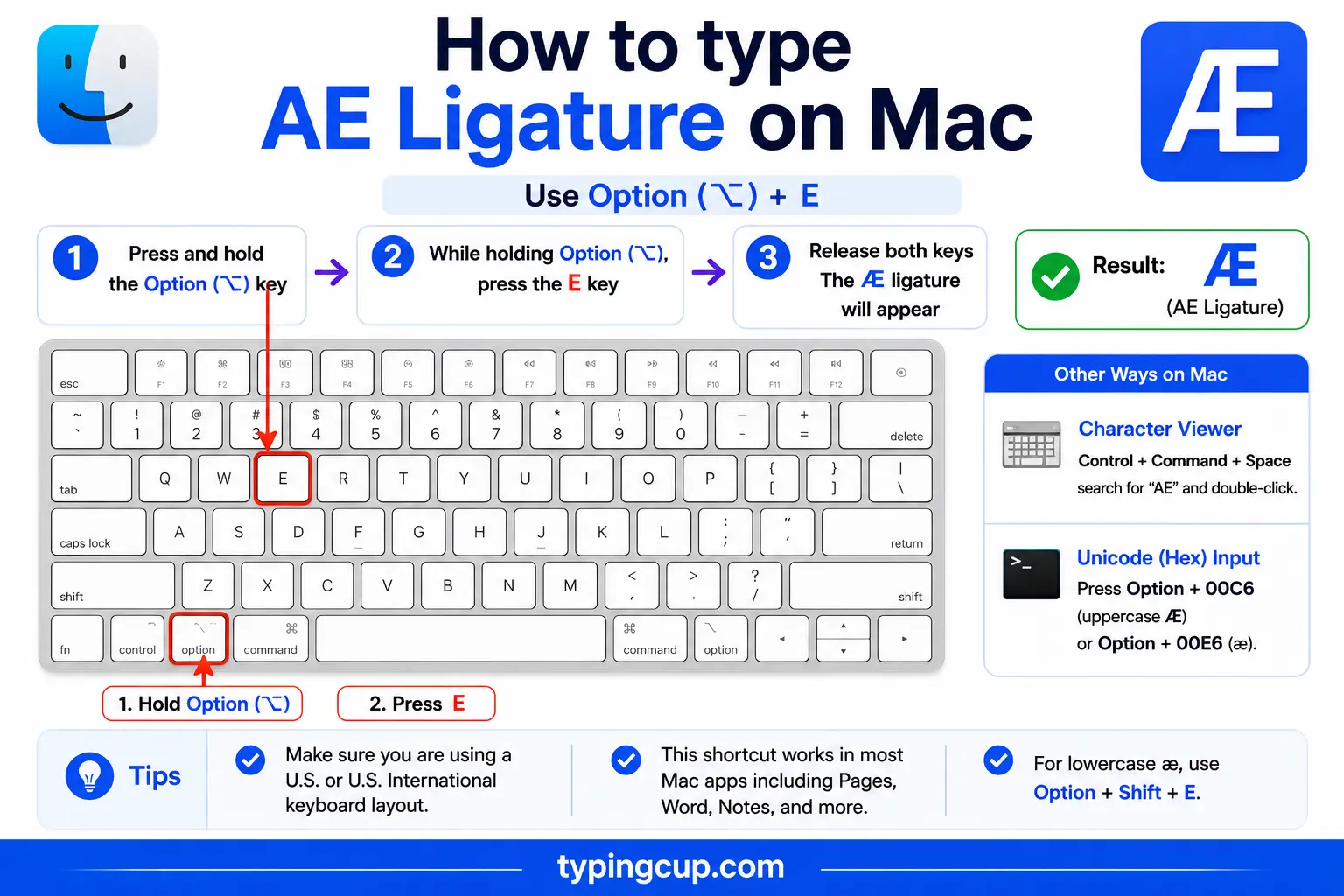
The Mac gives æ its own shortcut: press Option + ‘ (the apostrophe) for æ, and Option + Shift + ‘ for Æ. There’s no two-step dead-key dance for this one.
Type æ on iPhone and Android
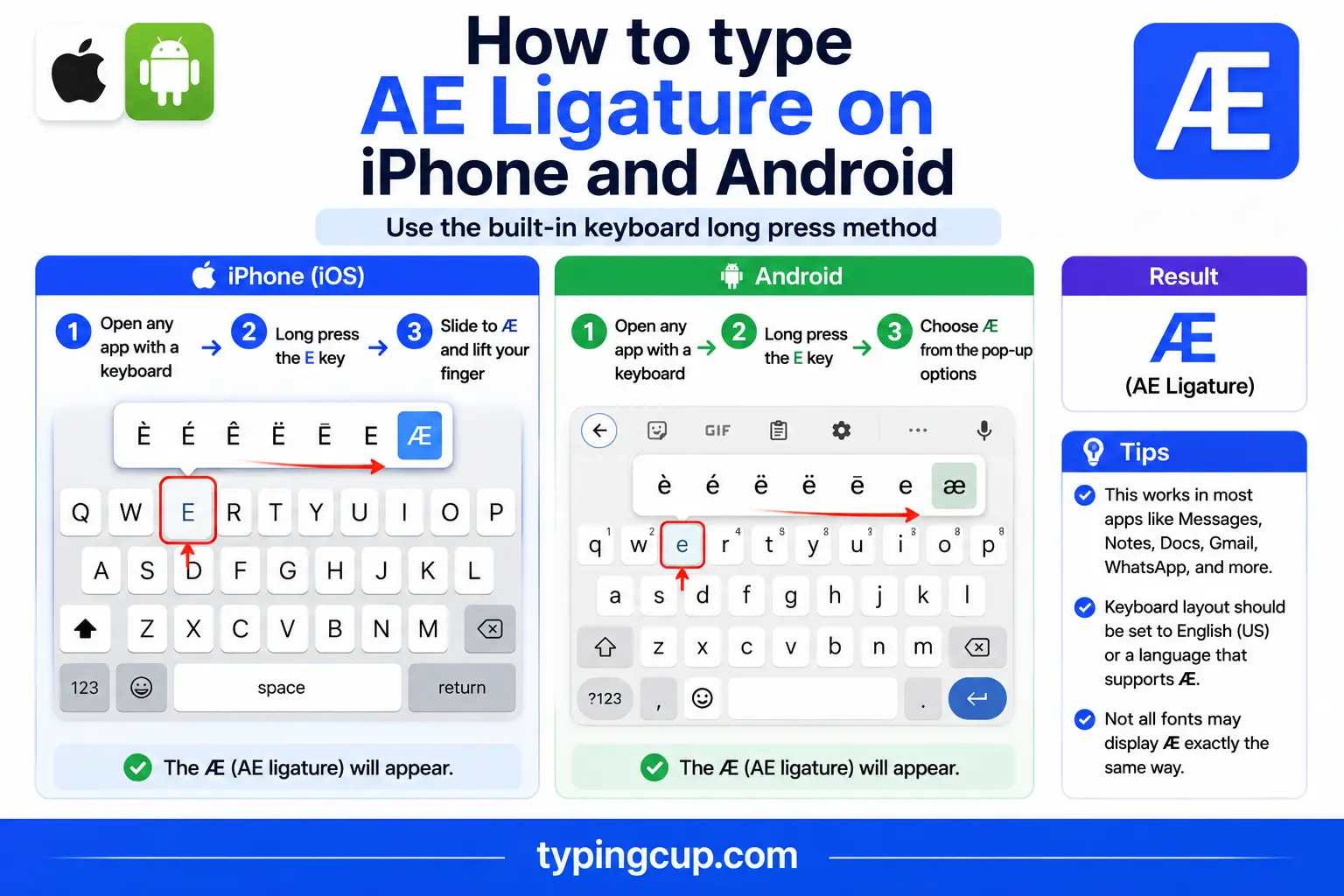
Press and hold the a key on the on-screen keyboard, then slide onto æ and lift your finger. Nothing to set up, and it works the same in nearly every app.
Type æ in Microsoft Word
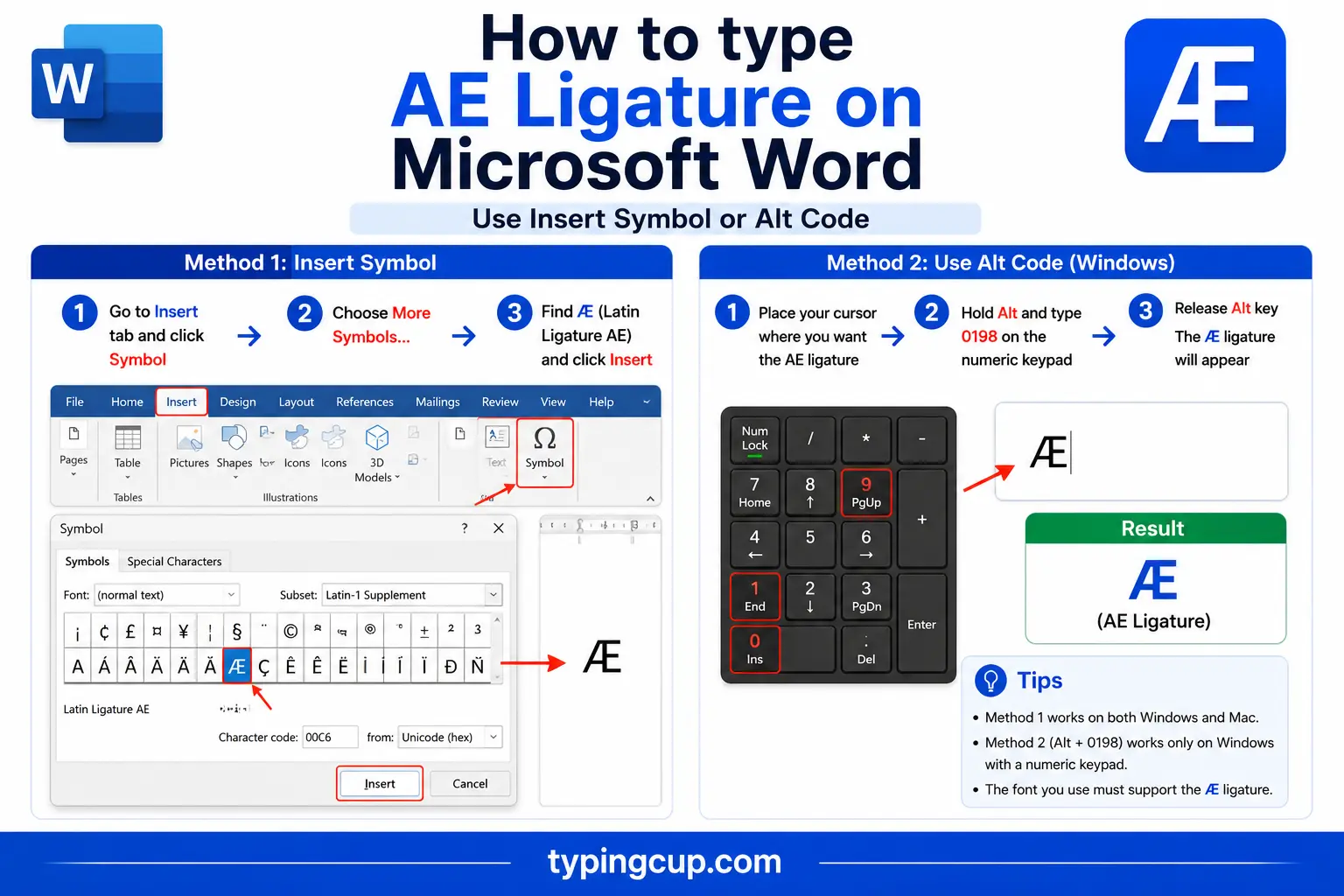
Type the hex code 00E6 and press Alt + X, and it becomes æ (use 00C6 for Æ). The Windows Alt code works here too, and on a Mac, Option + ‘ works directly inside Word.
Type æ on Linux
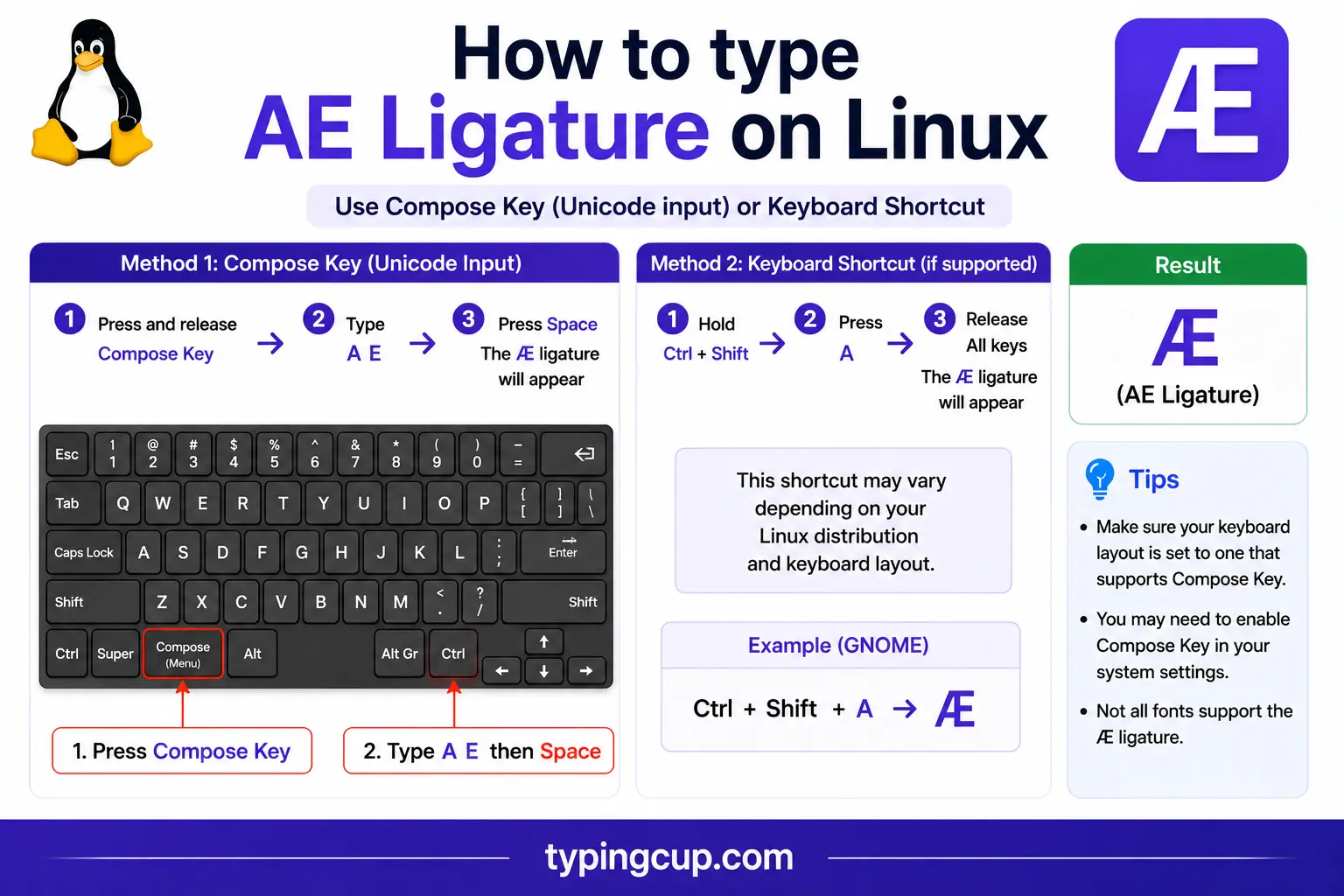
Press Ctrl + Shift + U, type 00e6, then press Enter. With a Compose key, it’s Compose, then a, then e.
Type æ in Excel and Google Sheets
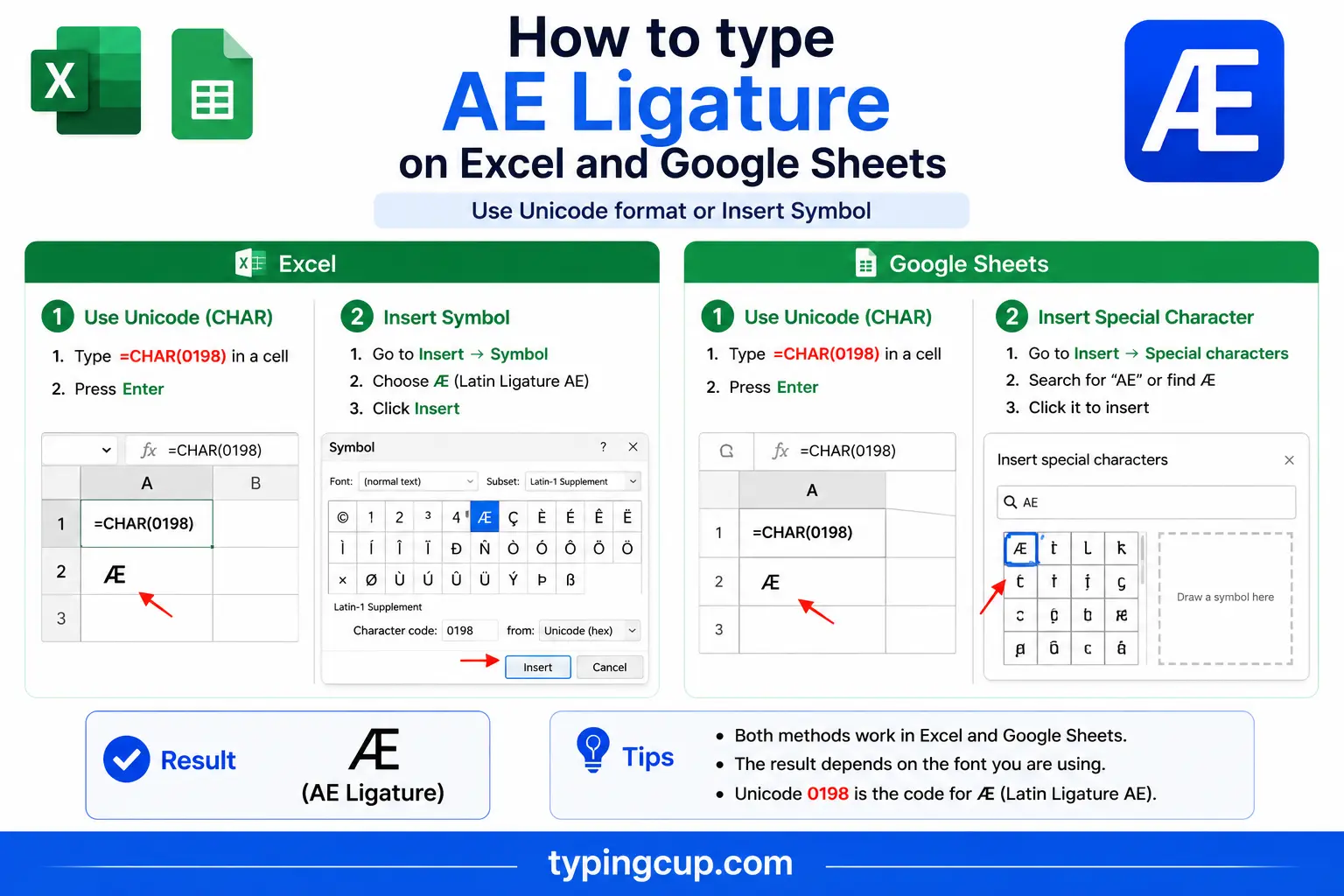
Use the Alt code on the keypad, or the UNICHAR formula: =UNICHAR(230) returns æ and =UNICHAR(198) returns Æ. The same works in Google Sheets.
Ligature or letter? What æ really is
æ is a ligature: two letters, a and e, drawn as one. But whether it counts as its own letter depends on where you are. In Danish, Norwegian, Icelandic, and Faroese it’s a full letter of the alphabet, with its own place near the end. In Latin and older English it was a typographic ligature, a tidy way to join the ae that turned up in so many borrowed words.
Either way, it’s a single character in Unicode, not an a followed by an e. That’s why Encyclopædia Britannica, which kept the ligature in its name, is spelled with one æ rather than two separate letters.
Writing æ as “ae”: the words that lost the ligature
English has spent the last century quietly untying the æ. Words that once used the ligature are now written with a plain ae, or trimmed further to a single e. Encyclopædia became encyclopedia, æther became ether, mediæval became medieval, and Cæsar became Caesar.
Where it settles often depends on the variety of English. British spelling tends to keep the ae, as in anaemia, paediatric, and archaeology; American spelling more often trims it to e, giving anemia and pediatric. The ligature itself now survives mostly in names, logos, and deliberately old-fashioned spellings. When you want the real æ, the copy grid at the top is the fastest route.
The IPA /æ/: the vowel in “cat”
Outside spelling, æ has a precise job in the International Phonetic Alphabet. There, /æ/ is the symbol for one specific vowel, the sound in English cat, trap, and bad, made low and toward the front of the mouth.
So a dictionary that writes cat as /kæt/ is using this exact character. If you’re transcribing pronunciation, it’s the æ you want, not the separate letters a and e.
From Old English “ash” to the Nordic alphabet
The ligature has a long history. In Old English it was a letter in its own right, called ash (or æsc), named after the rune it came from, and it stood for the “a” in cat. English later dropped it, but the Nordic languages kept it.
Today æ sits near the end of the Danish and Norwegian alphabets, after z and before ø and å, and Icelandic keeps it too. So a Danish name beginning with Æ sorts almost last, not among the A’s, which matters if you’re alphabetising Scandinavian words. The slashed ø is its close neighbour in that alphabet.
æ in web addresses, URLs, and email
You can use æ in a domain name. It’s stored as a Punycode address beginning with xn--, which the browser turns back into æ for display, so a Danish or Norwegian domain can look like a run of random letters in its raw form.
Inside a URL path or query, æ is percent-encoded as %C3%A6, the two UTF-8 bytes (0xC3 and 0xA6) for the character. The capital Æ is %C3%86. A link with %C3%A6 in it has an æ inside.
Email is more cautious. An address can carry æ through the same system, but many servers still stumble over non-ASCII addresses, so it’s safest to keep æ out of an email address unless both ends support it.
æ in code and passwords
In code, æ is an ordinary Unicode character and works fine in strings and comments. The usual snag is encoding: a file saved as UTF-8 but read as Latin-1 turns æ into æ, the classic sign of a crossed encoding rather than a broken character.
Passwords are the place to be careful. A æ in a password can lock you out on another device, because a different keyboard or login form may encode it differently and produce different bytes. For a password you’ll type across systems, plain ASCII is safer.
When you want æ in code, the escapes help: \u00e6 in JavaScript, Java, JSON, and Python, and æ or æ in HTML.
Copy-paste HTML codes
Everything you need for the web and for links, in one place. Click a cell and copy.
| Character | Named entity | Numeric entity | URL (percent) code |
|---|---|---|---|
| æ | æ | æ | %C3%A6 |
| Æ | Æ | Æ | %C3%86 |
In a CSS content value, use the escaped code point \00e6. Serve the page as UTF-8 so the character holds. For its Nordic neighbour the slashed ø, and for every other special character, see the full letters-with-accents list.
Troubleshooting
“My æ shows up as æ or a box.”
The text was saved as UTF-8 but is being read as an older encoding like Latin-1. Set the file or page to UTF-8 and the æ returns. The æ pattern is the classic UTF-8-read-as-Latin-1 mix-up.
“Alt + 0230 just beeps or types nothing.”
Num Lock is off, you’re using the top-row numbers, or the laptop has no keypad. Turn Num Lock on and use the keypad. No keypad? Use the copy grid, Windows + ., or a Nordic keyboard layout.
“Should I write æ or ae?”
For modern English, ae (or just e) is standard: encyclopedia, medieval. Keep the æ for names, logos, Scandinavian words, and phonetic transcription, where it’s the correct single character.
“A password with æ won’t log me in elsewhere.”
Different keyboards and login forms can encode æ differently, so the bytes may not match what you first set. For a password you’ll type on many devices, stick to plain ASCII.
FAQ
How do I type æ?
On Windows, Alt + 0230 (Alt + 0198 for Æ). On a Mac, Option + ‘. On a phone, long-press the a key. Or click it in the grid above.
Is æ one letter or two?
One character. It’s a ligature of a and e, and in Danish, Norwegian, and Icelandic it’s a full letter of the alphabet, not an a and an e typed side by side.
Why did encyclopædia become encyclopedia?
English gradually simplified the æ ligature, first to ae and often then to e. Encyclopædia became encyclopedia, mediæval became medieval, and so on. British spelling keeps the ae more often than American does.
What does /æ/ mean in phonetics?
In the IPA, /æ/ is the vowel in cat, trap, and bad. A transcription like /kæt/ uses this exact character to show that specific sound.
How do I write æ in a URL or HTML?
In a URL, æ is %C3%A6 (Æ is %C3%86), and domains store it as Punycode beginning with xn--. In HTML, use æ or æ.
