
ß (Eszett / Sharp S): How to Type, Copy, and Use It
ß is the German eszett, also called the sharp s or scharfes S. It stands for a sharp “s” sound and appears only in German, in words like Straße (“street”) and weiß (“white”). For most of its history it had no capital at all; a capital ẞ was finally made official in 2017.
If you just need the character, copy ß or ẞ from the grid below, along with its HTML entity or URL code.
Below you’ll find how to type ß on every device, why it isn’t a Greek beta, when German uses ß instead of ss, and how it behaves in links and code.
In a hurry?
- Copy it: click ß or the capital ẞ in the grid below.
- On Windows: hold Alt and type 0223 for ß.
- On a Mac: press Option + s for ß.
- On a phone: press and hold the s key, then slide to ß.
- No ß available? In German you can write it as ss (Straße → Strasse).
Click to copy: ß, and its codes
Grab the letter, the capital ẞ, the HTML entity, or the URL code
Table of Contents
Copy and paste ß
The eszett and its new capital, with every code you’re likely to need. Use the grid above to copy with a click; this table is the reference.
| Character | Name | Unicode | Windows | Mac | HTML |
|---|---|---|---|---|---|
| ß | sharp s (eszett) | U+00DF | Alt + 0223 | Option + s | ß |
| ẞ | capital sharp s | U+1E9E | Word 1E9E + Alt + X | Character Viewer | ẞ |
How to type ß on any device
ß sits in the old Latin range, so the lowercase is easy to reach almost everywhere. The capital ẞ is newer and takes a little more effort.
Type ß on Windows
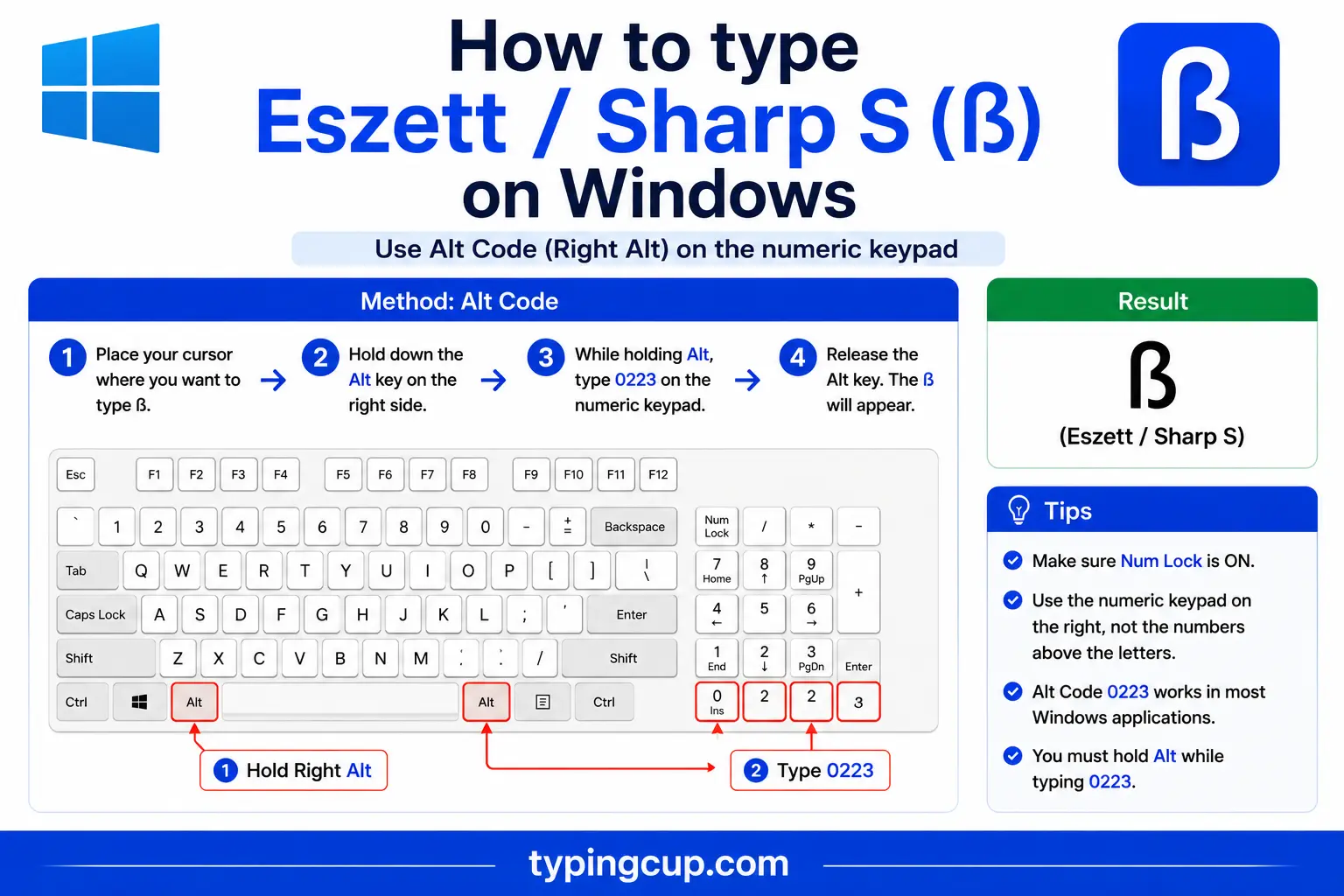
Turn on Num Lock, hold Alt, and type 0223 on the numeric keypad for ß. On the US-International layout, the right Alt (AltGr) plus s also gives ß, and the German keyboard has it on its own key. For the capital ẞ, type 1E9E in Word and press Alt + X, or copy it from the grid above.
Type ß on Mac
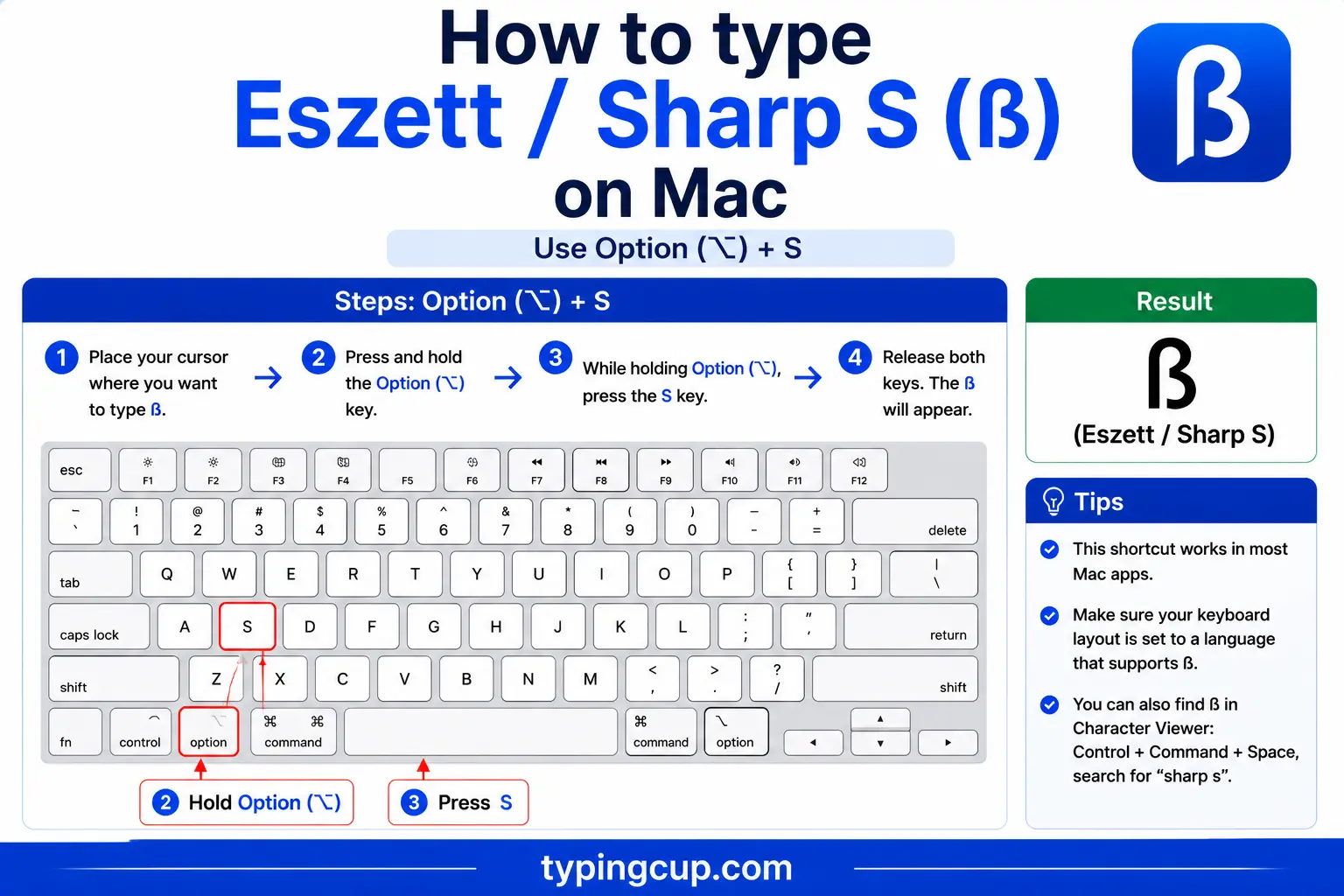
The Mac gives ß its own shortcut: press Option + s. For the capital ẞ, open the Character Viewer with Control + Command + Space and search “sharp s,” or add the German keyboard, where a recent macOS produces ẞ with Option + Shift + s.
Type ß on iPhone and Android
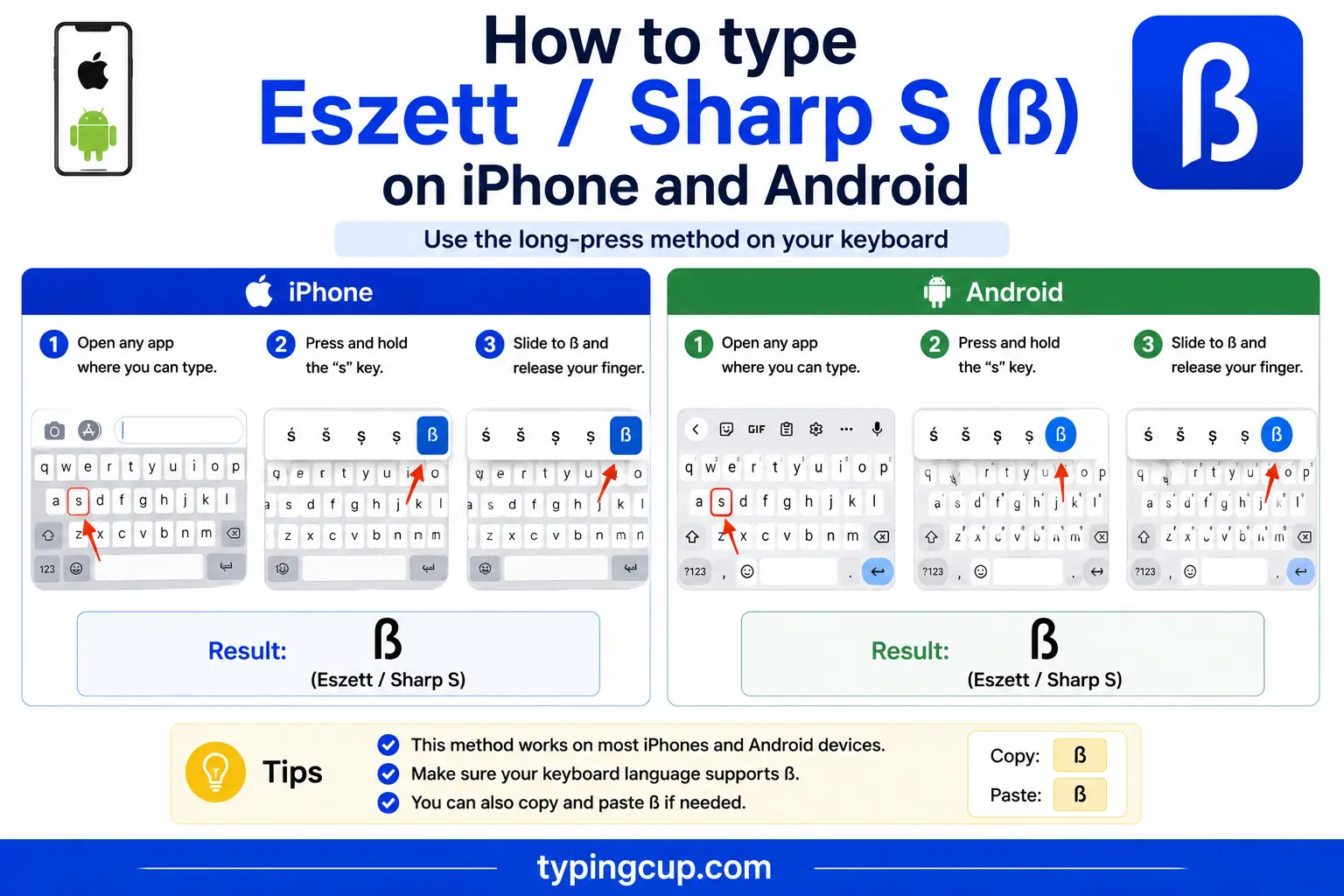
Press and hold the s key on the on-screen keyboard, then slide onto ß and lift your finger. Adding a German keyboard puts it within closer reach if you write the language often.
Type ß in Microsoft Word
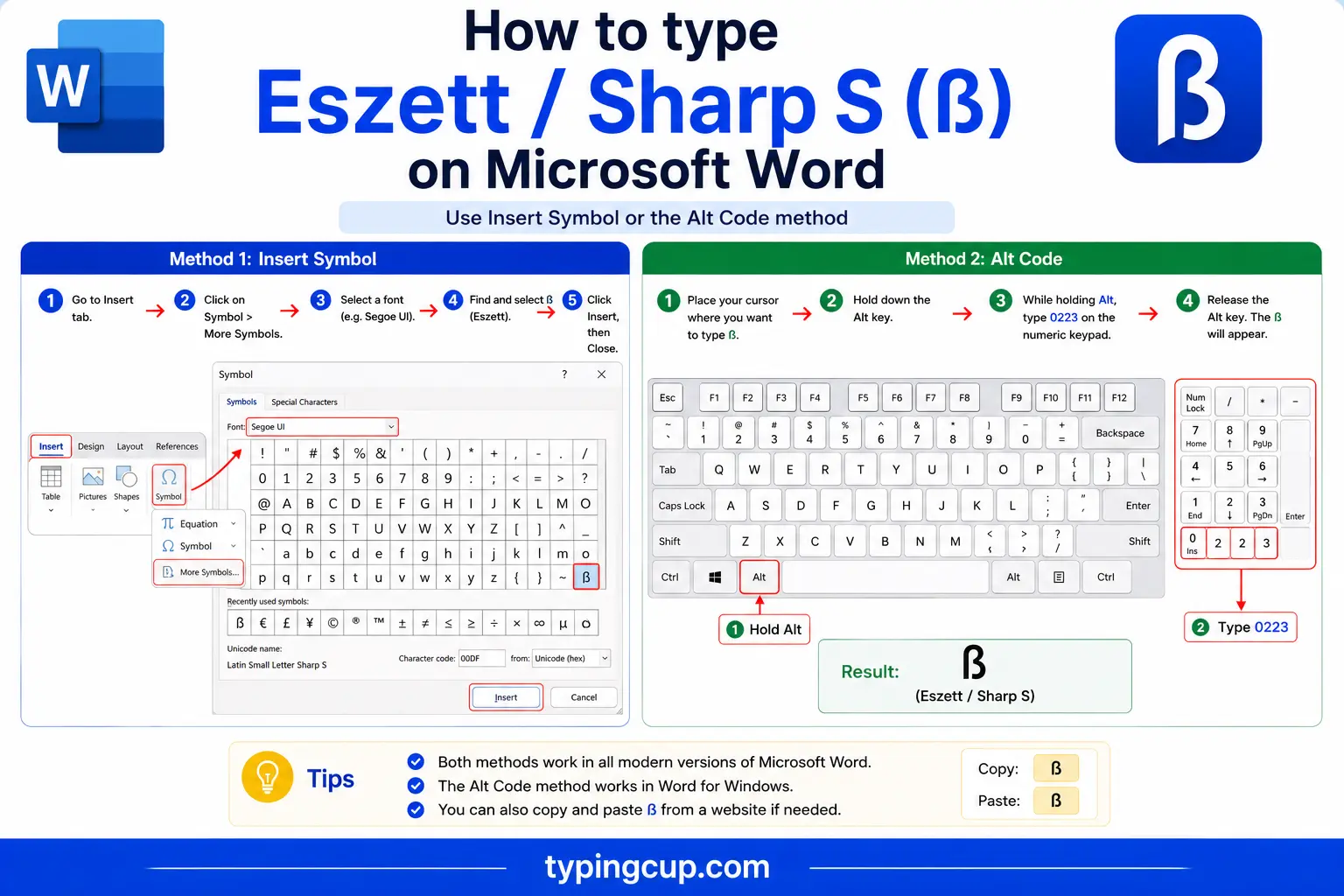
Type ß with the Alt code (0223) or the hex trick: 00DF then Alt + X. For the capital, type 1E9E and press Alt + X to get ẞ.
Type ß on Linux
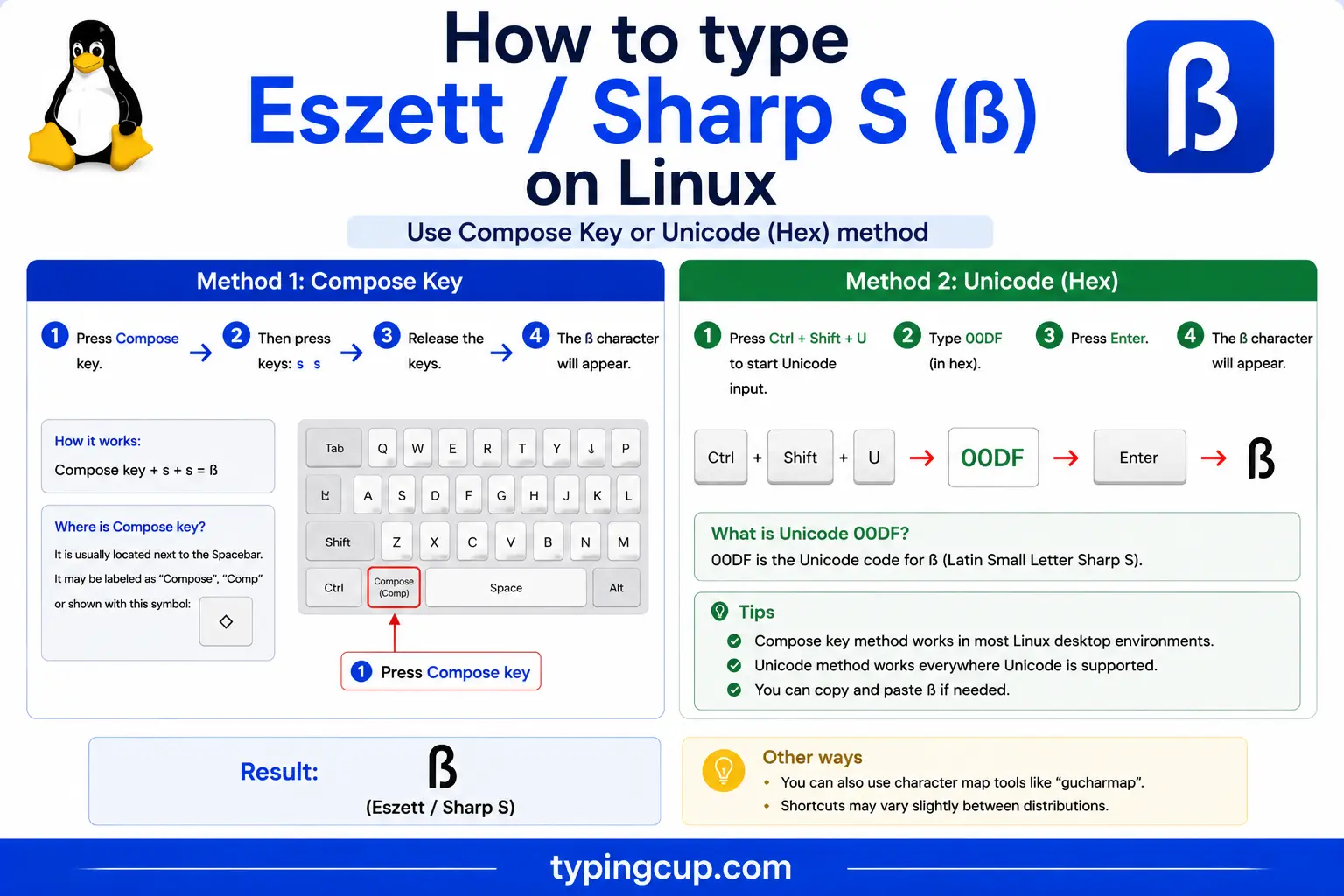
Press Ctrl + Shift + U, type 00df, then press Enter. With a Compose key, it’s Compose, then s, then s.
Type ß in Excel and Google Sheets
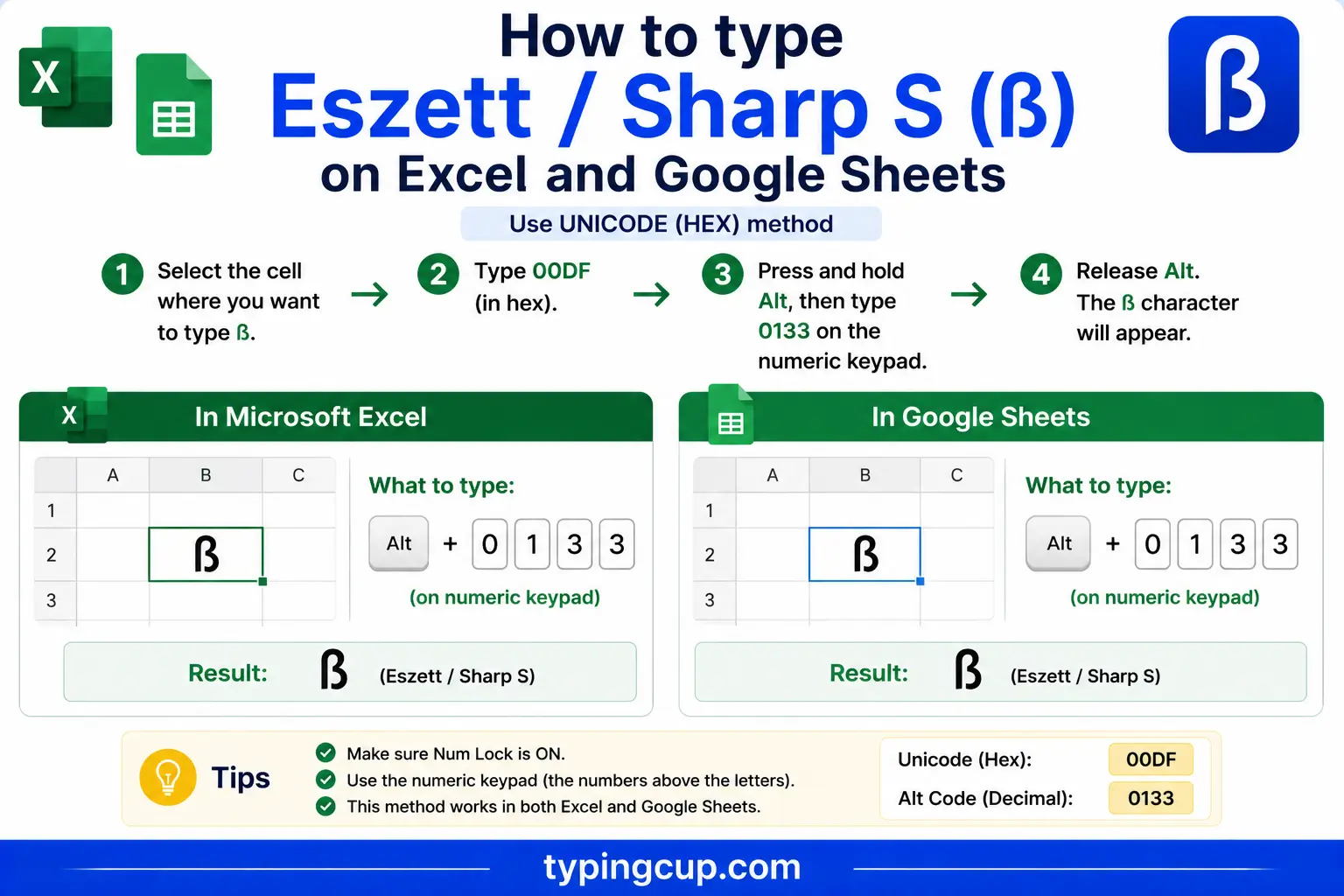
Use the Alt code on the keypad, or the UNICHAR formula: =UNICHAR(223) returns ß and =UNICHAR(7838) returns the capital ẞ. The same works in Google Sheets.
ß is not the Greek letter β
A quick but important warning: ß is not the Greek letter beta, β, even though the two look almost identical. ß is a Latin letter (U+00DF) used in German; β is a Greek letter (U+03B2) used in maths, physics, and Greek text.
They get swapped constantly, usually by someone reaching for a beta in an equation and grabbing the German ß because it’s easier to type, or the reverse. They’re different characters with different codes, and search engines, spell checkers, and screen readers treat them as different letters. If you mean the maths symbol, use β; if you mean the German sound, use ß.
Writing ß as “ss” (and why Switzerland dropped it)
When ß isn’t available, German writes it as ss. So Straße becomes Strasse and Fußball becomes Fussball. The reader loses only the single character; the word is still correct.
Switzerland and Liechtenstein take this further: Swiss Standard German abolished the ß altogether decades ago and always writes ss. A Swiss newspaper prints Strasse where a German one prints Straße. If you’re writing Swiss German, you never need the character at all.
ß or ss? The German spelling rule
In Germany and Austria, whether a word takes ß or ss depends on the vowel before it. After a long vowel or a diphthong, German uses ß, as in Straße, weiß, and groß. After a short vowel, it uses ss, as in Fluss (“river”) and dass (“that”).
This is newer than it looks. The 1996 spelling reform changed a batch of common words: daß became dass, muß became muss, and Fluß became Fluss, all because the vowel is short. Words with a long vowel, like Straße, kept the ß. It’s why older German books use ß in places modern ones don’t.
The capital ß: the ẞ that arrived in 2017
For most of its history, ß had no capital at all. In all-caps text you simply wrote SS, so STRASSE stood in for Straße. That worked, but it was ambiguous, and it bothered typographers for a very long time.
A capital form, ẞ (U+1E9E), was added to Unicode in 2008, and in 2017 the Council for German Orthography made it an official option. So an all-caps sign can now read STRAẞE as well as STRASSE. It’s still new enough that many fonts and keyboards don’t make it easy, which is why the copy grid at the top includes it.
ß in web addresses, URLs, and email
ß has a tangled history in domain names. Older systems mapped it straight to ss, so straße.de and strasse.de were treated as the same address. Newer standards let ß be its own character, stored as a Punycode name beginning with xn--, though the ß-versus-ss question still throws the occasional surprise.
Inside a URL path or query, ß is percent-encoded as %C3%9F, the two UTF-8 bytes (0xC3 and 0x9F) for the character. A link with %C3%9F in it has a ß inside.
Email is more cautious, so a German business will usually register the ss spelling of a domain alongside any ß version.
ß in code and passwords
In code, ß is an ordinary Unicode character. The usual snag is encoding: a file saved as UTF-8 but read as Latin-1 turns ß into à followed by another character. Keep everything UTF-8 and it behaves.
Passwords deserve extra care here. A ß can lock you out on another device, and there’s a ß-specific trap: some systems quietly convert ß to ss, which changes the text and the password entirely. For anything you’ll type across systems, plain ASCII is the safe choice.
When you want ß in code, the escapes help: \u00df in JavaScript, Java, JSON, and Python, and ß or ß in HTML.
Copy-paste HTML codes
Everything you need for the web and for links, in one place. Click a cell and copy.
| Character | Named entity | Numeric entity | URL (percent) code |
|---|---|---|---|
| ß | ß | ß | %C3%9F |
| ẞ | — (none) | ẞ | %E1%BA%9E |
In a CSS content value, use the escaped code point \00df. Serve the page as UTF-8 so the character holds. ß often shares a keyboard with the German umlauts; for ä, ö, and ü, see the umlaut letters guide, and for everything else the full letters-with-accents list.
Troubleshooting
“My ß shows up as a box or garbled text.”
The text was saved as UTF-8 but is being read as an older encoding like Latin-1. Set the file or page to UTF-8 and the ß returns. Garbled accented characters almost always trace back to an encoding mismatch, not a broken font.
“Alt + 0223 just beeps or types nothing.”
Num Lock is off, you’re using the top-row numbers, or the laptop has no keypad. Turn Num Lock on and use the keypad. No keypad? Use the copy grid, US-International (AltGr + s), or a German keyboard layout.
“I need a capital ß.”
Use ẞ (U+1E9E): copy it from the grid above, or type 1E9E then Alt + X in Word. Older German style instead writes the word in all caps with SS, as in STRASSE.
“My ß turned into ss on its own.”
Some systems still convert ß to ss automatically, a leftover from the days before the character was widely supported. It’s usually harmless in text, but it matters for passwords and exact-match fields.
FAQ
How do I type ß?
On Windows, Alt + 0223. On a Mac, Option + s. On a phone, long-press the s key. Or click it in the grid above.
Is ß the same as the Greek letter β?
No. ß is the German sharp s (U+00DF); β is the Greek letter beta (U+03B2). They look alike but are different characters used for completely different things.
When do I use ß instead of ss?
In standard German, ß follows a long vowel or a diphthong (Straße, weiß), and ss follows a short vowel (Fluss, dass). Swiss German skips ß entirely and always writes ss.
Is there a capital ß?
Yes, ẞ (U+1E9E), made an official option in 2017. Before that, all-caps text used SS, so Straße became STRASSE.
How do I write ß in a URL or HTML?
In a URL, ß is %C3%9F, though some systems still treat it as ss and store the domain as Punycode (xn--). In HTML, use ß or ß.
