Won Symbol (₩): How to Type, Copy, and Use It
The won symbol ₩ is the currency sign for the Korean won — a capital W with a double line through it, used the way $ or € is. It belongs to both Koreas: the South Korean won and the North Korean won share the same sign. It also hides one of the most famous quirks in computing, where on Korean machines the backslash key shows up as ₩. Here is how to type ₩, where to copy it, and the surprises that come with it.
In a hurry?
- Copy it: click ₩ in the grid below.
- Windows: in Word, type 20A9 then Alt + X for ₩.
- Mac: open the Character Viewer (Control + Command + Space) and search “won”.
- No dedicated key: ₩ is not on a US keyboard, so copy it or use Word / Character Map.
- In HTML the won sign is
₩; in a URL it is%E2%82%A9.
Table of Contents
The real won sign is ₩ (U+20A9). If a Korean computer shows your backslash as ₩, that is a font quirk, not the actual won character — a story explained in its own section below.
Won symbol: every code in one table
The won sign with every code you are likely to need. Copy from the grid above, or use whichever method fits the app you are in.
| Property | Won sign |
| Character | ₩ |
| Name | Won Sign |
| Unicode | U+20A9 |
| Windows Alt code | Alt + 8361* |
| Word (type + Alt+X) | 20A9 |
| Mac | Character Viewer |
| HTML numeric | ₩ |
| HTML hex | ₩ |
| URL / percent | %E2%82%A9 |
*Alt + 8361 works only in apps that accept decimal Unicode from the numeric keypad, such as Word; most text boxes ignore it. There is no dedicated key for ₩ on a standard keyboard, so the routes that always work are Word (20A9 then Alt + X), Character Map, or copying from the grid above.
How to type the won symbol on any device
On Windows
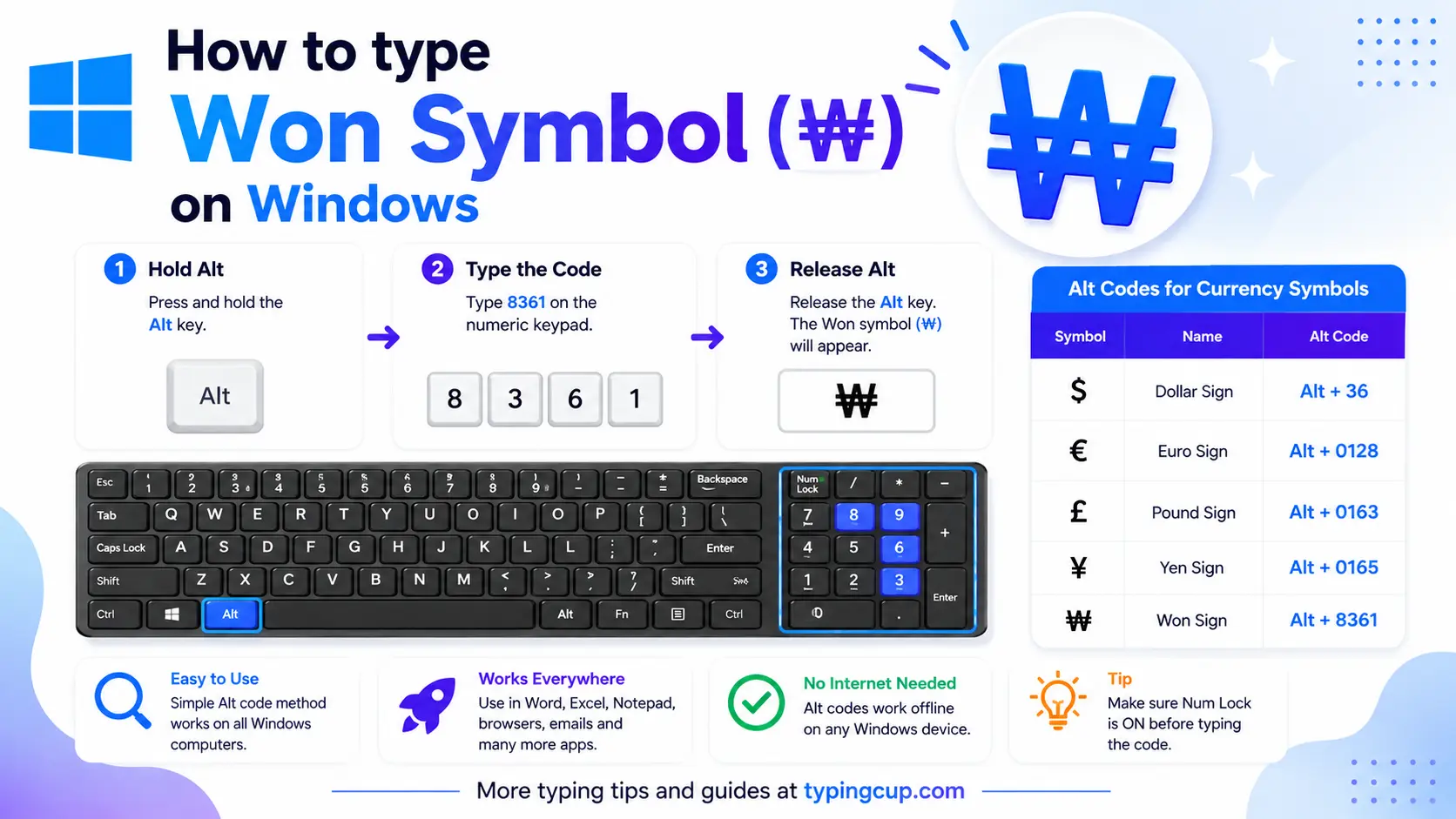
The reliable way is Word: type 20A9 and press Alt + X to get ₩. In apps that accept decimal Unicode, Alt + 8361 on the numeric keypad works too (Num Lock on). Otherwise open Character Map (search charmap), find the won sign in the Currency Symbols range, and copy it. There is no key for ₩ on a US layout.
On Mac
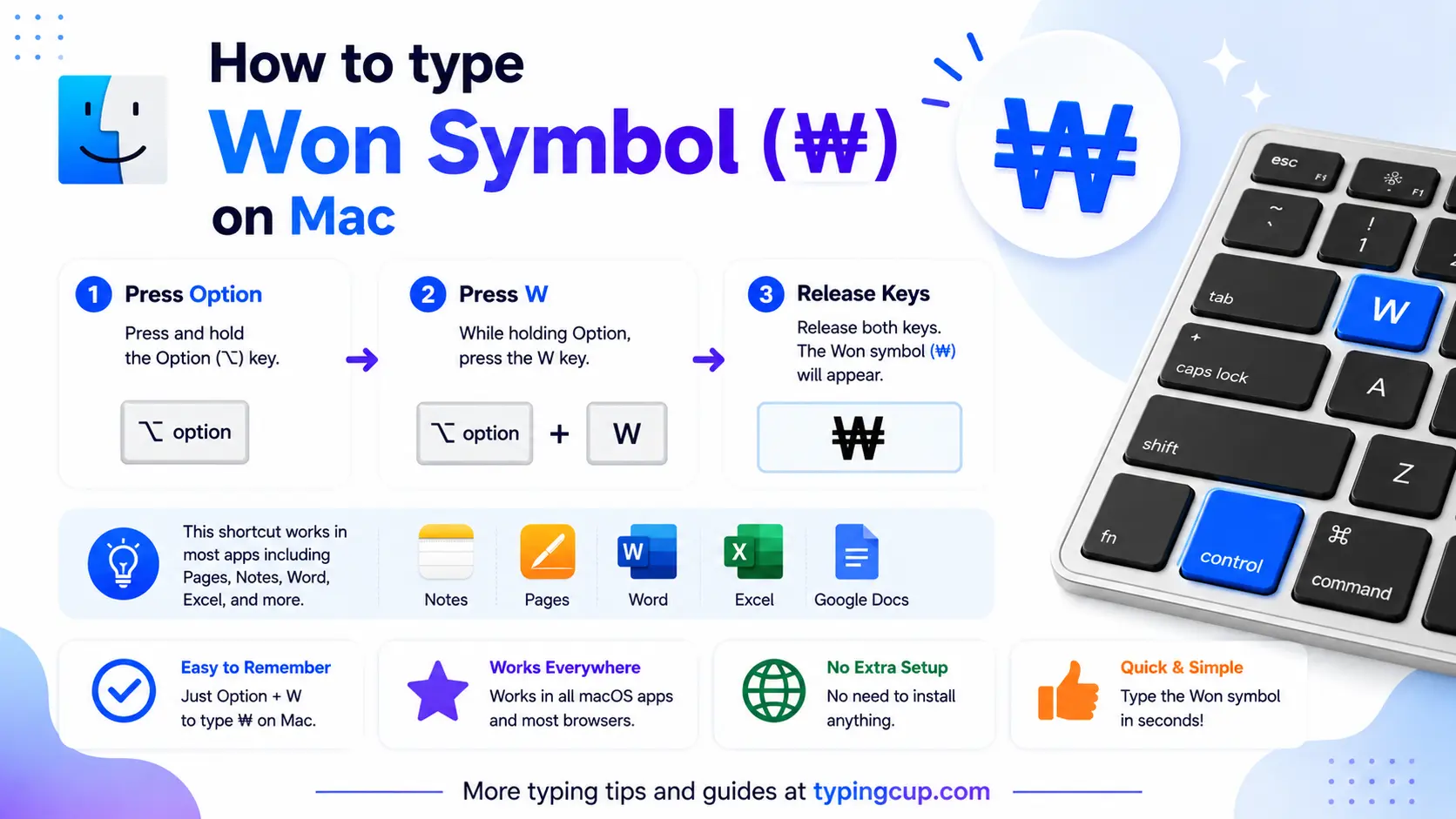
Open the Character Viewer with Control + Command + Space, search “won”, and double-click ₩. If you use it often, drag it into the panel’s Favorites so it is one click away.
On iPhone and Android
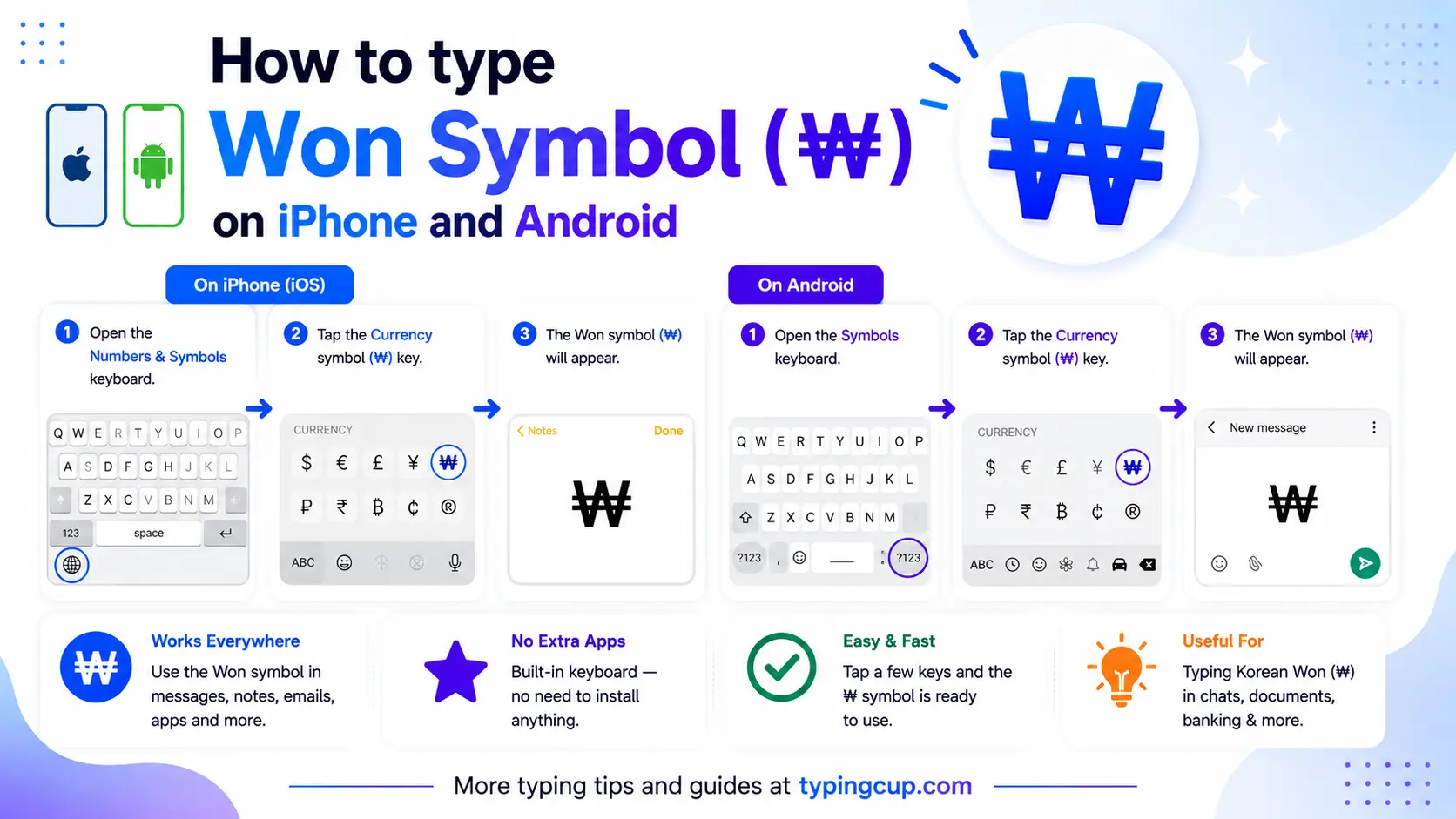
Phone keyboards do not include ₩, and long-pressing the $ key offers other national currencies, not the won. The quickest routes are to copy ₩ from the grid above, add a Korean keyboard, or save it in a text-replacement shortcut.
On a Korean keyboard
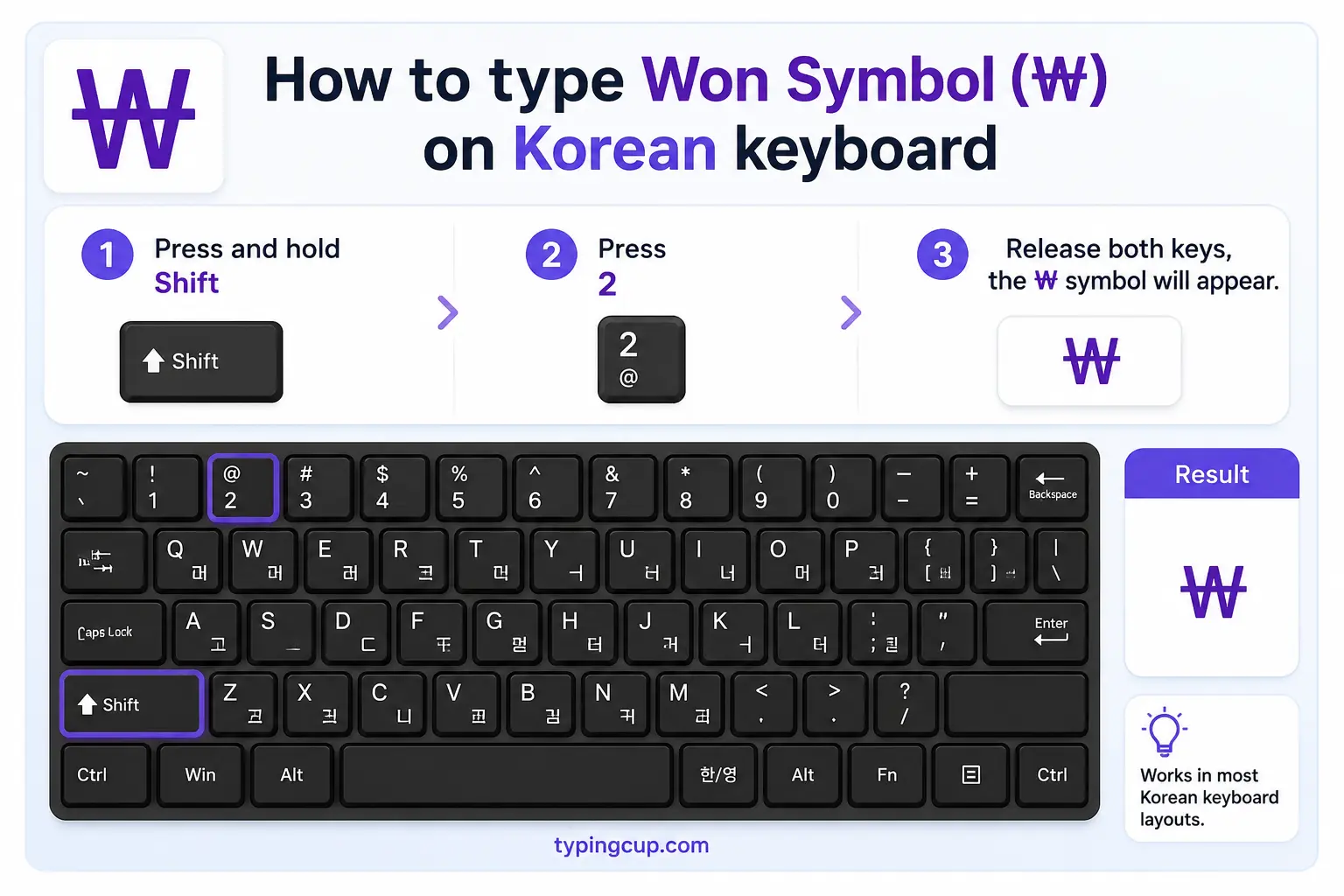
A physical Korean keyboard has the won on the key that a US keyboard uses for the backslash, up near Backspace and Enter. Pressing it types ₩ in Korean input, which is the historical reason the backslash and the won sign are tangled together on Korean systems — see the next section.
In Microsoft Word
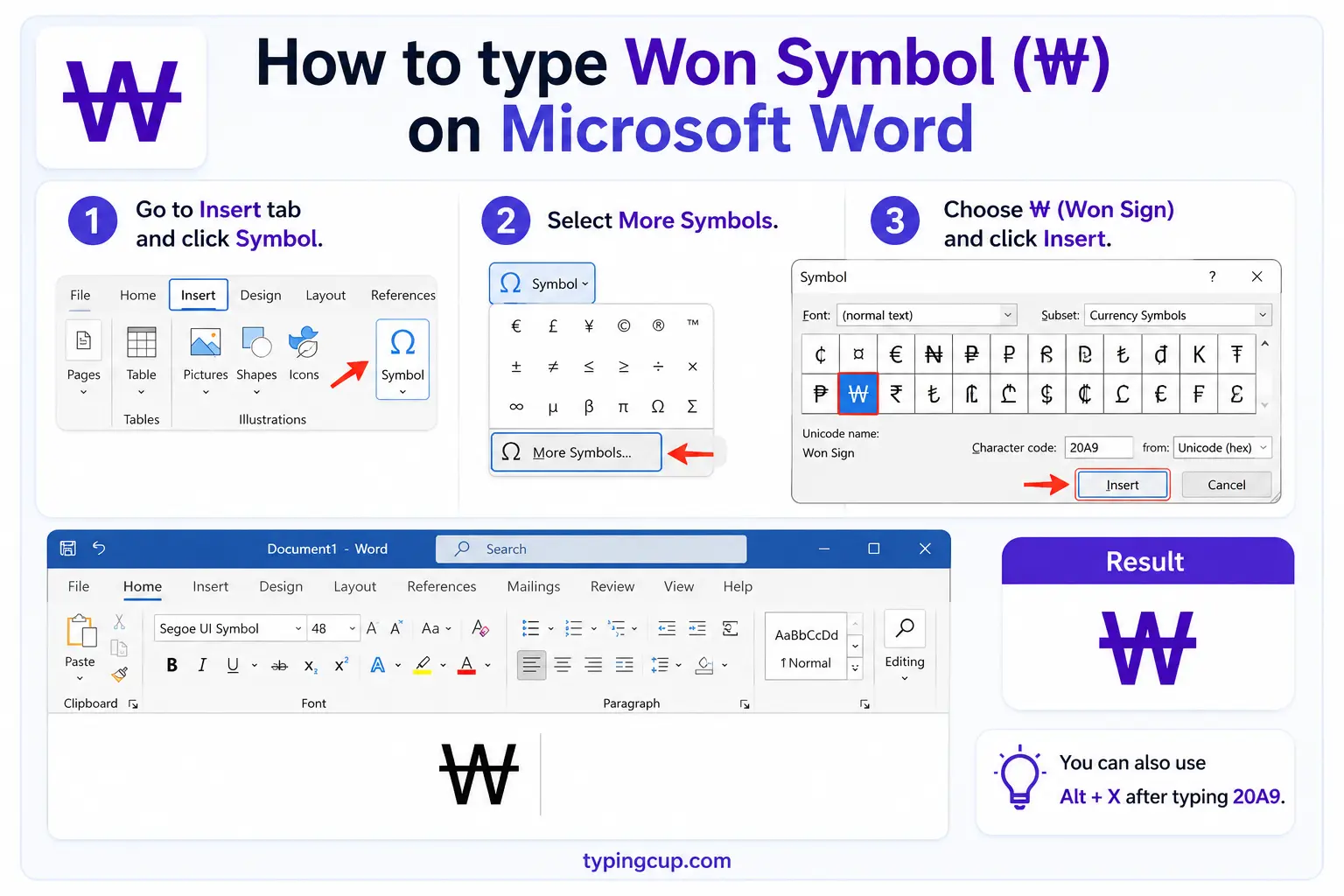
Type 20A9 then press Alt + X for ₩, or use Insert → Symbol → More Symbols and pick the Currency Symbols subset. Alt + X also runs in reverse, turning a selected ₩ back into its code.
On Linux
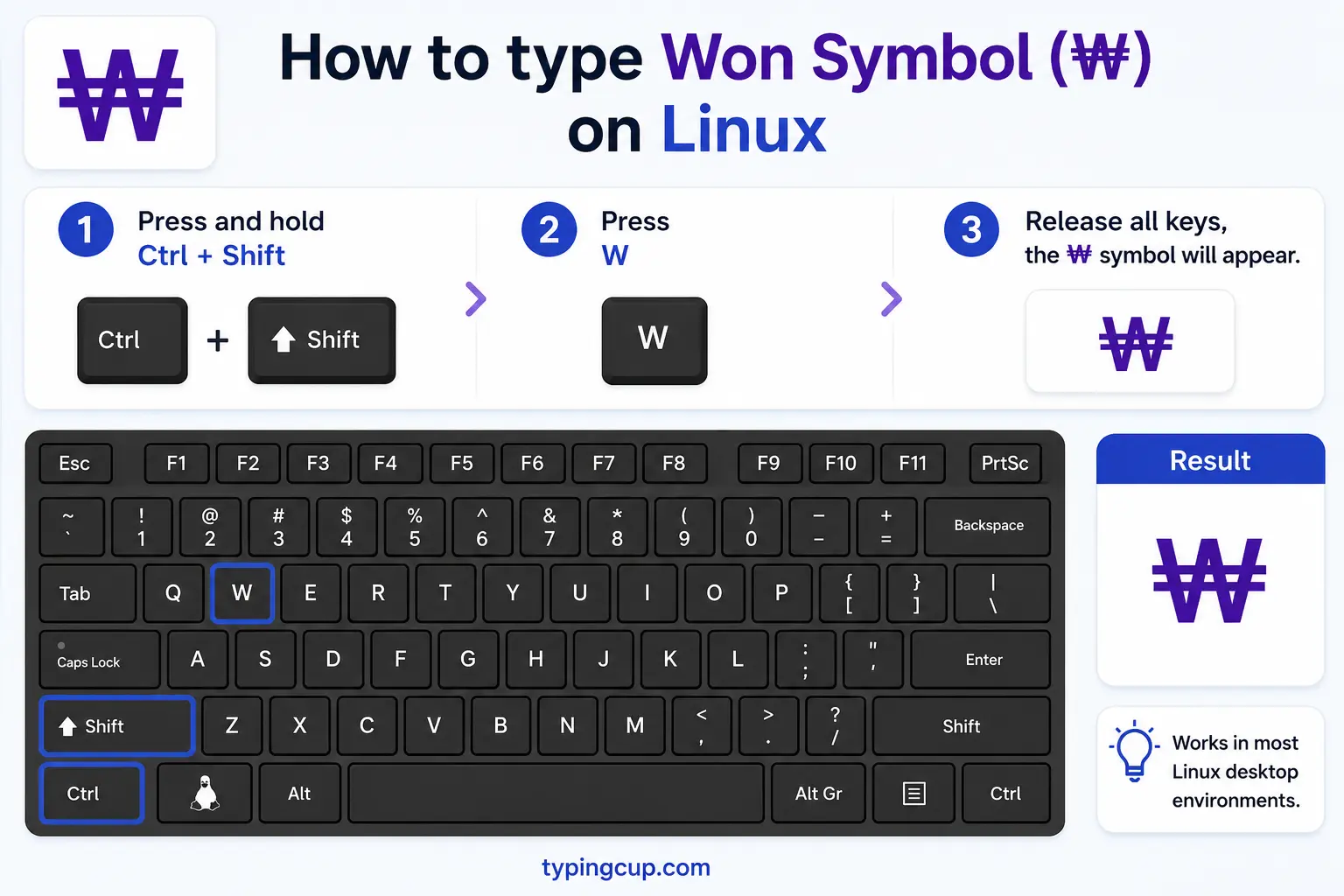
Press Ctrl + Shift + U, type 20a9, then Enter for ₩. The Unicode entry works across desktops; an emoji or character picker will list it under currency symbols too.
In HTML and CSS
In HTML, use ₩ or the hex form ₩ — there is no short named entity. In a CSS content value, use \20A9. Serve the page as UTF-8 so the sign renders.
What the won symbol means
₩ is a currency sign, the Korean equivalent of $ or €. It stands for the won, the currency of both South Korea and North Korea, and its shape is a Latin W with a double horizontal stroke. Beyond the money, the character carries a bit of computing history that trips people up, so the sections below cover both the currency and the quirk.
Why your backslash looks like ₩ (the Korean code-page quirk)
This is the question that brings many people here. On Korean versions of Windows, your backslash can appear as a won sign: a file path shows as C:₩Program Files, and an escape like ₩n turns up in code where you expected \n. It is not a bug, and the character is still a real backslash — it is a font-and-encoding leftover. In the old Korean code page (CP949 / Windows-949), the byte position that Western systems use for the backslash was assigned to the won sign instead. Classic Korean fonts such as Batang and Gulim still draw the backslash (U+005C) as ₩, so the letter you typed is unchanged; only its picture is a won sign. Switch to a font without that mapping, and the backslashes look normal again.
The won symbol vs the yen and the yuan
Three East Asian currency signs get mixed up, and they are easy to tell apart once you look at the strokes.
| Sign | Currency | Unicode | Shape |
| ₩ | Korean won | U+20A9 | a W with two lines through it |
| ¥ | Japanese yen | U+00A5 | a Y with two lines |
| ¥ | Chinese yuan | U+00A5 | same sign as the yen (RMB) |
| 元 | Yuan (character) | U+5143 | the Chinese character yúan |
| 원 | Won (hangul) | U+C6D0 | won written in Korean (won) |
The key point: the won ₩ is based on a W, while the yen and the yuan share the same ¥ sign based on a Y (the yuan is also written with the character 元). So if the sign is a W with lines, it is won; if it is a Y with lines, it is yen or yuan, and context tells you which country.
KRW and KPW: the South and North Korean won
One sign, two currencies. Both Koreas call their money the won and both write it ₩, but they are separate currencies with separate values. The three-letter codes keep them apart: KRW is the South Korean won and KPW is the North Korean won. In practice the sign ₩ on its own almost always means the South Korean won, since that is what people see in prices, apps, and exchange rates; the code is what you use when the difference matters, such as in finance or travel.
The won has no cents: writing ₩ amounts
Unlike the dollar, the won is not split into cents in everyday use. It historically had a subunit, the jeon (one hundredth of a won), but the jeon fell out of use decades ago, so prices are whole numbers: you write ₩10,000, never ₩10,000.00. The sign goes before the amount, like the dollar. Because a single won is worth very little, everyday prices run into the thousands and tens of thousands, and Korean often groups them by man (만), meaning ten thousand — so ₩30,000 is spoken as “three man won.” Keep the amounts as plain integers with thousands separators and no decimal point.
Fullwidth ₩ vs the standard ₩
There are two won signs in Unicode. The everyday one is ₩ (U+20A9), a normal-width character. The other, ₩ (U+FFE6), is the fullwidth won sign, a wider version that lines up with CJK characters in Korean, Chinese, and Japanese text, where letters occupy a full square cell. You will mostly meet it inside CJK documents and old code pages. For normal writing, prices, and the web, use the standard ₩; reach for the fullwidth ₩ only when you specifically need it to align with fullwidth text.
The ₩ symbol in spreadsheets and code
Spreadsheets already know the won. In Excel and Google Sheets you can format a column as Korean won currency, which shows amounts as ₩#,##0 with no decimals; you can also drop the sign in with =UNICHAR(8361). In code, the escape is \u20A9 in JavaScript, Java, and Python, and ₩ in HTML. If you are storing money, keep the value as an integer number of won — there are no fractional units to worry about — and add the ₩ sign only when you display it.
Which symbol? Won sign, backslash, and fullwidth won
Three characters that get tangled together, and what each one really is.
| Symbol | Name | Unicode | What it really is |
| ₩ | Won sign | U+20A9 | the Korean currency sign |
| ₩ | Fullwidth won sign | U+FFE6 | wide version for CJK text |
| \ | Backslash | U+005C | a backslash that Korean fonts draw as ₩ |
| ¥ | Yen / yuan sign | U+00A5 | a different currency (Y, not W) |
| 원 | Won (hangul) | U+C6D0 | “won” written in Korean |
Won symbol in URLs and encoding
In a link, ₩ is percent-encoded as %E2%82%A9 — three UTF-8 bytes, since it sits in the Currency Symbols block. If ₩ shows up as â‚© or an empty box, the text is being read in the wrong encoding or the font lacks the glyph. Set the file, database, and page to UTF-8. And remember the reverse case from earlier: a backslash showing as ₩ is the opposite problem, an old Korean font mapping rather than an encoding error.
Copy-paste HTML codes
The won sign and its neighbors with web codes, in one place. Copy the code you need.
| Symbol | Name | Numeric / hex | URL (percent) code |
| ₩ | Won sign | ₩ / ₩ | %E2%82%A9 |
| ₩ | Fullwidth won | ₩ / ₩ | %EF%BF%A6 |
| ¥ | Yen / yuan | ¥ / ¥ | %C2%A5 |
In a CSS content value, use \20A9 for the won sign. For every other symbol and its codes, see the copy and paste symbols tool and the symbol Alt codes list.
Troubleshooting
My ₩ shows as a box or â‚©
A box means the font has no glyph for the won sign; the â‚© pattern means UTF-8 bytes read as an older encoding. Set the file, database, and page to UTF-8 and use a current font (most modern system fonts include ₩).
Alt + 8361 does nothing
The app does not accept decimal Unicode from the Alt key — normal outside Word and a few others. Type 20A9 then Alt + X in Word, open Character Map, or copy ₩ from the grid above. Num Lock also has to be on for any keypad code.
My backslash shows up as a won sign
That is the Korean font quirk, not an error. The character is still a backslash (U+005C); a font like Batang or Gulim is drawing it as ₩. Switch to a font without that mapping and the backslashes look normal, or ignore it — your file paths and code still work.
Frequently asked questions
How do I type the won symbol ₩?
In Word, type 20A9 then Alt + X. On a Mac, open the Character Viewer (Control + Command + Space) and search “won”. In HTML it is ₩. There is no dedicated key, so copying it from the grid above is often quickest.
Why does my backslash show as a won sign?
On Korean Windows, older fonts map the backslash (U+005C) to the won sign because of the CP949 code page. It is still a backslash; only the picture is a ₩.
What is the difference between the won and the yen or yuan?
The won sign ₩ is a W with two lines and is Korean. The yen and yuan share the ¥ sign, a Y with two lines. So a W-based sign is won; a Y-based sign is yen or yuan.
What is the difference between KRW and KPW?
Both are the won and both use ₩. KRW is the South Korean won and KPW is the North Korean won — separate currencies with separate values. The plain ₩ sign usually means the South Korean won.
How do I write the won symbol in HTML?
Use ₩ or the hex form ₩ — there is no short named entity. In a CSS content value it is \20A9, and in a URL it is %E2%82%A9.
