
Up Arrow Symbol (↑): How to Type, Copy, and Use It
The up arrow ↑ points one way, but there is more than one of it. The plain arrow is ↑, the emoji is ⬆️, and a handful of cousins (⇧, ⌃, ▲, ⇑) each mean something specific. It turns up as a direction, an increase, a keyboard key, and even a math operation. Here is how to type ↑, where to copy every version, and which arrow you actually need.
In a hurry?
- Copy it: click ↑ or ⬆️ in the grid below.
- Windows: hold Alt and type 24 on the numeric keypad → ↑.
- Mac: open the Character Viewer (Control + Command + Space) and search “up arrow”.
- Phone: copy it from the grid, or pick ⬆️ from the emoji keyboard.
- In HTML ↑ is
↑; in a URL it is%E2%86%91.
Table of Contents
The plain ↑ and the emoji ⬆️ are different characters — the emoji shows up in color on phones, the plain one takes your text color. The variants section below sorts out ⇧, ⌃, ▲, and the rest.
Up arrow symbol: every code in one table
The plain upwards arrow, with every code you are likely to need. Copy from the grid above, or use whichever method fits the app you are in.
| Property | Up arrow |
| Character | ↑ |
| Name | Upwards Arrow |
| Unicode | U+2191 |
| Windows Alt code | Alt + 24 |
| Word (type + Alt+X) | 2191 |
| Mac | Character Viewer |
| HTML named | ↑ |
| HTML numeric | ↑ |
| URL / percent | %E2%86%91 |
Handy detail most guides miss: on Windows, Alt + 24 really does type ↑ straight from the numeric keypad, because the arrow sits in the old code page. Its neighbors work too — Alt + 25 gives ↓, Alt + 26 gives →, Alt + 27 gives ←.
How to type the up arrow on any device
On Windows
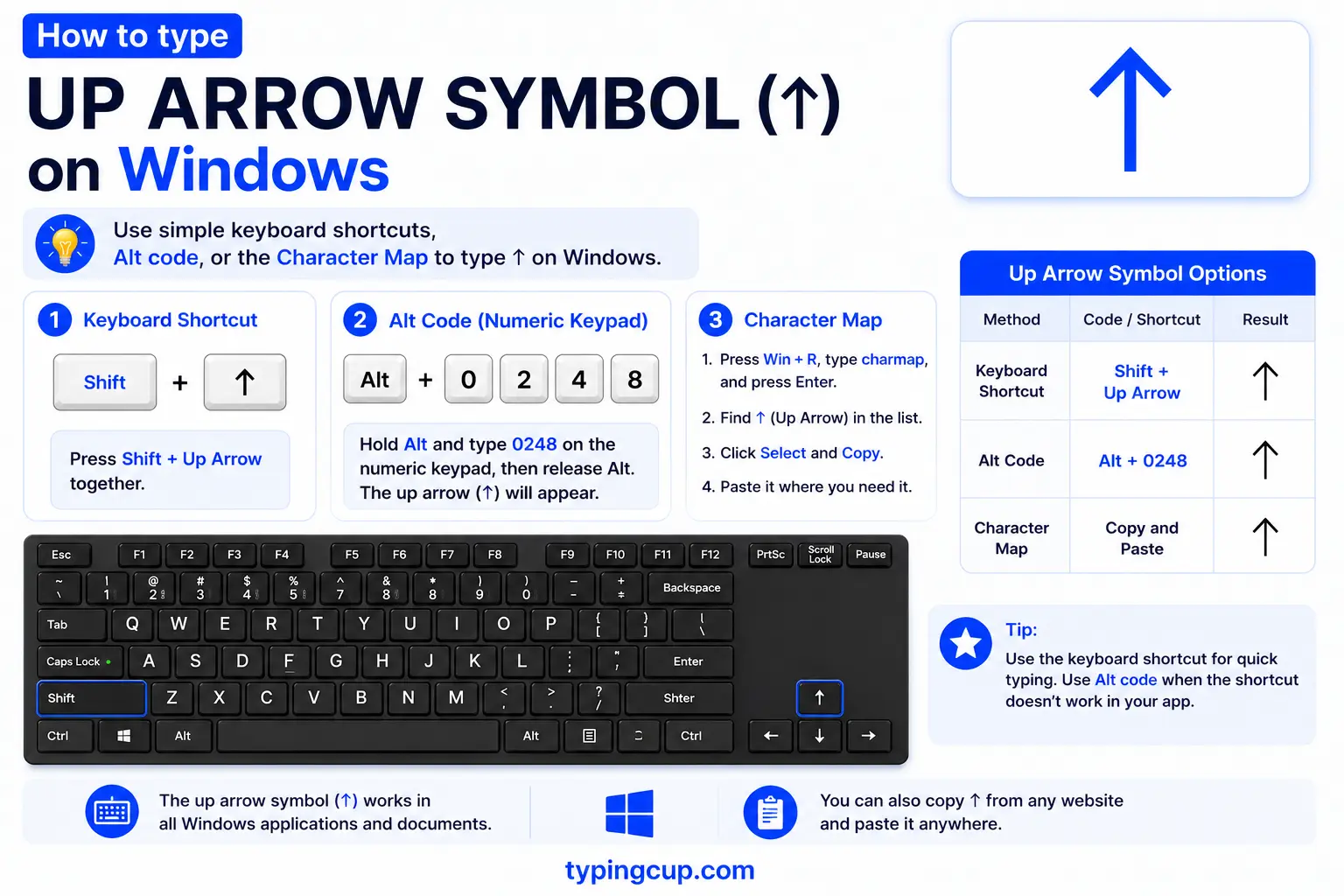
Hold Alt and type 24 on the numeric keypad, then release — you get ↑. Num Lock has to be on, and the digits must come from the keypad, not the top row. For the color emoji ⬆️, press Windows + . and search “up”. No keypad? Copy it from the grid or use Character Map.
On Mac
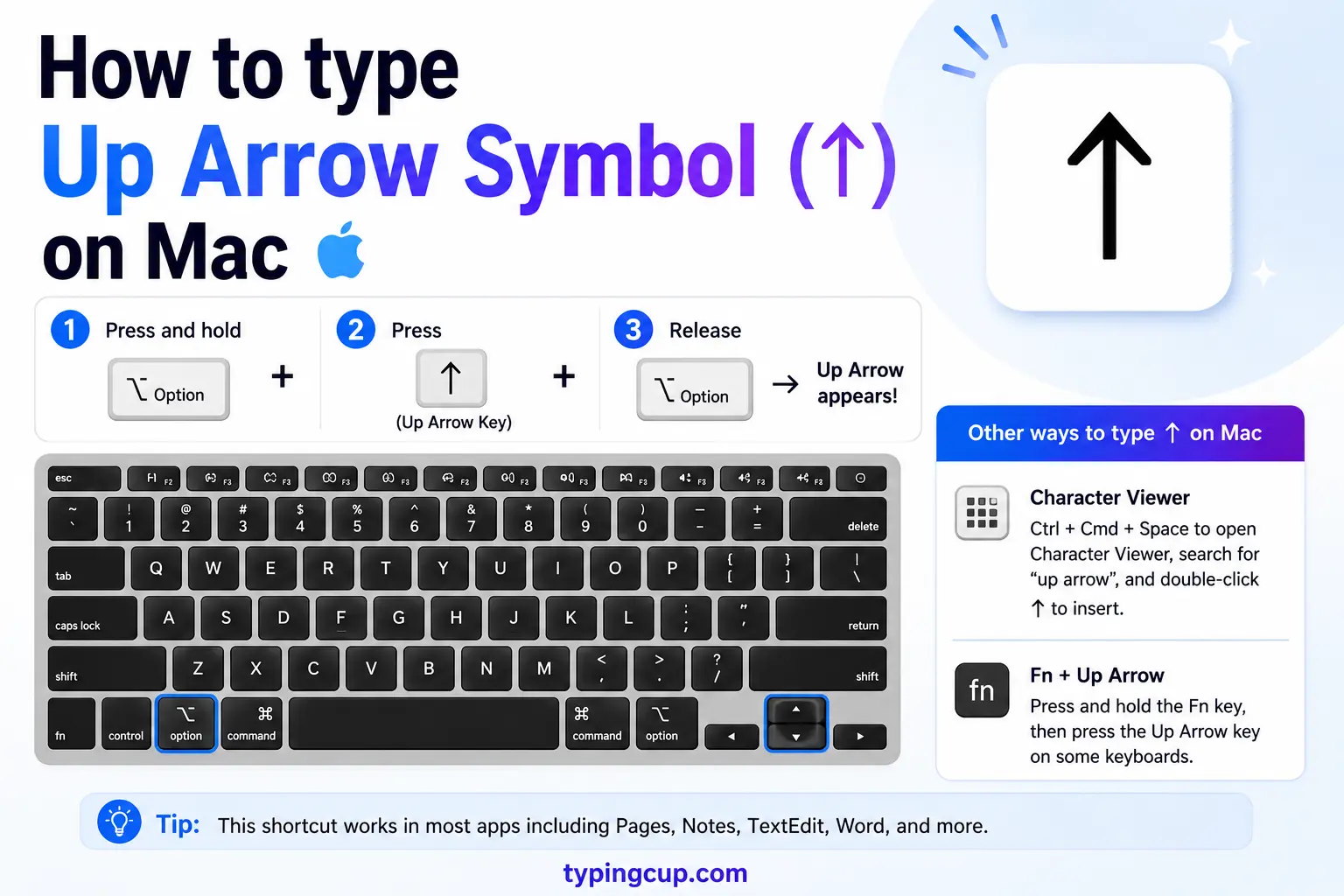
Open the Character Viewer with Control + Command + Space, search “up arrow”, and double-click ↑. The same picker has the emoji ⬆️ under the arrows or by searching “up”. There is no single dead-key shortcut for the plain arrow, so the picker or a copy is the quickest route.
On iPhone and Android
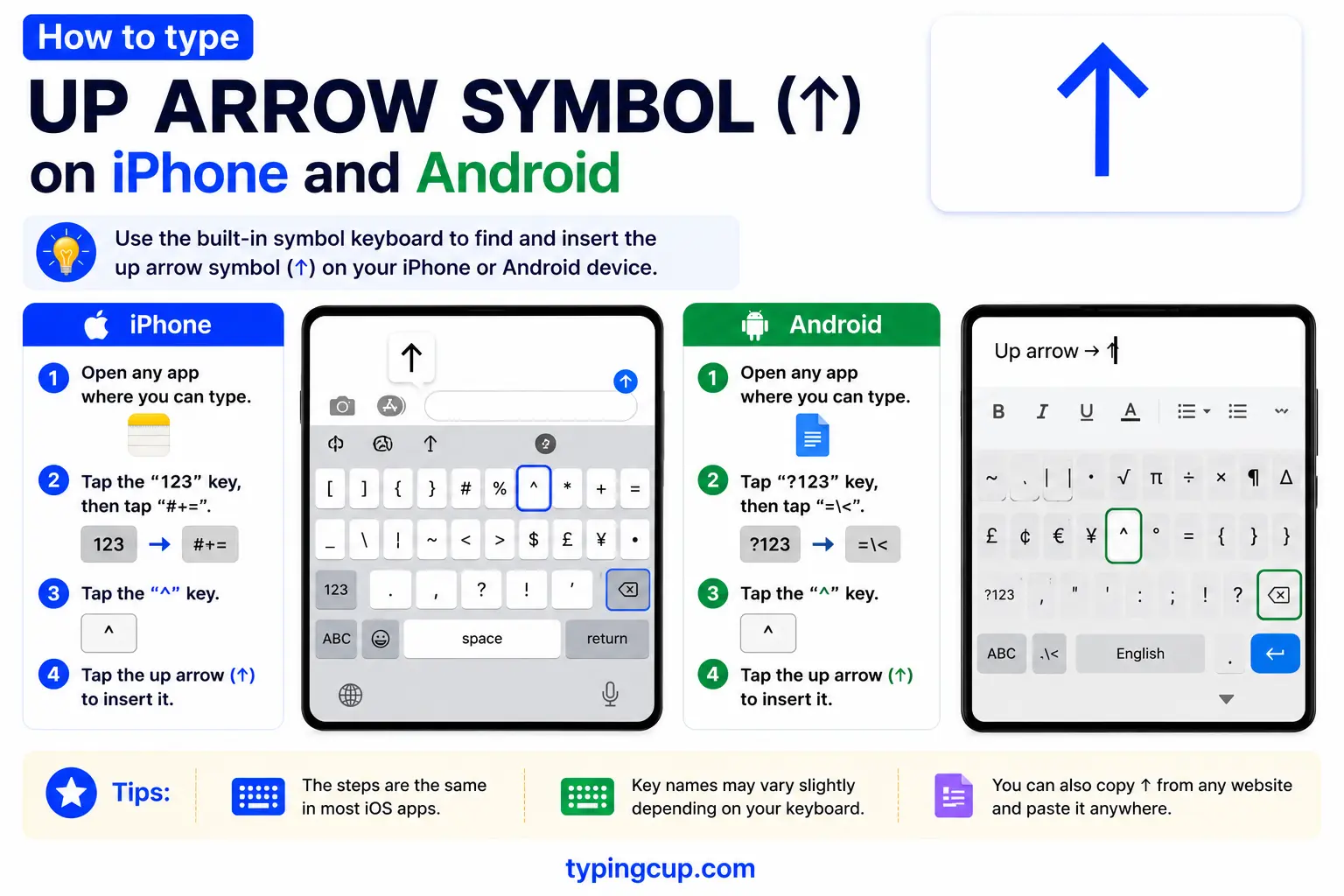
The color emoji is the easy one: open the emoji keyboard, search “up”, and tap ⬆️. For the plain text ↑, copy it from the grid above — phone keyboards do not have a key for it.
In Microsoft Word
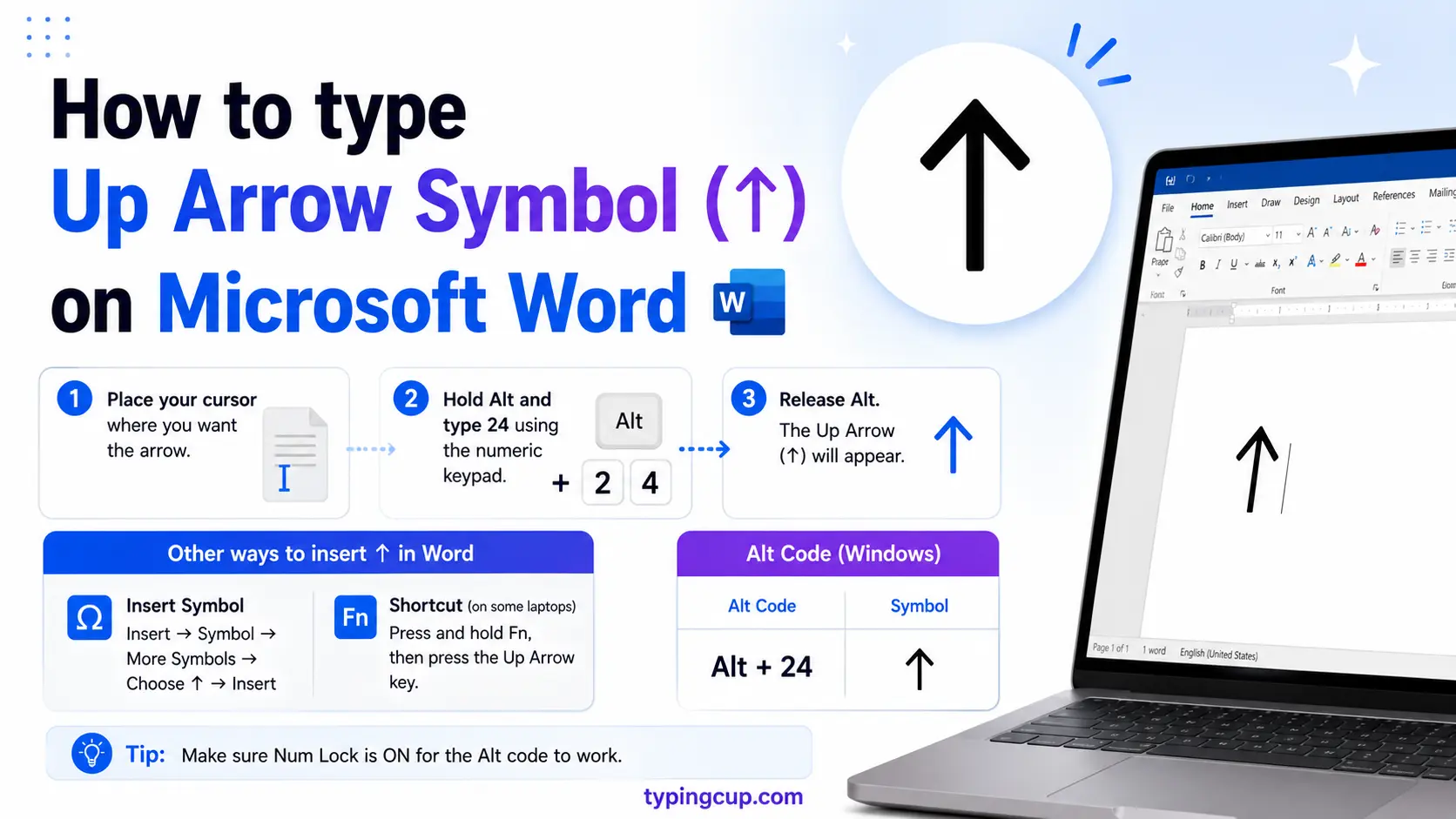
Type 2191 and press Alt + X, and Word turns it into ↑. You can also use Insert → Symbol and pick from the Arrows subset. The Windows Alt + 24 code works here too.
On Linux
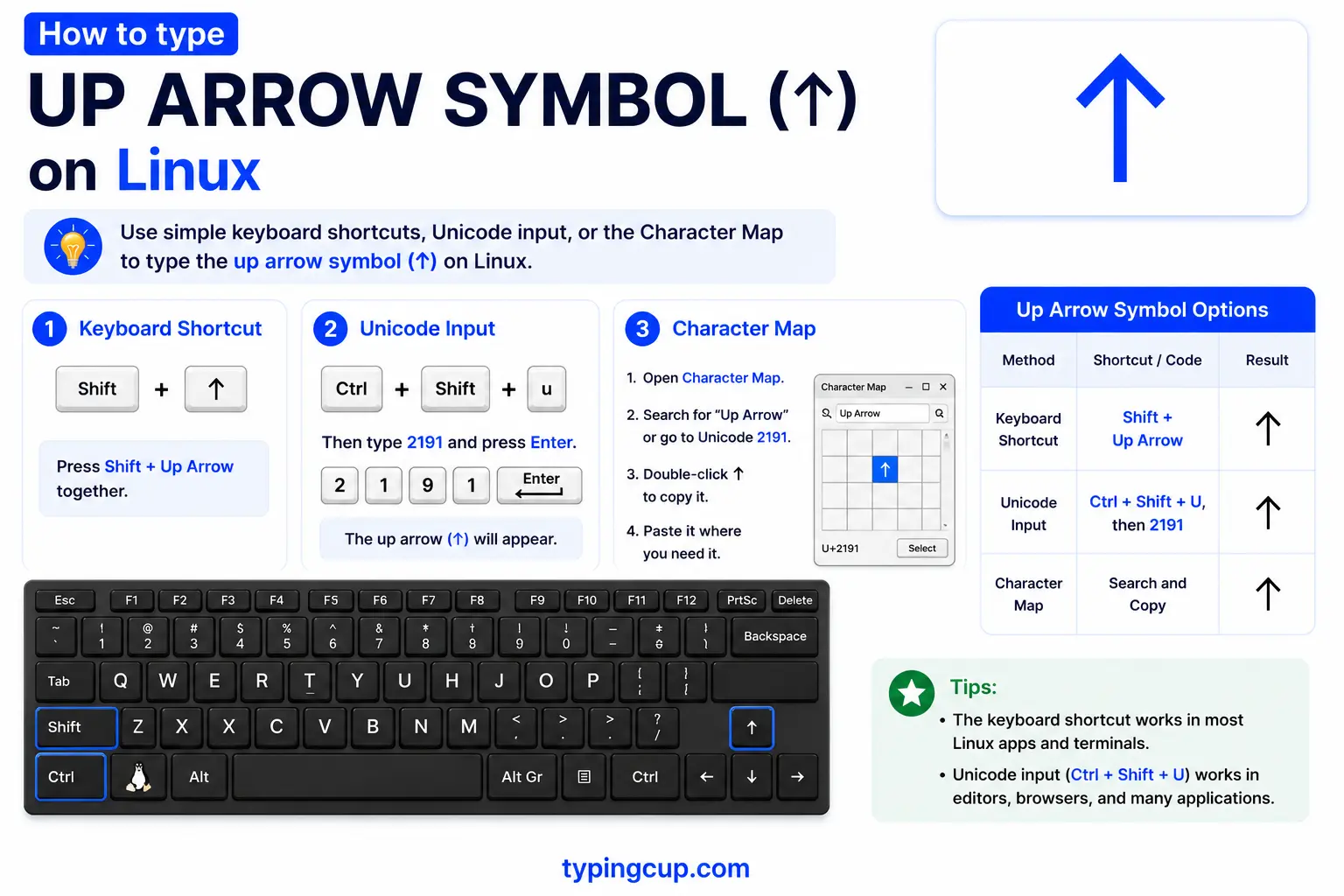
Press Ctrl + Shift + U, type 2191, then Enter for ↑. Most emoji pickers (for example the one on Super + . in GNOME) also carry the arrow and its emoji form.
In Excel and Google Sheets
Use the formula =UNICHAR(8593) to return ↑ in a cell. Alt + 24 works in Excel on Windows as well. For dashboards, both apps have conditional-formatting icon sets that drop red, yellow, and green up and down arrows next to your numbers automatically.
In HTML and CSS
In HTML, the named entity is ↑ (also ↑) and the numeric is ↑. In a CSS content value, use \2191. Serve the page as UTF-8; arrows are not in older encodings, so the charset has to be right for them to show at all.
What does the up arrow mean?
On its own, ↑ means up: a direction, a rise, “see above.” But it is also a keyboard key, a math operator, a physics label, and a market signal, and there are several look-alike arrows that each carry their own meaning. Here is how to tell them apart and where each one belongs.
Which up arrow? ↑ vs ⬆️ vs ⇧ vs ▲
They all point up, but they are different characters with different jobs. Pick the one that matches what you mean.
| Symbol | Name | Unicode | Where it fits |
| ↑ | Upwards arrow | U+2191 | direction, increase, math |
| ⬆️ | Up arrow emoji | U+2B06 | chats, social, phones |
| ⇧ | Upwards white arrow | U+21E7 | the Shift key |
| ⌃ | Up arrowhead | U+2303 | the Control key (Mac) |
| ▲ | Black up triangle | U+25B2 | expand, play, price up |
| △ | White up triangle | U+25B3 | outline version |
| ⇑ | Upwards double arrow | U+21D1 | implies, strong up |
| ↥ | Up arrow from bar | U+21A5 | “to the top” |
The up arrows on your keyboard: the ↑ key, Shift ⇧, and Control ⌃
Three of these live on your keyboard. The plain ↑ is the up arrow key that moves the cursor or selection up. On a Mac, shortcuts are written with symbols instead of words: ⇧ is Shift, ⌃ is Control, ⌥ is Option, and ⌘ is Command. So a shortcut printed as ⇧⌘3 means Shift + Command + 3. That is why Apple menus look like a code until you know the key: the little arrows are just the modifier keys drawn as pictures.
Up arrow in math: Knuth’s up-arrow notation
In math, ↑ is the heart of Knuth’s up-arrow notation, a way to write staggeringly large numbers that Donald Knuth introduced in 1976. A single arrow is exponentiation: 3 ↑ 3 is 33 = 27. A double arrow, 3 ↑↑ 3, is tetration — exponentiation stacked on itself — and each extra arrow is a bigger jump again. It is the notation behind famously huge values like Graham’s number, where ordinary powers run out of room.
Up arrow in physics and chemistry: spin up ↑
In quantum mechanics, ↑ means spin up and ↓ means spin down — the two spin states of an electron, written |↑⟩ and |↓⟩. Chemists borrow the same ↑↓ arrows to fill orbital diagrams, one arrow per electron, paired or unpaired. And in a chemical equation, an up arrow after a product means a gas is released.
Up arrow in data, finance, and biology
↑ and ▲ are the everyday signs for “up”: a stock ticking higher, a metric climbing, a rating rising. In biology, ↑ is shorthand for upregulation — a gene or protein increasing — set against ↓ for downregulation. In chats and documents, an up arrow often just means “see the thing above this,” pointing at the line before it.
↑ vs ⬆️: the plain arrow and the emoji
These two trip people up. The plain ↑ (U+2191) is a text character that takes your font’s color, so it stays black in a document and lines up with your text. The emoji ⬆️ is a different character (U+2B06) followed by a hidden variation selector that tells the device to render it in color. On a phone they look clearly different; in raw code they can look the same. Use ↑ for documents, math, and code, and ⬆️ for chats and social posts.
Up arrow in URLs and encoding
In a link, ↑ is percent-encoded as %E2%86%91 — three UTF-8 bytes, because the arrow sits high in Unicode. If ↑ shows up as ↑ or a box, the bytes are being read as an older encoding. Arrows are not part of Latin-1 at all, so a page stuck on an old charset cannot display them; set the file, database, and page to UTF-8 and the arrow returns.
Copy-paste HTML codes
The main up arrows with their web codes, in one place. Copy the code you need.
| Symbol | Named entity | Numeric entity | URL (percent) code |
| ↑ | ↑ | ↑ | %E2%86%91 |
| ⬆ | (none) | ⬆ | %E2%AC%86 |
| ⇧ | (none) | ⇧ | %E2%87%A7 |
| ▲ | (none) | ▲ | %E2%96%B2 |
| ⇑ | ⇑ | ⇑ | %E2%87%91 |
In a CSS content value, use \2191 for ↑. For arrows in other directions and every other character, see the copy and paste symbols tool and the keyboard shortcuts guide.
Troubleshooting
My ↑ shows as ↑ or a box
That is an encoding mismatch — the UTF-8 bytes for the arrow are being read as an older encoding, and arrows are not in Latin-1 at all. Set the file, database, and page charset to UTF-8 and ↑ displays correctly.
Alt + 24 does nothing
Num Lock is off, you are using the top-row numbers, or your laptop has no numeric keypad. Turn Num Lock on and use the keypad. Some apps also intercept Alt + 24; if so, type 2191 then Alt + X in Word, or copy the arrow from the grid above.
I get a colored arrow when I wanted a plain one
You copied the emoji ⬆️ instead of the plain ↑. Grab ↑ (U+2191) from the grid, or in code add the text variation selector (U+FE0E) after an emoji to force the flat black form.
Frequently asked questions
How do I type the up arrow ↑?
On Windows, hold Alt and type 24 on the numeric keypad. In Word, type 2191 then Alt + X. On a Mac, open the Character Viewer (Control + Command + Space) and search “up arrow”. Or copy it from the grid above.
What does the up arrow symbol mean?
It depends on the context: a direction or an increase, the up arrow key or the Shift key (⇧) on your keyboard, exponentiation in Knuth’s notation in math, spin up (↑) in physics, or a rising value in finance and biology.
What is the ⇧ symbol?
⇧ (U+21E7) is the Shift key. In Mac shortcuts, ⌃ is Control, ⌥ is Option, and ⌘ is Command, so ⇧⌘4 means Shift + Command + 4.
What is the difference between ↑ and ⬆️?
↑ (U+2191) is a plain text arrow that takes your font color; ⬆️ is the color emoji (U+2B06 plus a variation selector). Use the plain one for documents and the emoji for chats.
How do I write ↑ in HTML?
Use the named entity ↑ or the numeric ↑. In a CSS content value it is \2191, and in a URL it is %E2%86%91.
