
Left Arrow Symbol (←): How to Type, Copy, and Use It
The left arrow ← means “back,” “previous,” or “return to,” and it does quiet work far beyond pointing. The plain one is ←, the emoji is ⬅️, and its relatives — ⇐, ↩, ⌫ — each carry a specific meaning, from a browser’s Back button to an assignment in code. Here is how to type ←, where to copy every version, and which one you actually want.
In a hurry?
- Copy it: click ← or ⬅️ in the grid below.
- Windows: hold Alt and type 27 on the numeric keypad → ←.
- Mac: open the Character Viewer (Control + Command + Space) and search “left arrow”.
- Phone: copy it from the grid, or pick ⬅️ from the emoji keyboard.
- In HTML ← is
←; in a URL it is%E2%86%90.
Table of Contents
The plain ← and the emoji ⬅️ are different characters — the emoji renders in color on phones, the plain one takes your text color. The variants section below sorts out ⇐, ↩, ⌫, and the rest.
Left arrow symbol: every code in one table
The plain leftwards arrow, with every code you are likely to need. Copy from the grid above, or use whichever method fits the app you are in.
| Property | Left arrow |
| Character | ← |
| Name | Leftwards Arrow |
| Unicode | U+2190 |
| Windows Alt code | Alt + 27 |
| Word (type + Alt+X) | 2190 |
| Mac | Character Viewer |
| HTML named | ← |
| HTML numeric | ← |
| URL / percent | %E2%86%90 |
Detail most guides skip: on Windows, Alt + 27 types ← straight from the numeric keypad, because the arrow lives in the old code page. Its neighbors work too — Alt + 26 gives →, Alt + 24 gives ↑, Alt + 25 gives ↓.
How to type the left arrow on any device
On Windows
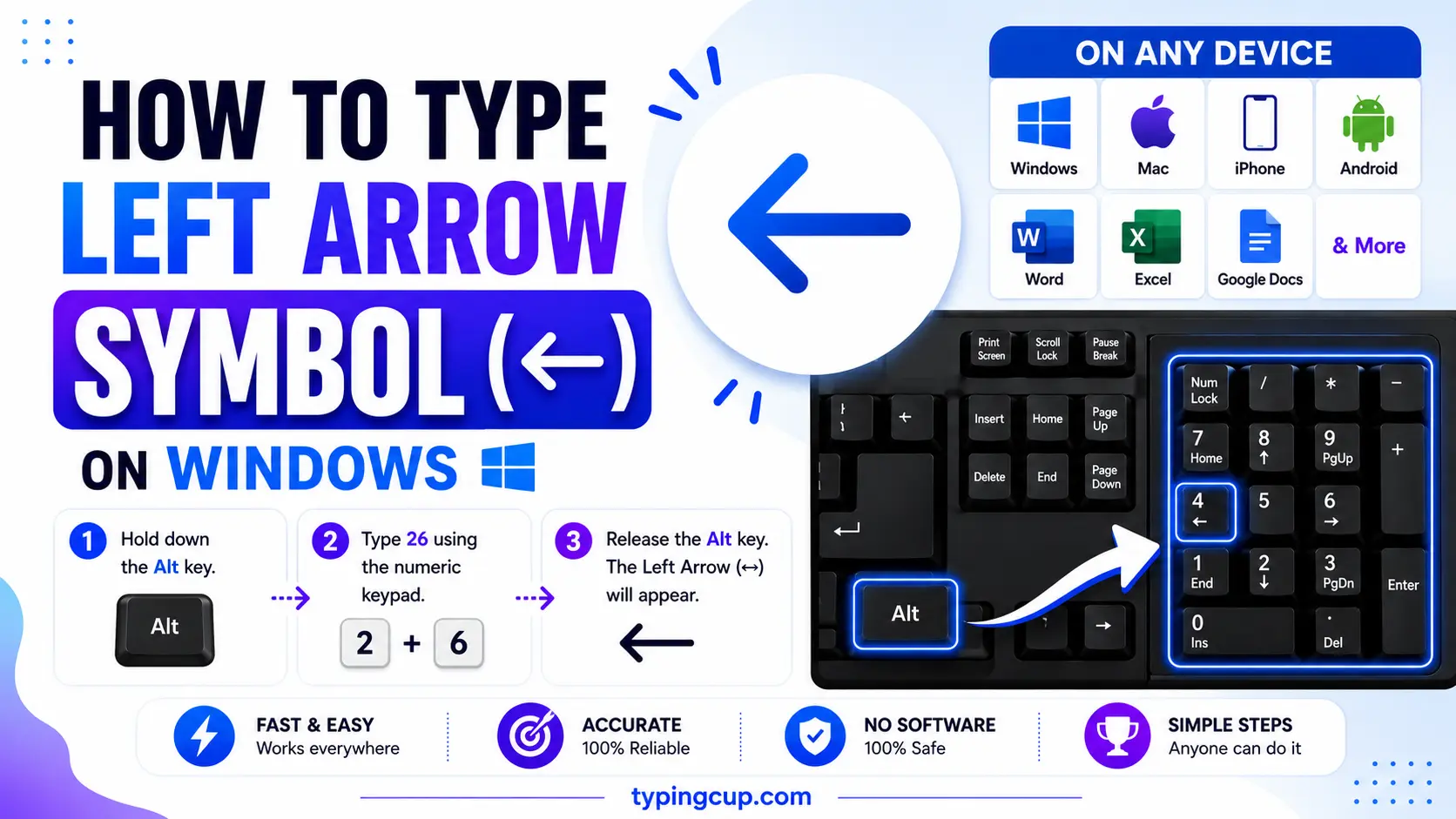
Hold Alt and type 27 on the numeric keypad, then release — you get ←. Num Lock has to be on, and the digits must come from the keypad, not the top row. For the color emoji ⬅️, press Windows + . and search “left”. No keypad? Copy it from the grid or use Character Map.
On Mac
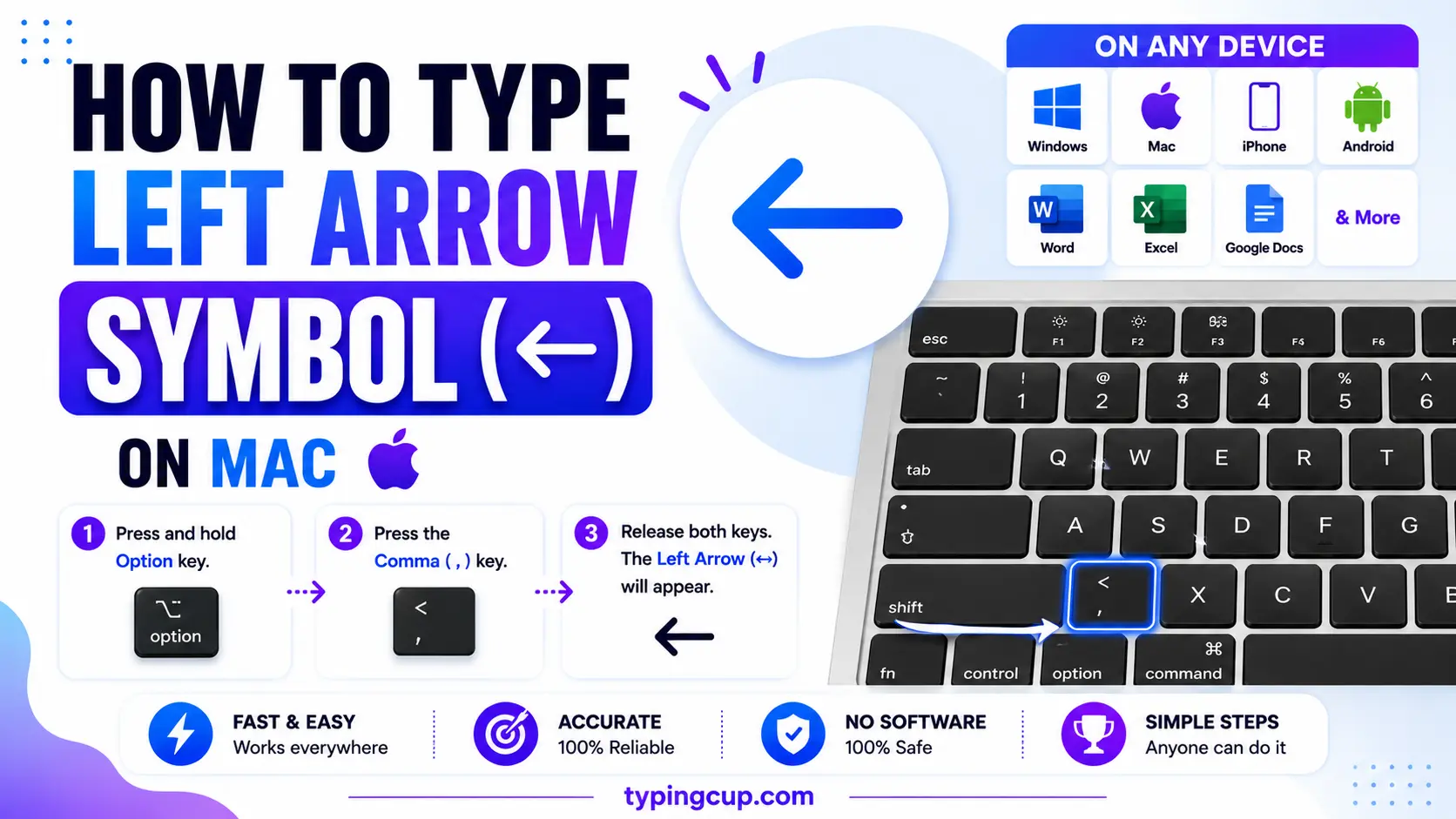
Open the Character Viewer with Control + Command + Space, search “left arrow”, and double-click ←. The same picker holds the emoji ⬅️ under the arrows or by searching “left”. There is no single dead-key shortcut for the plain arrow, so the picker or a copy is quickest.
On iPhone and Android
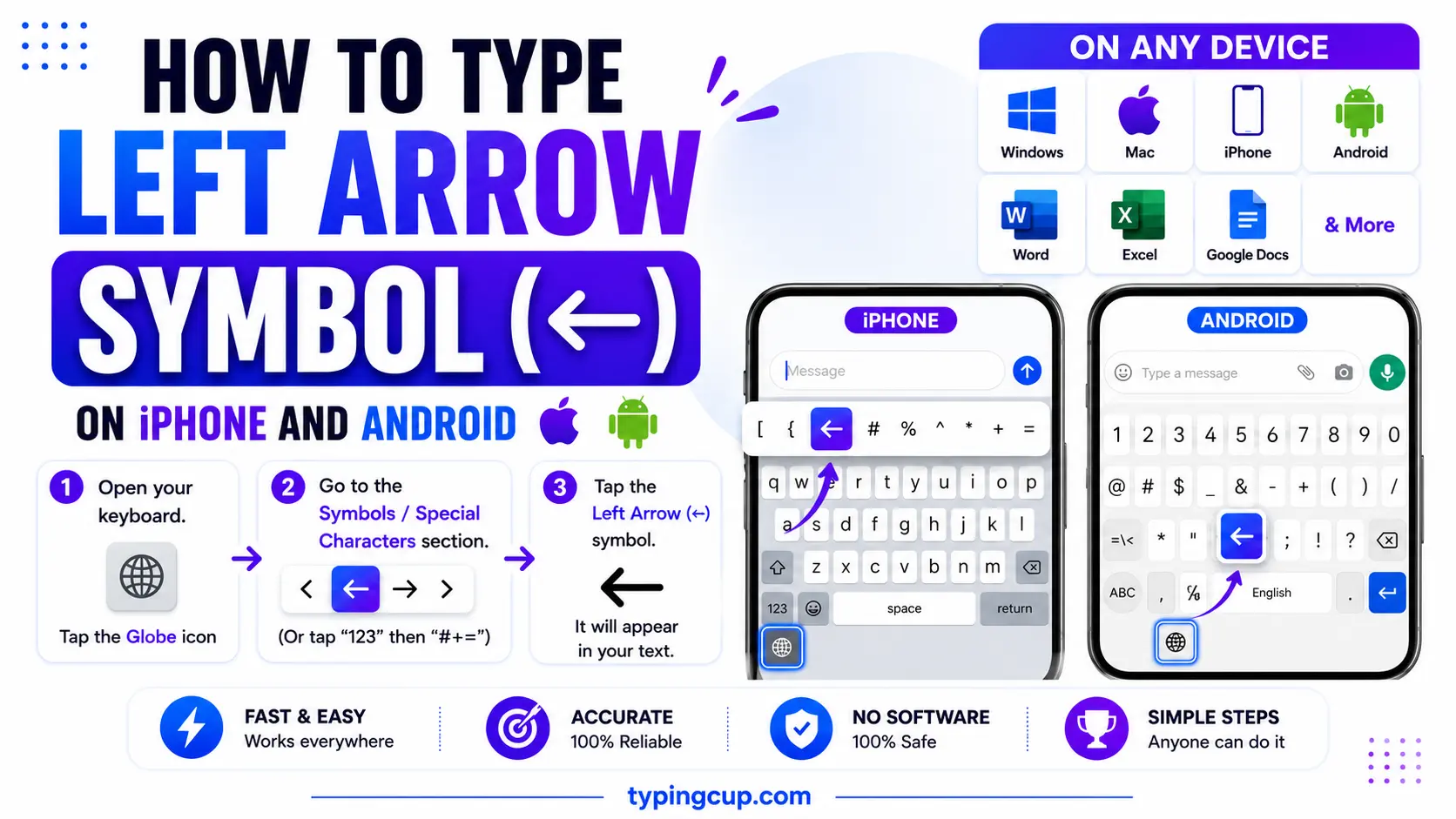
The color emoji is the easy one: open the emoji keyboard, search “left”, and tap ⬅️. For the plain text ←, copy it from the grid above — phone keyboards do not have a key for it.
In Microsoft Word
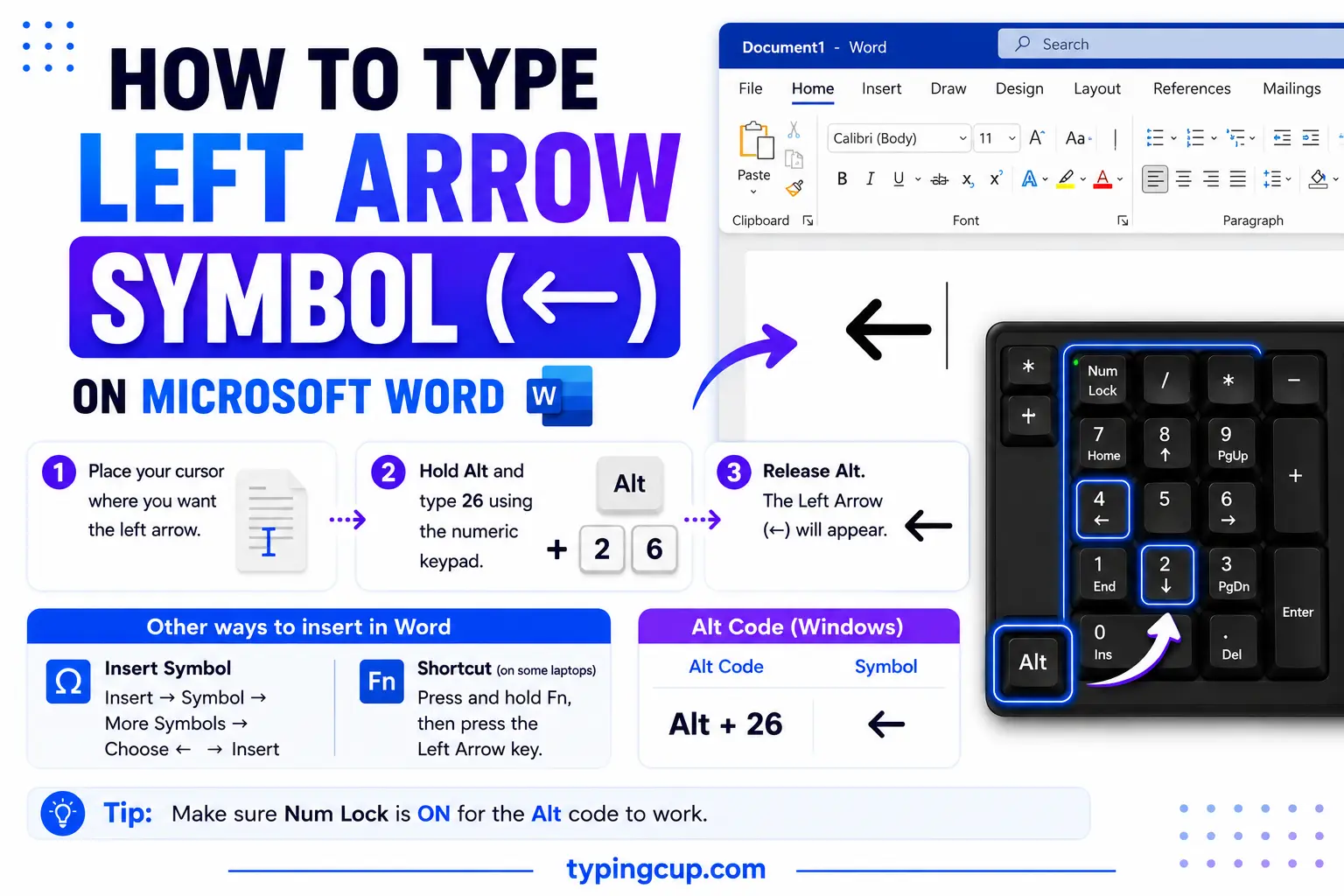
Type 2190 and press Alt + X, and Word turns it into ←. AutoCorrect helps too: typing <– (a less-than and two hyphens) becomes ← on its own, and <== becomes ⇐. Or use Insert → Symbol and the Arrows subset.
On Linux
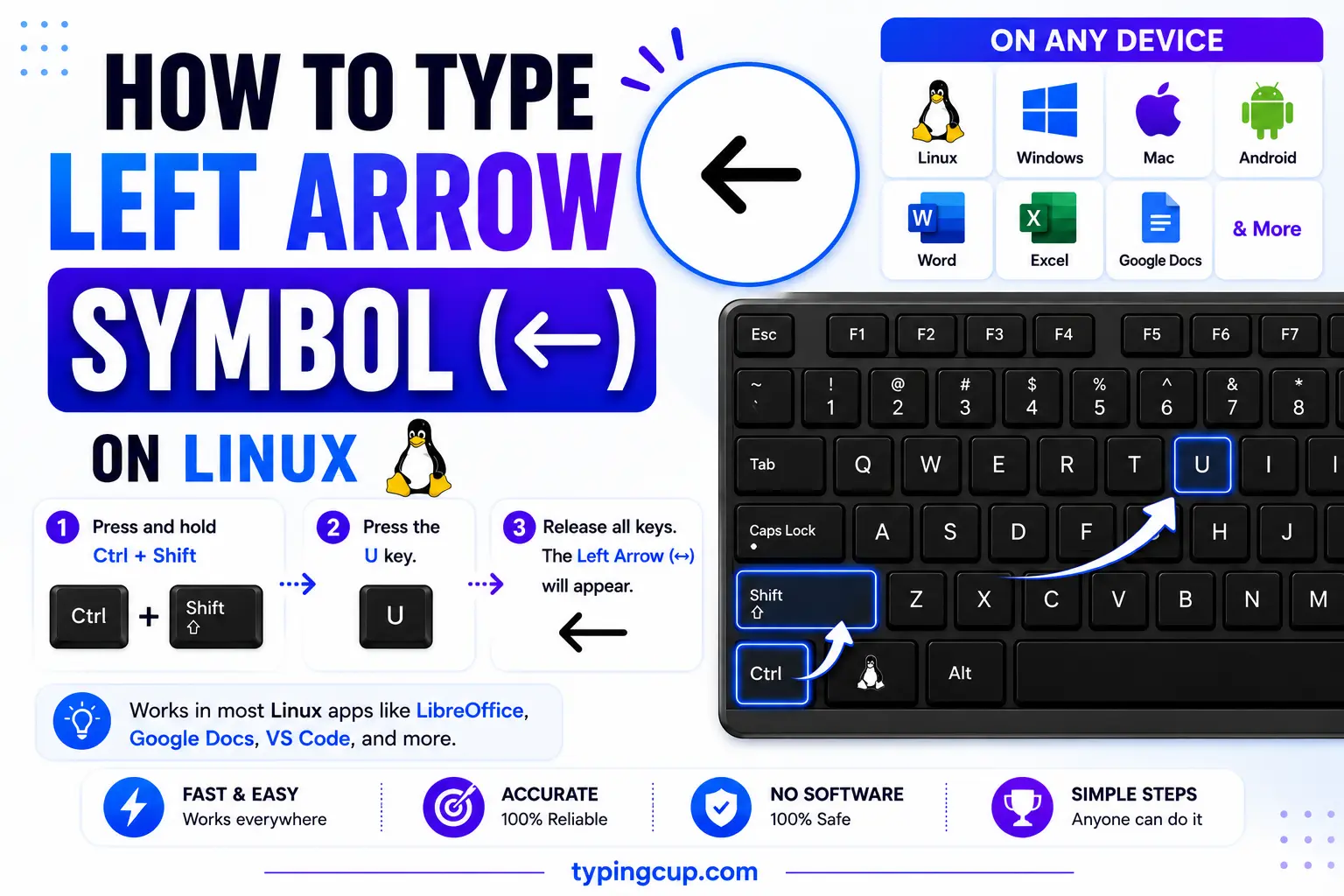
Press Ctrl + Shift + U, type 2190, then Enter for ←. Most emoji pickers (for example Super + . in GNOME) also carry the arrow and its emoji form.
In Excel and Google Sheets
Use the formula =UNICHAR(8592) to return ← in a cell. Alt + 27 works in Excel on Windows too. A left arrow is handy for showing a reversal or a link back, like 15 ← 10.
In HTML and CSS
In HTML, the named entity is ← (also ←) and the numeric is ←. In a CSS content value, use \2190. Serve the page as UTF-8; arrows are not in older encodings, so the charset has to be right for them to show at all.
What does the left arrow mean?
On its own, ← means “to the left,” but on a screen it usually means back: the previous page, the last step, undo. It is also a keyboard key, an assignment operator in code, and a logic connective, with a few look-alike arrows that each mean something exact. Here is how to tell them apart and where each one belongs.
Which left arrow? ← vs ⬅️ vs ⇐ vs ↩
They all point left, but they are different characters with different jobs. Pick the one that matches your meaning.
| Symbol | Name | Unicode | Where it fits |
| ← | Leftwards arrow | U+2190 | back, previous, assignment |
| ⬅️ | Left arrow emoji | U+2B05 | chats, social, phones |
| ⇐ | Leftwards double arrow | U+21D0 | “is implied by” |
| ↩ | Leftwards arrow with hook | U+21A9 | the Return key, reply, undo |
| ⌫ | Erase to the left | U+232B | the Backspace key |
| ↤ | Leftwards arrow from bar | U+21A4 | “maps from” |
| ◀ | Black left triangle | U+25C0 | rewind, previous |
| ↞ | Leftwards two-headed arrow | U+219E | jump to start |
The back and backspace arrows: ← and ⌫
Two left-pointing symbols run most of the “undo” on a screen. The plain ← is the Back arrow — the browser button that returns you to the last page, and the “previous” control in slideshows and carousels. The ⌫ symbol (U+232B, “erase to the left”) is the Backspace key, the one that deletes the character behind the cursor. They are cousins in meaning: one steps back through pages, the other steps back through what you just typed.
Left arrow as assignment: x ← 5 in code and pseudocode
Here is the meaning almost no typing guide mentions. In algorithms and pseudocode, ← is the assignment operator: x ← 5 reads “x gets 5,” storing the value in the variable. The convention comes from APL, whose keyboard had a real ← key, and it carried into R and its parent S, where the two-character <- stands in for the arrow (x <- 5). The reason for a separate symbol is neat: = was already taken for testing equality, so assignment needed its own arrow. Knuth’s algorithm books use ← for the same reason.
Left arrow in logic: “is implied by” (⇐) and “maps from”
In logic, the double left arrow ⇐ means “is implied by” — P ⇐ Q reads “P is implied by Q,” the mirror of P ⇒ Q. A single ← is sometimes used the same way in proofs, and ⇔ ties both directions together as “if and only if.” In function notation, the barred ↤ is the rarer “maps from,” the reverse of the “maps to” arrow. Direction is the whole meaning here, so the way the arrow points is doing real logical work.
The Return key ↩ and reply arrows
The hooked left arrow ↩ (U+21A9) is the one printed on the Return or Enter key, showing the carriage dropping down and back to the left margin. The same shape, as the emoji ↩️, is the reply and undo arrow in chat apps and toolbars. So a left arrow that curves is usually about going back or responding, while a straight ← is about direction or assignment.
Left arrow keys and navigation
On your keyboard, the ← arrow key moves the cursor one character left, and Home jumps it to the start of the line. In media players, ◀ is rewind or “previous track.” Across sliders, galleries, and step-by-step flows, a left arrow almost always means “go back to the one before.” It is the natural counterpart to the right arrow’s “next.”
← vs ⬅️: the plain arrow and the emoji
These two get mixed up. The plain ← (U+2190) is a text character that takes your font’s color, so it stays black in a document and lines up with your text. The emoji ⬅️ is a different character (U+2B05) followed by a hidden variation selector that tells the device to draw it in color. On a phone they look clearly different; in raw code they can look identical. Use ← for documents, math, and code, and ⬅️ for chats and social posts.
Left arrow in URLs and encoding
In a link, ← is percent-encoded as %E2%86%90 — three UTF-8 bytes, because the arrow sits high in Unicode. If ← shows up as ↠or a box, the bytes are being read as an older encoding. Arrows are not part of Latin-1 at all, so a page stuck on an old charset cannot display them; set the file, database, and page to UTF-8 and the arrow returns.
Copy-paste HTML codes
The main left arrows with their web codes, in one place. Copy the code you need.
| Symbol | Named entity | Numeric entity | URL (percent) code |
| ← | ← | ← | %E2%86%90 |
| ⬅ | (none) | ⬅ | %E2%AC%85 |
| ⇐ | ⇐ | ⇐ | %E2%87%90 |
| ↩ | (none) | ↩ | %E2%86%A9 |
| ⌫ | (none) | ⌫ | %E2%8C%AB |
In a CSS content value, use \2190 for ←. For the right, up, and down arrows and every other character, see the copy and paste symbols tool.
Troubleshooting
My ← shows as ↠or a box
That is an encoding mismatch — the UTF-8 bytes for the arrow are being read as an older encoding, and arrows are not in Latin-1 at all. Set the file, database, and page charset to UTF-8 and ← displays correctly.
Alt + 27 does nothing
Num Lock is off, you are using the top-row numbers, or your laptop has no numeric keypad. Turn Num Lock on and use the keypad. Some apps also read Alt + 27 as the Escape action; if so, type 2190 then Alt + X in Word, or copy the arrow from the grid above.
I get a colored arrow when I wanted a plain one
You copied the emoji ⬅️ instead of the plain ←. Grab ← (U+2190) from the grid, or in code add the text variation selector (U+FE0E) after an emoji to force the flat black form.
Frequently asked questions
How do I type the left arrow ←?
On Windows, hold Alt and type 27 on the numeric keypad. In Word, type 2190 then Alt + X (or type a less-than and two hyphens, <–). On a Mac, open the Character Viewer (Control + Command + Space) and search “left arrow”. Or copy it from the grid above.
What does the left arrow symbol mean?
It depends on context: “back” or “previous” in navigation, the Backspace key (⌫), assignment in code and pseudocode (x ← 5), “is implied by” (⇐) in logic, or the Return and reply arrow (↩).
What does ← mean in code?
In pseudocode and algorithm books, ← is assignment: x ← 5 means “x gets 5.” The idea comes from APL, and R keeps it as the two-character <-, so x <- 5 does the same thing.
What is the difference between ← and ⬅️?
← (U+2190) is a plain text arrow that takes your font color; ⬅️ is the color emoji (U+2B05 plus a variation selector). Use the plain one for documents and the emoji for chats.
How do I write ← in HTML?
Use the named entity ← or the numeric ←. In a CSS content value it is \2190, and in a URL it is %E2%86%90.
